

 DownloadSimple Emotes Mod
Get the files on 9Minecraft
Guides
Step-by-step, in-game.
Find and View All Available EmotesBrowse the Keybinds Menu The easiest way to see all available emotes is to open your keybind settings and look at the…Set Up Your First Emote KeybindAccess Keybind Settings Open your game settings and navigate to the Controls or Keybinds menu. Look for the Simple…Troubleshoot Emotes Not WorkingVerify Keybinds Are Set Open your keybind settings and check that the emote actually has a key assigned to it. If the…Use Emotes in MultiplayerPerform Emotes for Other Players Once you've set up keybinds, press your assigned emote key while playing on a…
Frequently asked questions
How do I set up an emote keybind?
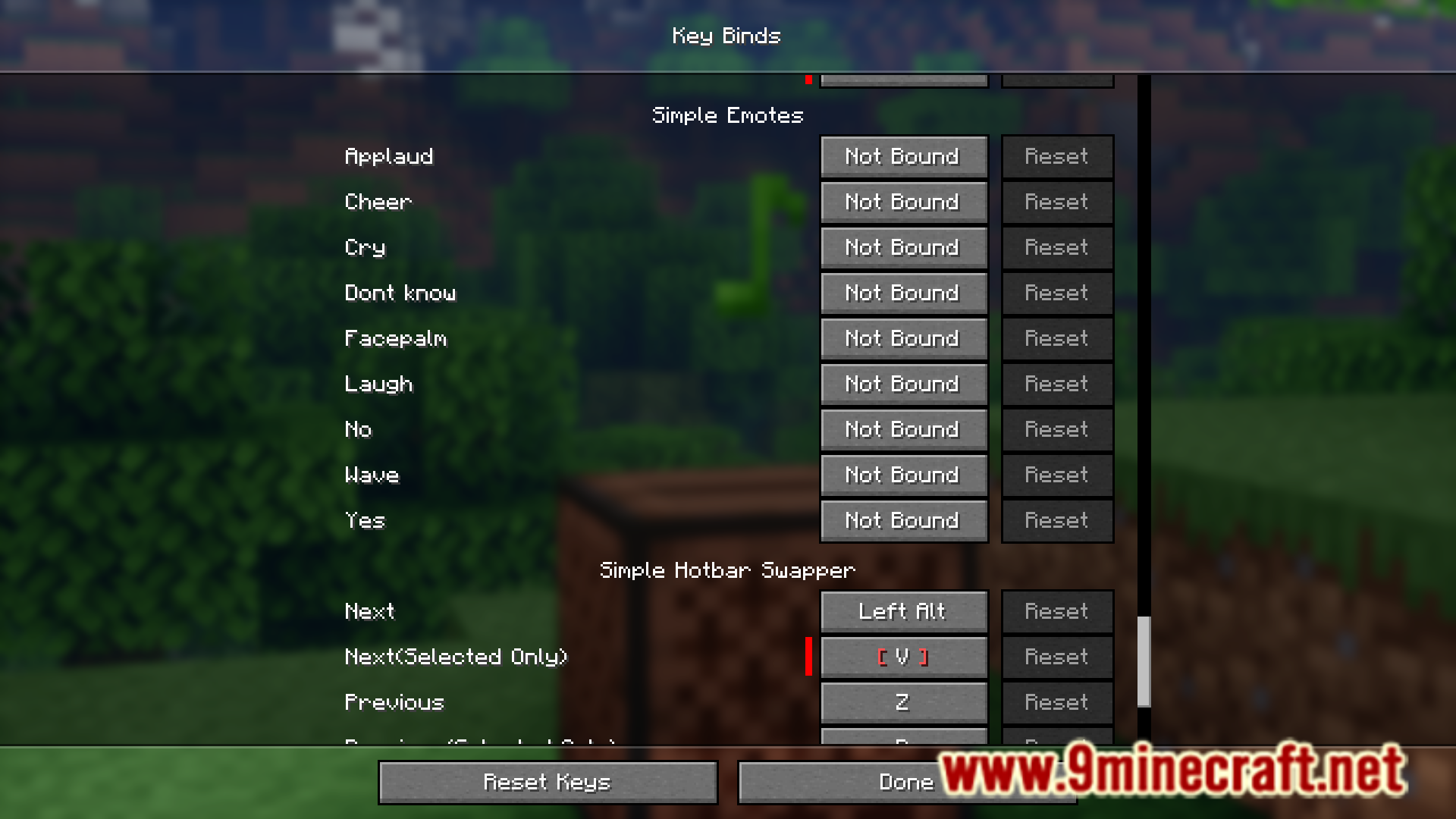
Open your Controls settings, find the Keybind Settings menu, locate the emote you want to bind, and press a key to assign it. Once assigned, press that key in-game to perform the emote.
Why aren't my emotes working?
Check that you've actually assigned a keybind to the emote in the Keybind Settings menu—none are set by default. Also make sure you're not in a menu or chat when trying to trigger the emote.
Can other players see my emotes in multiplayer?
Yes, emotes are visible to other players on the server or in your world, so they can see your animations in real-time.
How many emotes are in the mod?
The mod currently contains around ten emotes that you can discover and use.
See all 10 Simple Emotes questions ›
Gallery
7 images from the Simple Emotes Mod page.



You May Also Like
Wikis that share the most with this one
More mod wikis on the site
The most downloaded mods that have a wiki here
A few wikis from each of the other kinds