

 DownloadMore Concrete
Get the files on 9Minecraft
Contents (5)
Guides
Step-by-step, in-game.
Add Functional Buttons, Levers, and Pressure PlatesCrafting Concrete Buttons and Levers Concrete buttons and levers let you create themed redstone controls that match…Build Fences, Gates, and Walls with ConcreteCrafting Concrete Fences and Gates Concrete fences and gates provide functional barriers in any concrete-themed…Create Concrete Stairs and Slabs for BuildingUsing the Crafting Table Concrete stairs and slabs let you add detail and variety to your builds. Start by gathering…Organize and Mass-Produce Concrete VariantsEfficient Stonecutter Workflow When building large structures, the stonecutter is your best tool for producing…
Recipes
Every recipe the mod adds, grouped by how it is made.
Blocks
96 blocks · showing 24. Browse all →
 Black Concrete Button
 Black Concrete Fence
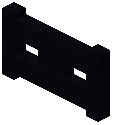 Black Concrete Fence Gate
 Black Concrete Lever
 Black Concrete Pressure Plate
 Black Concrete Wall
 Blue Concrete Button
 Blue Concrete Fence
 Blue Concrete Fence Gate
 Blue Concrete Lever
 Blue Concrete Pressure Plate
 Blue Concrete Wall
 Brown Concrete Button
 Brown Concrete Fence
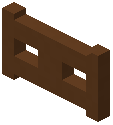 Brown Concrete Fence Gate
 Brown Concrete Lever
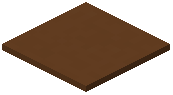 Brown Concrete Pressure Plate
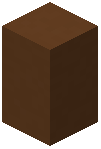 Brown Concrete Wall
 Cyan Concrete Button
 Cyan Concrete Fence
 Cyan Concrete Fence Gate
 Cyan Concrete Lever
 Cyan Concrete Pressure Plate
 Cyan Concrete Wall
Frequently asked questions
How do I make concrete stairs?
Place concrete blocks in the crafting table following the stair pattern (3 blocks on bottom row, 2 on middle row, 1 on top row), or use the stonecutter to convert a concrete block into stairs one at a time. Both methods work for any of the 16 concrete colors.
Can I make concrete slabs?
Yes, use the crafting table to arrange concrete blocks in a horizontal line (3 blocks in a row), or use the stonecutter for a 1:1 conversion. Each concrete block yields multiple slabs.
Do concrete buttons and levers work like normal ones?
Yes, concrete buttons, levers, and pressure plates function identically to their wooden or stone counterparts—they trigger redstone signals and can power adjacent blocks. They're purely cosmetic variants that let you match your concrete color scheme.
What's the difference between concrete walls and concrete fences?
Concrete walls are solid blocks with a smaller hitbox and connect to adjacent walls, while concrete fences are post-based and connect to fences and fence gates. Choose walls for a more compact barrier or fences for a traditional fence look.
Can I use the stonecutter for all concrete variants?
Yes, the stonecutter can convert concrete blocks into any variant—slabs, stairs, walls, buttons, levers, pressure plates, fences, and fence gates. This is the fastest way to mass-produce variants of a single color.
Do I need to craft each color separately?
Yes, each of the 16 concrete colors has its own variants, so you'll need to use the specific color block to craft that color's stairs, slabs, fences, etc. There's no way to dye or convert between colors.
Will concrete variants connect to vanilla blocks?
Concrete fences and fence gates connect to vanilla fences and gates, and concrete walls connect to vanilla walls. Buttons, levers, and pressure plates work on any surface like vanilla versions.
Is this mod compatible with Bedrock edition?
Check the mod's download page for a Bedrock-specific version, as not all mods have Bedrock support. The mod may be available through different platforms depending on your version.
Do concrete variants have the same blast resistance as concrete blocks?
Concrete variants inherit the properties of their parent concrete block, so they have the same durability and blast resistance as regular concrete.
Can I use concrete variants in survival mode?
Yes, all variants are fully craftable in survival mode using the crafting table or stonecutter. You can gather concrete blocks normally and convert them into whatever variants you need.
Gallery
12 images from the More Concrete Mod page.


You May Also Like
Wikis that share the most with this one
Wikis on the same theme: wall
More mod wikis on the site
The most downloaded mods that have a wiki here
A few wikis from each of the other kinds