

 DownloadMemory Settings Mod
Get the files on 9Minecraft
Guides
Step-by-step, in-game.
How to Configure Separate Client and Server Memory in Memory Settings ModWhy They Are Separate A dedicated server and a client have different memory needs. The client renders the world and…How to Configure the Recommended Memory Message in Memory Settings ModWhat the Recommendation Does The mod can compare your system's total memory against the amount you allocated and…How to Customize the Memory Help Message Shown at LaunchThe Help Message When the mod detects a memory problem, it can display a help message explaining how to change your…How to Stop Minecraft Stuttering by Setting the Right Memory with Memory Settings ModWhy the Warning Appears When you launch the game, Memory Settings Mod checks the Java arguments your launcher passed…
Frequently asked questions
How do I open the Memory Settings Mod config?
Open the mod's config file from your Minecraft config folder, or use the in-game mod config screen if your mod loader provides one. The config holds the min/max memory values, the recommended memory rule, and the help message text.
Why does Memory Settings Mod warn me at startup?
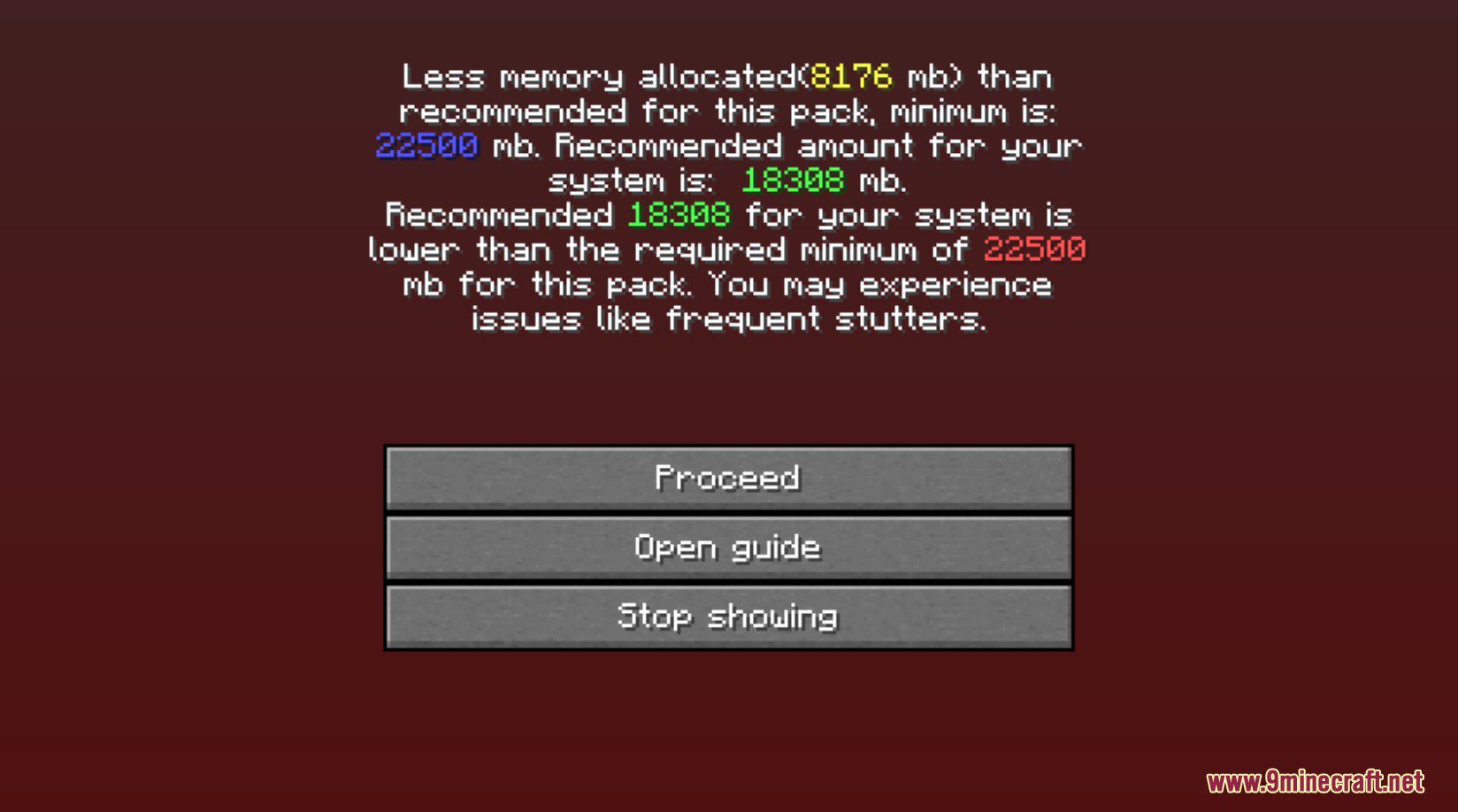
It compares your Java min/max memory settings against what your system can reasonably allocate and flags a mismatch. The warning means your current allocation is likely to cause stuttering or freezing, not that the game is broken.
How do I turn off the startup memory warning?
You can disable or adjust the warning in the config rather than ignoring it, since the warning exists to prevent performance problems. If you've already set correct values, the warning should stop appearing on its own.
What should I set for minimum and maximum memory?
Set both values in the config so Java starts with a fixed allocation instead of growing dynamically. A stable min and max avoids the resizing that causes micro stutters during play.
See all 18 Memory Settings questions ›
Gallery
2 images from the Memory Settings Mod page.
You May Also Like
Wikis that share the most with this one
More mod wikis on the site
 Mega Showdown Extra Megas Mod
The most downloaded mods that have a wiki here
A few wikis from each of the other kinds