

 DownloadLoot Journal Mod
Get the files on 9Minecraft
Guides
Step-by-step, in-game.
How to Change the Loot Journal Keybind and PositionIf the default key conflicts with another mod or the overlay sits somewhere awkward, you can adjust both without…How to Fix the Loot Journal Not Showing PickupsIf the journal opens but stays empty or stops updating, work through these checks before assuming the mod is broken.…How to Open and Read the Loot JournalThe Loot Journal is a client-side pickup log, so it lives on your screen rather than in a block or chest. Everything…How to Use the Loot Journal to Track Drops and Inventory CountsThe journal is most useful when you treat it as a running tally during farming, mining, or mob grinding. Tracking a…Loot Journal Mod: Tracking Your PickupsHow the Loot Journal Works Loot Journal Mod is a client-side only mod, meaning it runs entirely on your own game and…
Configuration
Every setting in the mod config file, with what it changes.
| Option | What it does |
|---|---|
abbreviateNumbersAbbreviate Numbers | Shortens large numbers (e.g., 1000 → 1K). |
activeThemeActive Theme | Themes define the visual style of the Loot Journal. They control layouts, styles, and effects, and can be customized or added through resource packs. Themes can also apply different visuals to items using flexible filters and may include their own settings. |
defaultFilterRuleDefault Filter Rule | Defines how item filtering works by default. ALLOW_ALL – all items are shown by default. Blacklisted items are hidden. (Whitelist is ignored) DENY_ALL – no items are shown by default. Only whitelisted items are displayed. (Blacklist is ignored) |
display | Display |
displayCapacityDisplay Capacity | Maximum number of pickups visible at the same time. |
displayTimeDisplay Time | How long a pickup stays visible before fading out. |
effects | Effects |
elementOrderElement Order | Controls the layout of the pickup message. Use ICON, NAME, COUNT, and TOTAL to define the order, and add numbers to adjust spacing. |
elementsElements | Controls the layout and arrangement of elements in the pickup message. |
enableFilteringEnable Filtering | Enables or disables filtering of pickups. |
enableLootJournalEnable Loot Journal | Completely enables or disables all Loot Journal features. |
enablePlayerFilteringEnable Player Filtering | When enabled, only players from the whitelist will be tracked. |
enableRayGlowEnable Ray Glow | Enables or disables the ray glow effect across all themes. |
enableSoundsEnable Sounds | Enables or disables the pickup sound. |
fadeInEasingFade In Easing | Controls the shape of the fade-in animation. |
fadeInTimeFade In Time | Duration of the fade-in effect. |
fadeOutEasingFade Out Easing | Controls the shape of the fade-out animation. |
fadeOutTimeFade Out Time | Duration of the fade-out effect. |
filtering | Filtering |
filters | Filters |
general | General |
growthDirectionGrowth Direction | Controls the direction in which new pickups appear. NATURAL – follows the Screen Anchor setting, using the most natural direction for the chosen position. UP – new entries grow upward from the anchor. DOWN – new entries grow downward from the ancho |
hideOtherCommonItemsHide Common Items (Others) | Skips displaying common items picked up by other players, keeping your Loot Journal focused on noteworthy finds. |
hideYourCommonItemsHide Common Items (Yours) | Skips displaying common items you pick up, keeping your Loot Journal focused on noteworthy finds. |
Frequently asked questions
What does the Loot Journal Mod do?
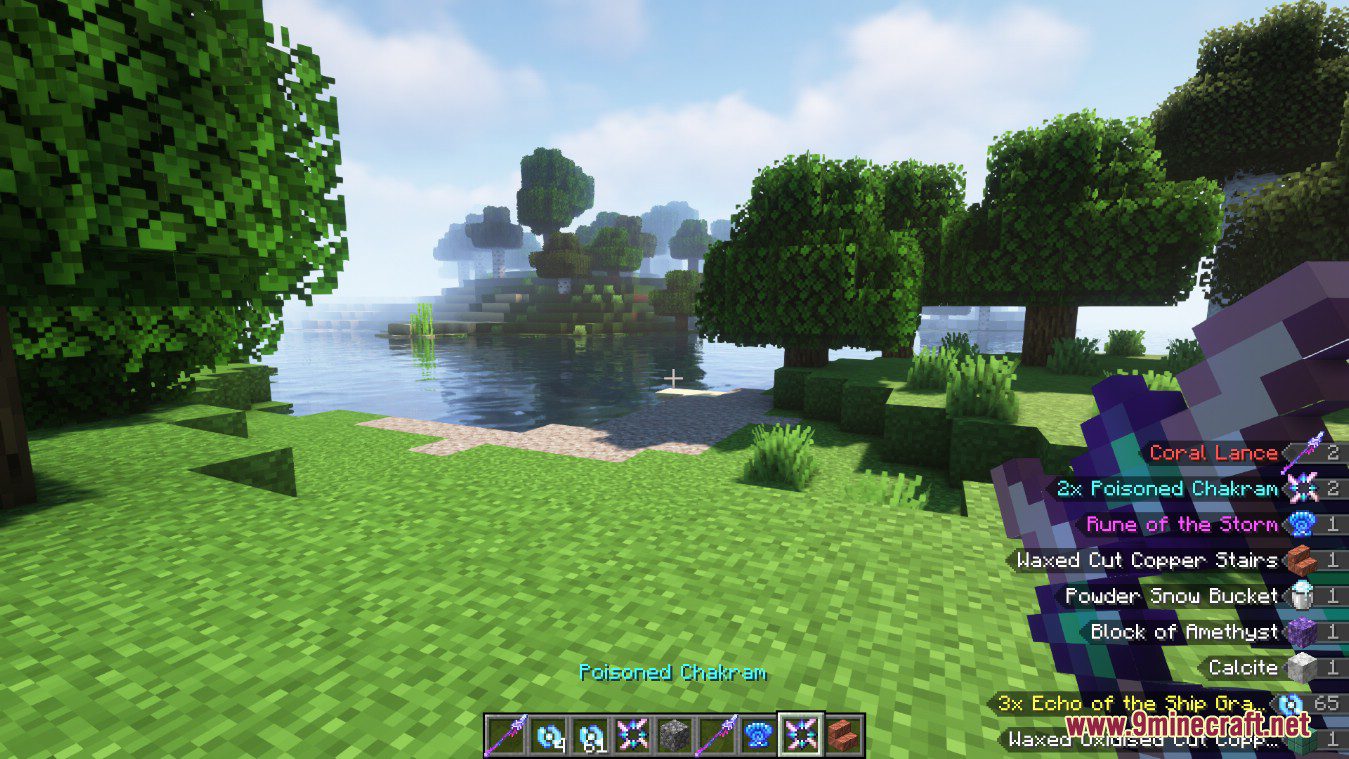
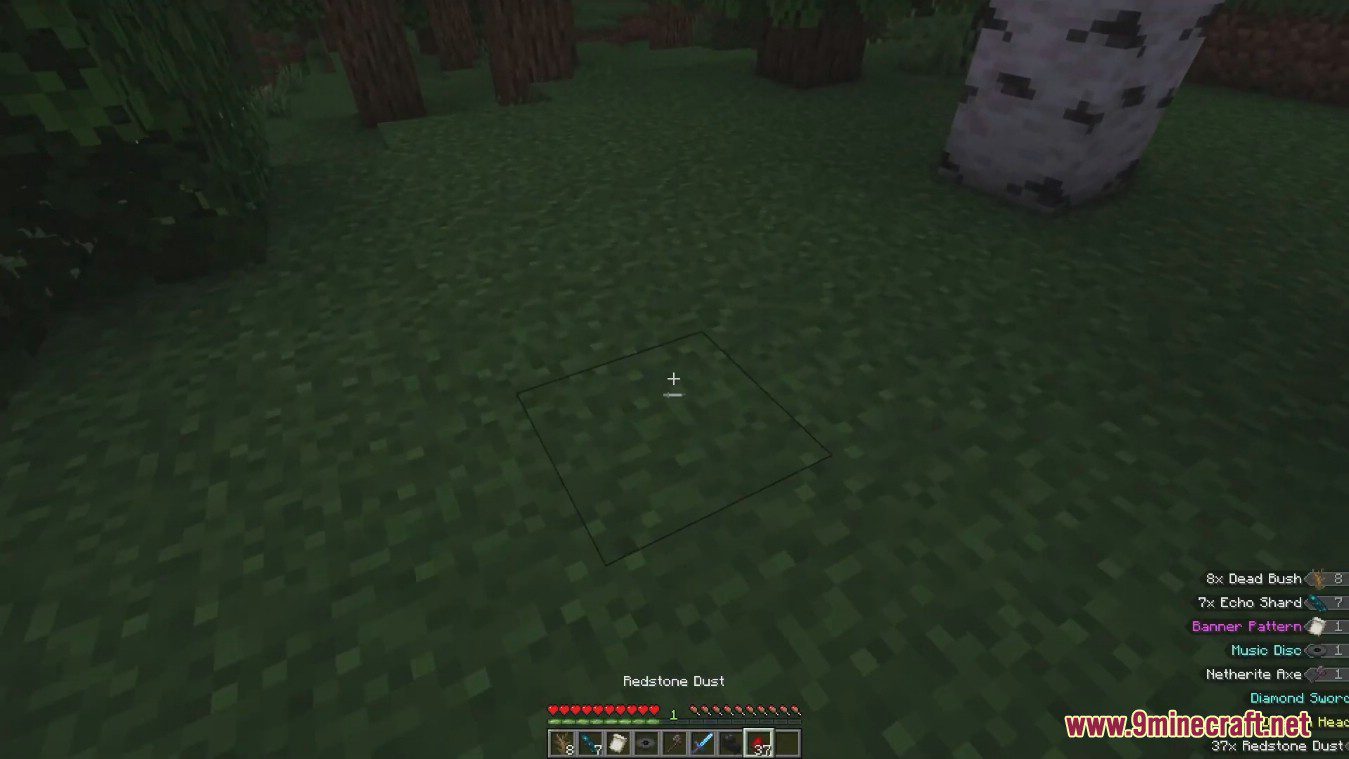
It adds a log of the items you have picked up and counts the total number of similar items in your inventory.
Is the Loot Journal Mod client-side or server-side?
It is a client-side only mod.
Does the Loot Journal Mod require anything on the server to work?
No, since it is client-side only, it works without any server-side installation.
What kind of log does the Loot Journal Mod provide?
It provides a log of the items you have picked up.
See all 6 Loot Journal questions ›
Gallery
7 images from the Loot Journal Mod page.




You May Also Like
Wikis that share the most with this one
More mod wikis on the site
Loot Integrations When Dungeons Arise ModLoot Integrations Valhelsia Structures ModLoot Integrations Underground Villages Stoneholm ModLoot Integrations: Towns And Towers ModLoot Integrations: Structory And Towers ModLoot Integrations: Randomized Loot Compatibility ModLoot Integrations: Philip’s Ruins ModLoot Integrations Moog’s Voyager, Soaring, End, Nether Structures ModLoot Integrations ModLoot Integrations: Medieval Buildings ModLoot Integrations: Hopo Better Mineshaft, Ruins And Portals ModLoot Integrations: Formations Overworld And Nether Mod
The most downloaded mods that have a wiki here
A few wikis from each of the other kinds