

 DownloadBotany Pots Mod
Get the files on 9Minecraft
The growth process in a 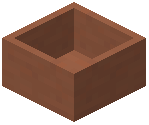 Botany Pot is governed by three main factors: the plant, the soil, and fertilizers.
The Growth Cycle
- Placement: Place the Botany Pot on a surface. For Hopper variants, place them on top of a chest.
- Soil Selection: Right-click the pot with a soil item (e.g., Dirt, Sand, Soul Sand). The soil determines which plants can grow and how fast they grow.
- Planting: Right-click the pot with a seed, spore, or sapling. The growth progress will begin, indicated by a visual model of the plant growing inside the pot.
- Harvesting:
- Manual: Right-click the mature plant to collect drops
- Automatic: The
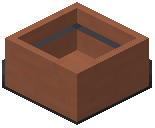 Hopper Botany Pot harvests instantly upon reaching 100% growth
Soil Modifiers
Different soils provide different growth speed multipliers. Using higher-tier soils or specific soils required by certain plants (like Soul Sand for Nether Wart) is essential for efficiency.
| Soil Type | Growth Modifier | Common Uses |
|---|---|---|
| Dirt | 1.0x | Wheat, Carrots, Potatoes |
| Farmland | 1.1x | Standard crops (faster growth) |
| Sand | 1.0x | Cactus, Sugar Cane |
| Red Sand | 1.0x | Cactus, Sugar Cane |
| Soul Sand | 1.0x | Nether Wart |
| Mycelium | 1.0x | Mushrooms |
| End Stone | 1.0x | Chorus Fruit |
Fertilizers
Fertilizers can be used to instantly increase the growth progress of a plant. Right-clicking a growing pot with a fertilizer will consume the item and add a percentage to the growth bar.
- Bone Meal: The standard fertilizer. Provides a random boost to growth progress.
- Modded Fertilizers: Many mods add custom fertilizers that are natively supported by Botany Pots for larger growth boosts.


