

Check the Basics First
If your 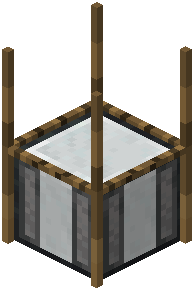 strainer or Mesh Filter isn't producing items, start with the simplest causes. Open the interface and confirm the input slots actually contain the items the recipe needs. A partially filled input — missing one reagent — will not match any recipe and will sit idle. For the Mesh Filter, remember that recipes like lava plus obsidian plus gravel require all listed reagents simultaneously.
Next, verify the block has what it needs to operate. The mod allows configurable blocks above the mesh, so if your setup expects a specific block overhead and it's missing or wrong, production stops. For water strainers, confirm water access is present and flowing as the recipe expects.
When the Recipe Itself Is the Problem
Because every recipe is customizable, the most common cause of "nothing happens" is that no recipe exists for your input combination in your particular pack or server. The default examples you read about online may have been changed or removed by the pack author. Ask your server admin or check the pack's config to see which recipes are actually defined.
Also consider timing: recipes have an adjustable completion time, and a long timer can look like a stall. Give it enough time before assuming failure. If you recently edited configs, reload them — changes won't apply until the game or data reloads. Finally, test the same setup in a fresh creative world to isolate whether the issue is the recipe or your build.