
How to Use the Mesh Filter to Turn Lava, Obsidian, and Gravel into Diamonds
Understanding the Mesh Filter
The Mesh Filter is the functional block that lets you convert raw materials into valuable outputs based on the reagents you place inside it. It behaves differently from a plain water 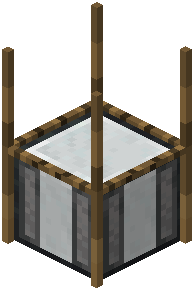 strainer: instead of relying only on water flow, it reads the specific items in its slots and runs a matching recipe. A commonly cited example is combining lava, obsidian, and gravel to produce diamonds along with some iron ingots.
Running the Recipe
Open the Mesh Filter interface and place the required reagents into the input slots. For the lava/obsidian/gravel recipe, you need all three present at once — leaving one out means the recipe won't match and you'll get nothing. Once the inputs are correct, the filter begins processing.
Keep in mind that every recipe in this mod is customizable. The lava-obsidian-gravel combination is just one example; your pack may have redefined it entirely, changed the outputs, or removed it. If the expected items don't appear, verify the exact reagents your configuration expects. Also check whether the block needs specific blocks placed above it — the mod allows configurable blocks above the mesh, so a missing support block can silently stop production.