
BBL Strainers Wiki › Guides › How to Set Up and Use a Water Strainer
How to Set Up and Use a Water Strainer
Placing and Filling the 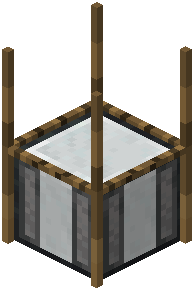 Strainer
Place the water strainer block where you want your collection point. It needs to be submerged in water to function — the block itself must be surrounded by a water source, so dig a small pool, place the strainer at the bottom, and let water flow over it. Once it's in water, right-click it to open its interface.
Inserting Mesh and Collecting Drops
The strainer works by holding a mesh item in its slot. Different mesh tiers determine what you can catch and how quickly. Over time, the strainer will generate items into its output slots based on the recipes  configured for that mesh. You can pull items out manually or pipe them out with hoppers if you want automation.
Practical Tips
- Keep the block fully submerged; a dry strainer does nothing.
- Check the interface regularly — outputs can fill up and stop production.
- If you're on a server, recipe outputs may differ from singleplayer because the mod's recipes are fully configurable by the pack or server owner.
- Combine strainers with hoppers underneath to feed a chest automatically, so you don't have to babysit them.
- If nothing is being produced, verify the mesh is actually inserted and that the block still has water above it.