
How to Set Up a Water Strainer and Start Collecting Items
Placing and Filling the 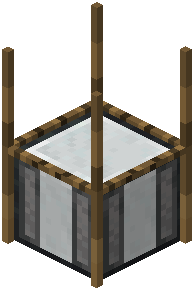 Strainer
Place the water strainer block where you want your collection point. Right-click it to open its interface. The strainer works by holding items in its internal slots and producing outputs over time while it has access to water. Fill the input slots with the items your recipe requires — the mod reads whatever is in those slots to decide what gets produced.
Once the slots are stocked, make sure the block has the water access it needs. In most setups this means placing the strainer so water can flow into or sit adjacent to it, matching whatever the recipe expects. If nothing is happening, check that the input slots actually contain items; an empty strainer has nothing to process.
Collecting Outputs
Processed items appear in the output area of the interface. Pull them out by shift-clicking or manually dragging them into your inventory. Recipes can have multiple outputs, so don't assume one slot equals one item — check every output slot before walking away.
Because recipes are fully customizable, the exact inputs and outputs depend on how your pack or server configured them. If a strainer seems to produce nothing useful, the recipe for your inputs may simply not be defined. Try different combinations of blocks and items in the input slots, or ask whoever configured the mod what recipes are active. Timing also varies by configuration, so give each batch a reasonable window before deciding it's broken.