

 DownloadAshen 16X Resource Pack
Get the files on 9Minecraft
Contents (8)
Guides
Step-by-step, in-game.
Building a Medieval Fantasy Castle with Ashen TexturesChoosing Your Foundation Blocks Ashen's medieval textures work best when you layer different stone and brick…Creating a Medieval Garden and FarmDesigning Garden Beds and Crop Layout Ashen's medieval textures transform standard crops into thematic elements. Use…Customizing Your World's Appearance with Add-on PacksSelecting Add-ons for Your Playstyle Ashen offers several add-on options that modify specific visual elements. The…Optimizing Ashen 16x for Smooth PerformanceUnderstanding Resolution and System Load Ashen maintains a 16x resolution, which is significantly lighter than…
Items
443 items · showing 24. Browse all →
 Acacia Boat
 Acacia Boat with Chest
 Acacia Door
 Allay Spawn Egg
 Amethyst Shard
 Angler Pottery Sherd
 Apple
 Archer Pottery Sherd
 Armadillo Scute
 Armadillo Spawn Egg
 Armor Stand
 Arms Up Pottery Sherd
 Arrow
 Axolotl Spawn Egg
 Baked Potato
 Bamboo
 Bamboo Door
 Bamboo Raft
 Bamboo Raft with Chest
 Banner Pattern (Flower)
 Banner Pattern (Guster)
 Banner Pattern (Creeper)
 Banner Pattern (Flow)
 Banner Pattern (Skull)
Blocks
531 blocks · showing 24. Browse all →
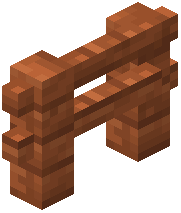 Acacia Fence
 Acacia Hanging Sign
 Acacia Leaves
 Acacia Log
 Acacia Planks
 Acacia Sapling
 Acacia Sign
 Acacia Trapdoor
 Activator Rail
 Allium
 Amethyst Cluster
 Andesite
 Anvil
 Attached Melon Stem
 Attached Pumpkin Stem
 Azalea Leaves
 Azure Bluet
 Bamboo Hanging Sign
 Bamboo Mosaic
 Bamboo Planks
 Bamboo Sign
 Bamboo Trapdoor
 Bedrock
 Big Dripleaf Stem
What this pack changes
Every texture group the pack replaces, counted from the pack itself.
| Area | Textures replaced |
|---|---|
| Blocks | 2,302 |
| Items | 1,012 |
| Mobs & entities | 818 |
| GUI & menus | 598 |
| Particles | 303 |
| Armor trims | 93 |
| Paintings | 52 |
| Maps | 44 |
| Status effects | 40 |
| Sky & weather | 17 |
| Misc | 15 |
| Models | 15 |
| Cursors | 6 |
| Biome colours | 3 |
Pack format 97 (Minecraft 1.21.9)6 per-version overlays5,318 texture files in total
Extra features
Random entity textures
Custom block/item models
Reworked GUI
Custom particles
Frequently asked questions
How do I activate the ashen resource pack?
Open your Resource Packs menu in Settings, find Ashen 16x in the Available list, and click the arrow to move it to Active. Make sure it's positioned above the Default pack so its textures take priority.
Will ashen work with OptiFine?
Yes, Ashen 16x is fully compatible with Optifine and actually looks better with it enabled, especially for the custom shapes and mob variations that require Optifine's features.
Can I use ashen with fresh animations?
Yes, but you need to load Ashen 16x higher in your resource pack order than Fresh Animations so the textures display correctly on top of the animations.
Why are my ores hard to see in caves?
Try enabling the Glowing Ores add-on pack, which makes ore blocks emit light so they're visible in dark caves without needing extra torches.
Does ashen lag on old computers?
Ashen 16x is designed to run smoothly on older hardware because it uses the standard 16x resolution, though you can follow the performance optimization guide for additional tweaks.
How do I get the medieval font to match the pack?
Download the custom text style add-on separately and load it as an additional resource pack above Ashen 16x to apply the medieval font throughout your world.
What do the different glass add-ons do?
The Clean Glass add-on simplifies glass block textures for a more modern, minimalist look compared to the default medieval glass included in the base pack.
Can I remove the bushy leaves from trees?
Yes, enable the Blocky Leaves add-on pack to replace the detailed leaf textures with standard blocky trees that match classic Minecraft style.
How do I make my forest look like autumn with ashen?
Activate the Autumn Forest add-on pack to transform regular forest biomes into areas with orange and red foliage for a seasonal appearance.
Do custom block shapes work without OptiFine?
Most custom shapes work in vanilla Minecraft, but Optifine unlocks the full potential of Ashen's special block and item models for the best visual results.
You May Also Like
Wikis that share the most with this one
The Ashen Wastes MapFasten An Ashen Compatibility Pack Resource PackArcle S Medieval Containers Resource PackArkudii’s Detailed Hypixel Skyblock Resource PackArmor HUD Changes Resource PackArmor Reimagined Java Resource PackArmored Illager Fresh Animation Resource PackArmored Legacy Resource PackArmors & Stuff Resource Pack Armory Of The Wild Resource PackAssembled Legendary Tooltips Resource PackAssorted Foxes Resource Pack
More resource pack wikis on the site
Archon Reforged Resource PackArcane Archive Vellum Resource PackApple Skin Vanilla Food Information Resource Pack Apple Hunger Bar Resource PackApple Hearts Resource PackApparent Ores Resource PackApocalypse GUI Resource PackAnime Waifu Totem Resource PackAnime Waifu Beds Resource PackAnime Waifu Beds #26 Resource PackAnime Waifu Beds #20 Resource PackAnimated Totem Of Undying Resource Pack
The most downloaded mods that have a wiki here
A few wikis from each of the other kinds
Gallery
12 images from the Ashen 16X Resource Pack page.


