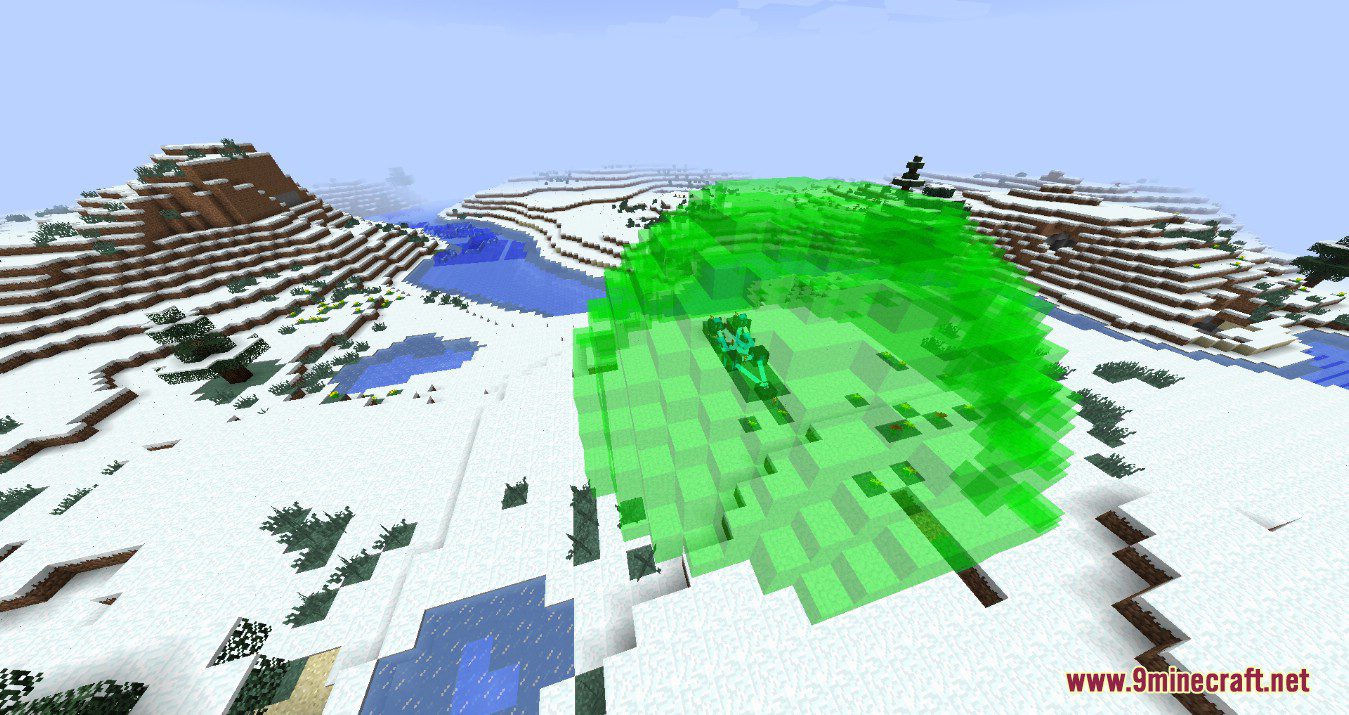
DownloadModular Force Fields Systems
Get the files on 9Minecraft
Guides
Step-by-step, in-game.
How to Disguise a Force Field So It Looks Like a WallCamouflage Basics A visible force field is a giveaway. Insert a Camouflage Module into your Force Field Projector to…How to Keep Other Players Out With Biometrics and CardsIdentifying Players Craft an Identification Card and a Biometric Identifier . Right-click the Biometric Identifier to…How to Power Force Fields With Fortron EnergyGenerating Fortron Force fields run on Fortron, produced by a Coercion Deriver . Place the Deriver and give it a…How to Set Up Your First Force Field ProjectorPlacing and Powering the Projector Place a Force Field Projector facing the area you want to protect. It needs…How to Shape Fields With Custom and Rotation ModesUsing the Standard Shapes Before reaching for Custom Mode , check whether a preset fits. Cube Mode covers rectangular…How to Stop Mobs From Spawning Inside Your BaseThe Right Modules for the Job Spawning is controlled by modules, not by the field shape alone. Insert an Anti-Spawn…
Recipes
Every recipe the mod adds, grouped by how it is made.
Items
A
 Anti-Friendly Module
 Anti-Hostile Module
 Anti-Personnel Module
 Anti-Spawn Module
B
 Battery
 Blank Card
 Block Access Module
 Block Alter Module
C
 Camouflage Module
 Capacity Module
 Collection Module
 Confiscation Module
 Cube Mode
 Custom Mode
 Cylinder Mode
D
 Disintegration Module
 Dome Module
F
 Field Fusion Module
 Focus Matrix
 Frequency Card
G
 Glow Module
I
 Identification Card
 Infinite Power Card
 Inverter Module
P
 Pyramid Mode
R
 Remote Controller
 Rotation Module
S
 Scale Module
 Shock Module
 Silence Module
 Speed Module
 Sphere Mode
 Sponge Module
 Stabilization Module
 Steel Compound
 Steel Ingot
T
 Translation Module
 Tube Mode
W
 Warn Module
Blocks
 Base Machine Block
 Biometric Identifier
 Coercion Deriver
 Force Field
 Force Field Projector
 Fortron Capacitor
 Interdiction Matrix
Frequently asked questions
How do I get started with Modular Force Fields?
Craft a Force Field Projector and a Fortron Capacitor, place the projector where you want the field centered, and give it power. Then use the projector's GUI to pick a shape mode and link a Frequency Card so the field knows what to project.
How do I power my force field?
Force fields run on Fortron, which is generated by the Coercion Deriver and stored in Fortron Capacitors or Batteries. Connect the deriver to your projector through capacitors, or use an Infinite Power Card in creative-style setups.
Why is my force field not showing up?
The most common causes are no Fortron in the network, a missing or unlinked Frequency Card, or the projector being set to a shape with a scale of zero. Check the projector's GUI for a status readout and confirm the capacitor has charge.
How do I stop mobs from spawning inside my base?
Add an Anti-Spawn Module to your projector so the field blocks natural mob spawning inside its volume. Combine it with an Anti-Hostile Module if you also want to keep hostile mobs from walking through.
How do I keep other players out of my force field?
Install a Biometric Identifier, register players with Identification Cards, and add an Anti-Personnel Module to the projector. Players without a registered card will be blocked or pushed out depending on your module setup.
How do I make my force field look like a wall instead of a glowing barrier?
Use the Camouflage Module along with a Block Alter Module and Block Access Module to make the field render as a chosen block. You can also use the Disintegration Module to make it fully invisible if you want a hidden barrier.
What's the difference between the shape modes like Sphere, Cube, and Custom?
Sphere, Cube, Cylinder, Pyramid, and Dome are preset shapes you can scale and rotate with the Scale and Rotation Modules. Custom Mode lets you define your own shape using the Focus Matrix, and Field Fusion Module lets you merge multiple projectors into one field.
How do I rotate or resize a force field?
Add a Rotation Module to change the field's orientation and a Scale Module to change its size, then adjust the values in the projector's GUI. Both modules stack with the shape modes, so you can have a rotated, scaled dome or cube.
My force field is killing or hurting things inside it — how do I stop that?
Remove or disable damage-dealing modules like Shock Module, Coercion Deriver effects, or Confiscation Module if they're active. The Interdiction Matrix can also apply effects to entities inside the field, so check its configuration.
Does this mod cause lag, and how do I reduce it?
Large or heavily-moduled fields can cost server ticks, especially with Camouflage, Collection, or Interdiction Matrix modules active. Keep field volumes reasonable, avoid stacking many projectors in one chunk, and disable modules you aren't actively using.
You May Also Like
Wikis that share the most with this one
Wikis on the same theme: machine
More mod wikis on the site
The most downloaded mods that have a wiki here
A few wikis from each of the other kinds
Gallery
5 images from the Modular Force Fields Systems Mod page.