

 DownloadModonomicon
Get the files on 9Minecraft
Guides
Step-by-step, in-game.
Adding Your Own Content to a Modonomicon Book (Datapack and JSON Basics)What Modonomicon expects Modonomicon is built so that books, categories, and entries are defined as data, not…Fixing a Modonomicon Book That Will Not Open or Shows Blank PagesFirst checks If using the book does nothing, confirm you are holding the correct guide item and that the mod which…How to Get and Open the Modonomicon Guide BookGetting the book Modonomicon is a framework that lets mods add their own guide books. The book you actually read…Unlocking New Entries and Pages in a Modonomicon BookWhy entries are hidden Modonomicon books can gate entries behind conditions. An entry may only appear after you…
Items
 Modonomicon
Configuration
Every setting in the mod config file, with what it changes.
| Option | What it does |
|---|---|
enableSmoothZoom | Enable Smooth Zoom |
fontFallbackLocales | Font Fallback Locales |
qol | Quality of Life Settings |
storeLastOpenPageWhenClosingEntry | Store Last Open Page When Closing Entry |
Frequently asked questions
How do I get the Modonomicon book in-game?
The Modonomicon item is typically given by the mod that ships the book, either as a starting item, a craftable item, or via a command. If you're the pack author, you can hand it out with a give command or place it in a loot table. Check the mod that provides the book for its specific acquisition method.
How do I open the Modonomicon once I have it?
Hold the Modonomicon and right-click (use) it to open the guide interface. If nothing happens, make sure you're holding the correct book item and not a different mod's guide.
Why does my Modonomicon book show blank pages?
Blank pages usually mean the book's JSON content failed to load, often from a syntax error or a missing referenced entry. Check your datapack or mod's log for parsing errors and verify the entry and page files exist in the expected folder.
How do I add a new entry to a Modonomicon book?
Create a JSON file for the entry in the book's data folder, then reference it from the book's category or index file. Each entry needs an ID, a title, and one or more pages with content.
How do I unlock a Modonomicon entry so players can see it?
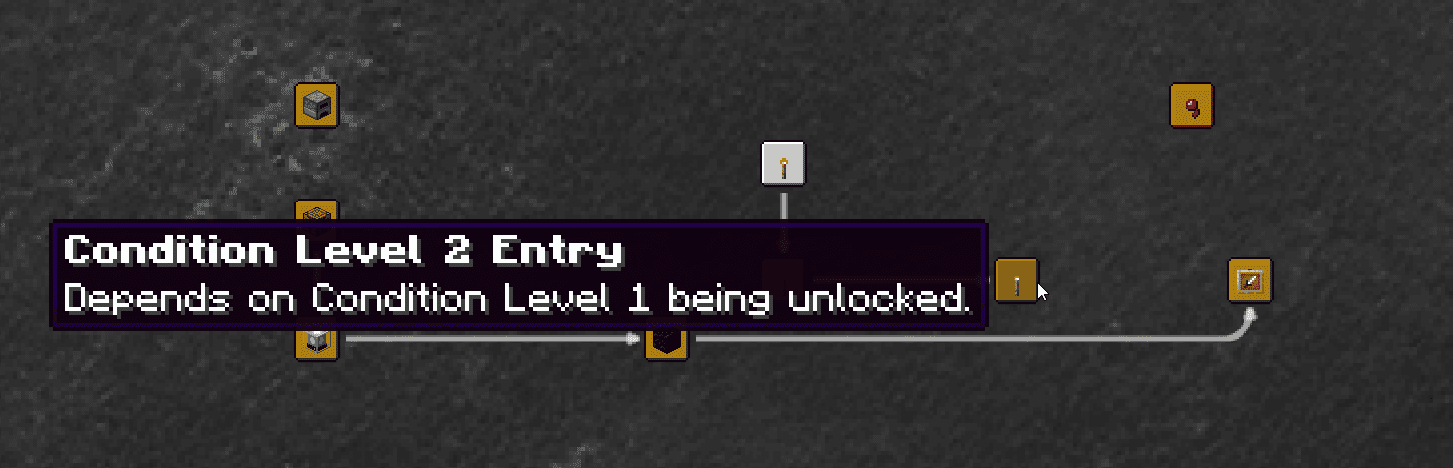
Entries can be gated behind advancements, items, or other conditions defined in the entry JSON. Until the condition is met, the entry stays hidden or locked in the book. Remove the condition or grant the advancement to make it visible.
Can I use Modonomicon without writing any code?
Yes, if the book content is defined through datapack JSON files rather than Java. You can add entries, pages, and categories by editing JSON, but the book itself must already be registered by a mod.
What's the difference between a category, an entry, and a page in Modonomicon?
A category is a top-level tab or section in the book, an entry is a single topic within a category, and a page is one screen of content inside an entry. Entries can contain multiple pages that players flip through.
Why isn't my Modonomicon book showing up in the creative menu or JEI?
The book item only appears if the mod that registers it is loaded and the item is added to a creative tab or search index. If you're a pack author, add it to a creative tab or it won't show in search.
Does Modonomicon work on a server with clients that don't have the mod?
Modonomicon is a content and UI library, so clients generally need it installed to render the book interface. Check the mod's requirements for whether it's client-side, server-side, or both.
Does Modonomicon affect performance or cause lag?
Modonomicon itself is lightweight since it mainly loads JSON content and renders a book UI. Lag is more likely from a very large number of entries or pages, or from other mods, rather than the book system itself.
Gallery
7 images from the Modonomicon Mod page.
You May Also Like
Wikis that share the most with this one
More mod wikis on the site
The most downloaded mods that have a wiki here
A few wikis from each of the other kinds