
Micro Redstone Logic Wiki

Micro Redstone Logic Wiki & Guide
wiki.9minecraft.net/micro-redstone-logic-mod/
The community wiki and guide for Micro Redstone Logic — guides, recipes, items and mechanics.
Guides
Step-by-step, in-game.
How to Build Hidden Flaps and Rudders with the Invisible Control SurfaceHow to Drive a Land Vehicle Using the Steering Column and PedalsHow to Fuel and Throttle the Small Airplane EngineHow to Set Up the Joystick as a One-Block Aircraft Cockpit
Recipes
Every recipe the mod adds, grouped by how it is made.
Blocks
 Invisible Control Surface
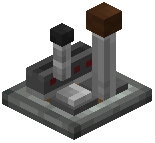 Joystick
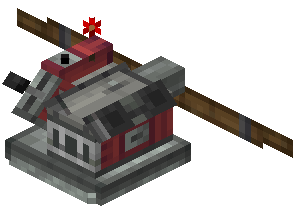 Small Airplane Engine
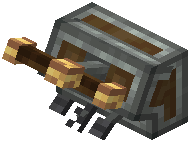 Steering Column
Configuration
Every setting in the mod config file, with what it changes.
| Option | What it does |
|---|---|
selfCenteringSpeed | Auto-Centre Speed |
selfCentering | Auto-Centre While Flying |
soundVolume | Click Volume |
input | Input |
invertPitch | Invert Pitch |
mouseSensitivity | Mouse Sensitivity |
sound | Sound |
stickMaxAngle | Stick Travel |
throttleMaxAngle | Throttle Travel |
visuals | Visuals |
Frequently asked questions
How do I start building a vehicle with this mod?
Place a Joystick (for aircraft) or a Steering Column (for ground vehicles) inside your cockpit, then sneak and right-click it to set its redstone link frequencies. Next, link those same output frequencies to your Small Airplane Engines and Invisible Control Surfaces so the controls actually move your machine.
How do I change the redstone link frequencies on the joystick or steering column?
Sneak and right-click the steering block to open its frequency setup. Each output needs to match the frequency on the engine or control surface you want it to drive, or nothing will respond.
How many signals can one joystick send?
The Joystick broadcasts eight distinct redstone link signals. These come from its two movement axes, its manual throttle lever and its three triggers, so a single block can run pitch, roll, throttle and extra functions like weapons or landing gear.
I placed an Invisible Control Surface and now I can't see it, is it bugged?
No, that is intended. It looks like a mechanical bearing while it is in your hand and becomes completely invisible once placed, so you get hidden flaps and rudders. Note where you put it, because you won't be able to spot it afterward.
How do I make my flaps or rudder actually tilt with the Invisible Control Surface?
Attach the blocks you want to move to the Invisible Control Surface, then link its two redstone frequencies to your controls, such as one Joystick axis. It rotates the attached blocks across a set sweep without needing a bulky mechanical gear assembly.
What keys control the steering column pedals?
Press W, S and C to trigger the Steering Column's three pedals. The Steering Column also outputs two redstone signals for steering, so you can drive and use the pedals from a single block.
Should I use the Joystick or the Steering Column?
Use the Joystick for aircraft, since it gives you two movement axes, a throttle lever and three triggers. Use the Steering Column for land vehicles, since it gives you two steering outputs plus three pedal inputs.
Why isn't my Small Airplane Engine moving my contraption?
The engine consumes standard fuel, so check that it is fueled first. Then make sure its throttle is actually set, either with its manual lever or with a redstone signal on the correct frequency.
Can I control the airplane engine's throttle from the cockpit instead of the lever on the engine?
Yes. Redstone signals override the engine's manual throttle lever directly, so you can link the Joystick's throttle output to the engine and control power from your seat. The Small Airplane Engine can push contraptions forward or backward.
Does this mod need to be installed on the server, the client, or both?
Install it on both the server and every client, because it adds new blocks that both sides need to recognize. It's also handy for keeping vehicles lean, since each control block replaces a much larger steering or gear assembly.
Related mods
Other wikis you may find useful.