
How to Build Hidden Flaps and Rudders with the Invisible Control Surface
The  Invisible Control Surface rotates attached blocks across a set sweep. It does this without bulky mechanical gear assemblies, so it suits wings, tails and rudders on small aircraft.
Placing a Surface You Can't See
While you hold the Invisible Control Surface, it looks like a mechanical bearing. Once you place it, it becomes completely invisible. Plan around this:
1. Before placing, decide exactly which block position should act as the hinge, such as the root of an aileron or the base of a rudder.
2. Place the Invisible Control Surface there.
3. Attach the blocks that should swing, such as the flap or rudder panel, to it.
4. Note the hinge's location. A temporary marker block next to it, removed after setup, saves you from hunting for an invisible block later.
Wiring It to Your Controls
Each Invisible Control Surface accepts two redstone frequencies:
1. Open the setup on your 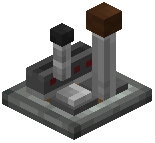 Joystick or
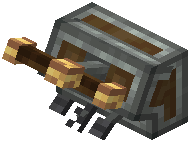 Steering Column by sneaking and right-clicking it, and check which frequencies drive the axis you want.
2. Configure the control surface to use those two frequencies.
3. Sit in the cockpit and move that axis. The attached blocks should rotate through their sweep.
Repeat for each surface. A typical small plane needs one per aileron, one for the elevator and one for the rudder. Give opposite ailerons matching frequencies so they work as a pair, then test that they deflect in opposite directions as intended.