

 DownloadCreate Automatics
Get the files on 9Minecraft
Guides
Step-by-step, in-game.
Create Your First Automated RoutePlanning Your Path Start by deciding where you want your contraption to travel. Walk the route yourself and note key…Equip Mobs and Players with Traffic ConesUsing Dispensers for Cone Placement Traffic cones can be equipped onto mobs and players using dispensers. Place a…Set Up Multiple Stops Along a RouteCreating Waypoint Stops When planning your route, you can designate specific waypoints as stops where the contraption…Troubleshoot a Contraption Not Following Its RouteVerify Route Installation First, check that your trip plan item is properly inserted into the Structure Controller…
Items
 Trip Plan
Blocks
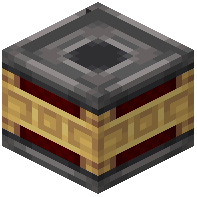 Automatic Clutch
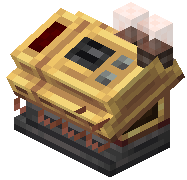 Controller
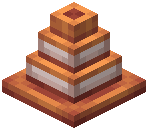 Traffic Cone
Configuration
Every setting in the mod config file, with what it changes.
| Option | What it does |
|---|---|
items | Item List |
logDirtBlock | Log Dirt Block |
magicNumber | Magic Number |
magicNumberIntroduction | Magic Number Text |
Frequently asked questions
How do I start making an automated route?
First, craft a route planning item and use it to mark your starting point and destination by right-clicking on blocks. Once you've set your waypoints, you can adjust the path and configure speed settings before inserting the completed route into your contraption's controller block.
What's the difference between a route stop and a waypoint?
Waypoints define the physical path your contraption travels, while stops are specific locations where the vehicle will pause or perform actions. You can have multiple waypoints between stops, giving you fine control over both the route and where the contraption halts.
Can I make a contraption loop its route automatically?
Yes, you can configure your route to loop by setting it up in the controller block—the contraption will repeat the path continuously until you stop it or remove the route plan.
Why isn't my contraption following the route I set?
Check that the route plan is properly inserted into the controller block and that your contraption has enough power/fuel to move. Also verify the path doesn't have obstacles blocking it and that the contraption's wheels or movement components are functional.
Do I need Sable installed for this mod to work?
No, Create Automatics works with Create contraptions by default. Sable support is optional and adds additional contraption types you can automate if you have that mod installed.
Can multiple players share the same automated route?
Yes, in multiplayer worlds you can place route plans in shared controller blocks so all players can use the same automated transit system.
How do I equip a traffic cone on a mob or player?
Place a dispenser loaded with traffic cones and point it at the target—the dispenser will equip the cone as a hat or wearable item when activated.
Can I adjust the speed of a contraption mid-route?
Speed is set when you create the route plan, but you can create multiple route plans with different speeds and swap them in the controller block to change how fast your contraption travels.
What happens if a contraption encounters a player or mob on its route?
The contraption will stop or slow down depending on your route settings—you can configure collision behavior when setting up your route to decide how the vehicle responds to obstacles.
Does this mod affect server performance with many automated contraptions?
Running many contraptions simultaneously can impact performance, but the mod is designed to be relatively efficient; consider spreading out your automated routes or limiting active contraptions if you notice lag.
You May Also Like
Wikis that share the most with this one
More mod wikis on the site
The most downloaded mods that have a wiki here
A few wikis from each of the other kinds
Gallery
8 images from the Create Automatics Mod page.


