

 DownloadCobblemon Pokestops
Get the files on 9Minecraft
Guides
Step-by-step, in-game.
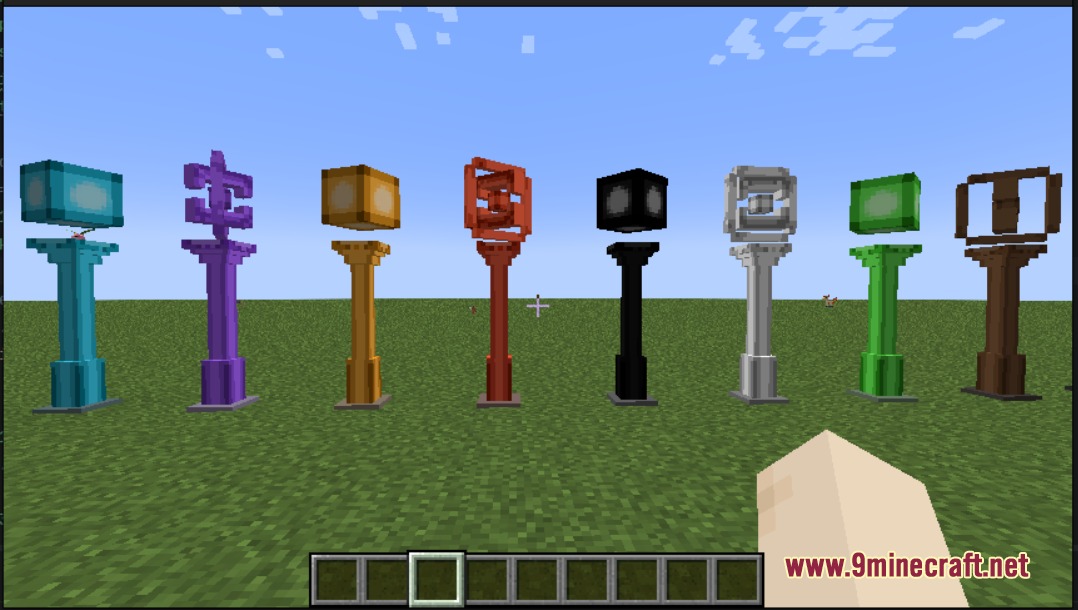
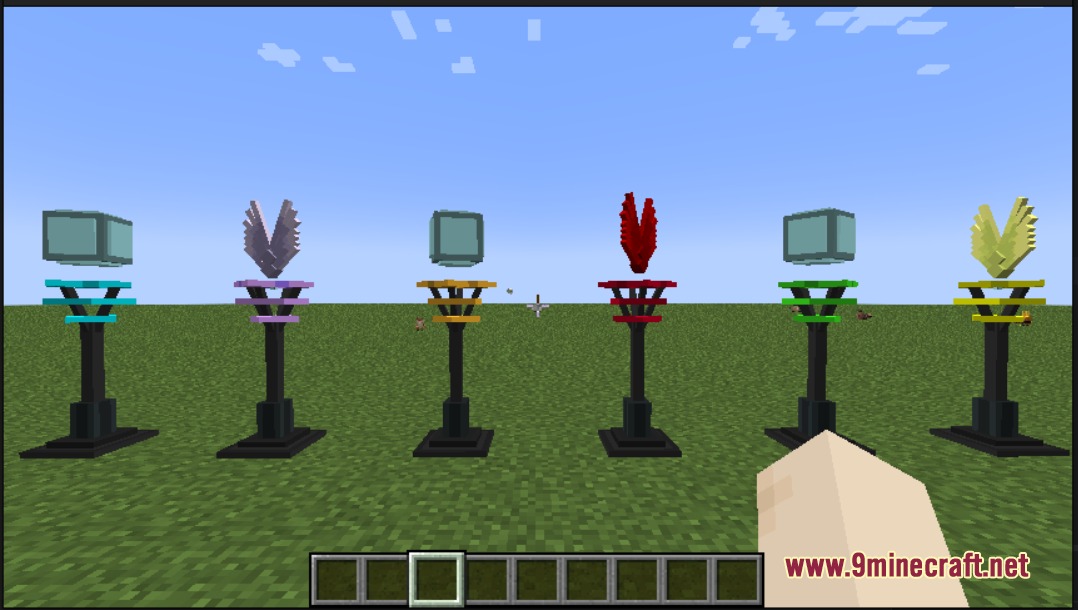
Find and Use Your First PokestopLocating Pokestops Pokestops spawn naturally throughout your world across different biomes. They appear as colorful…Heal Your Pokemon Team at PokestopsUsing Healing Stops Healing Stops are specialized stations designed to restore your entire Pokémon team's health.…Maximize Item Rewards from Different Station TypesStation Type Variety The mod includes several Pokestop designs: Standard Stops (blue, gold, green, black), Winged…Unlock and Display Cosmetic TrophiesEarning Trophies Trophies are cosmetic rewards unlocked by reaching milestones with specific station types. Use a…
Recipes
Every recipe the mod adds, grouped by how it is made.
Items
 Stop Remover
Blocks
 Black Pokestop
 Blue Pokestop
 Blue Winged Pokestop
 Gold Pokestop
 Gold Winged Pokestop
 Green Pokestop
 Green Winged Pokestop
 Healing Stop
 Healing Stop Trophy
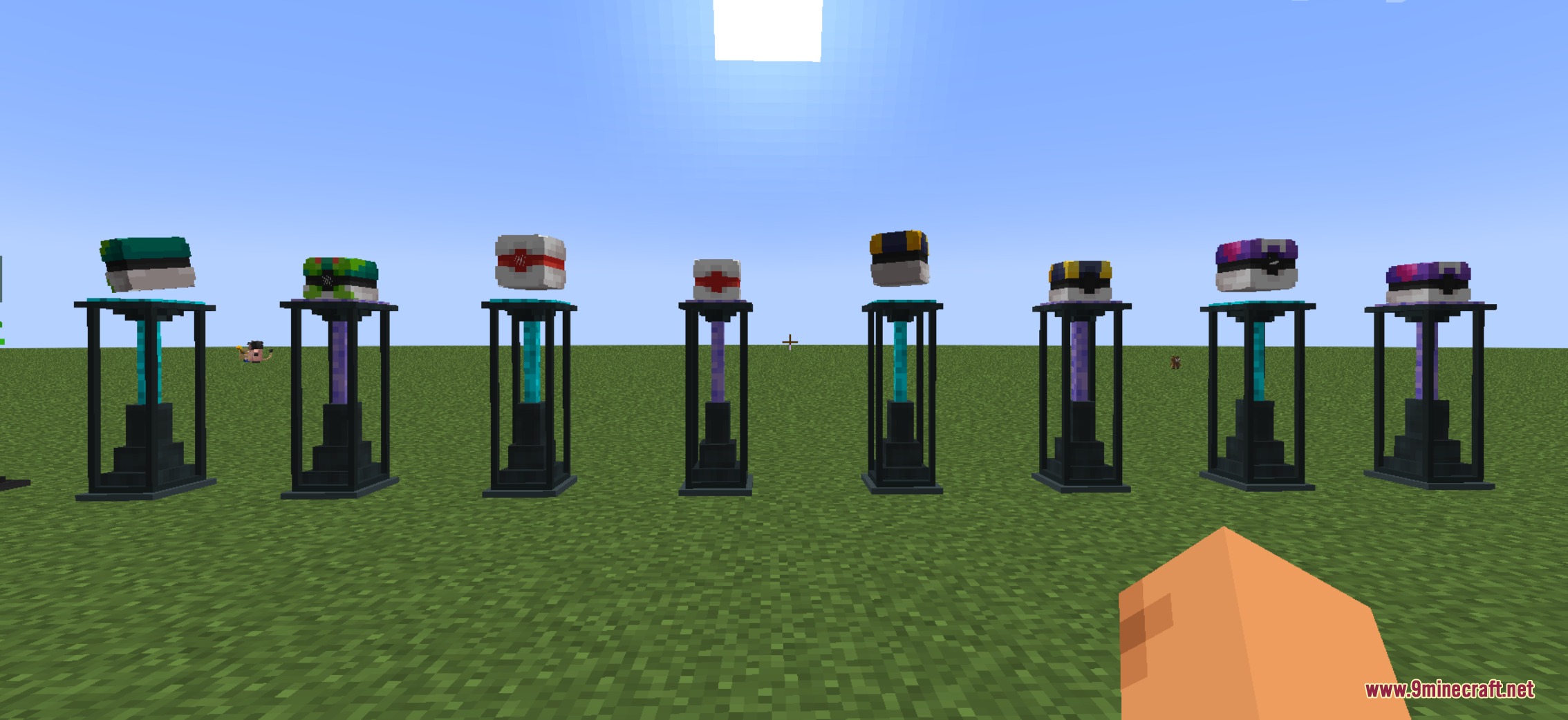
 Master Pokeball Stop
 Park Pokeball Stop
 Pokeball Stop Trophy
 Pokestop Trophy
 Premier Pokeball Stop
 Ultra Pokeball Stop
 Winged Pokestop Trophy
Configuration
Every setting in the mod config file, with what it changes.
| Option | What it does |
|---|---|
broadcastSettingsBroadcast Settings | Edit the broadcast settings for Pokestops. |
confirmWindowSecondsConfirm Window Seconds | The number of seconds for the confirmation window when using the Stop Remover. |
cooldown | Cooldown |
cooldown_dummy | Cooldown |
cooldownSettingsCooldown Settings | Edit the cooldown settings for Pokestops, Winged Stops, Pokeball Stops, and Healing Stops. |
dropsStopItemDrops Stop Item | Whether the Stop Remover drops the stop item when used. |
button | Edit |
enableGlobalBroadcastEnable Global Broadcast | Whether to enable global broadcast for Pokestops. |
extraRaritiesExtra Rarities | List of extra rarities to be used in the Pokestops mod. |
healingstopsHealing Stops | The cooldown in seconds for Healing Stops. |
localBroadcastRadiusLocal Broadcast Radius | The radius for local broadcast in blocks. |
permissionLevelPermission Level | The permission level required to use the Stop Remover. |
pokeballstopsPokeball Stops | The cooldown in seconds for Pokeball Stops. |
pokestopsPokestops | The cooldown in seconds for Pokestops. |
pokestopsConfigPokestops Config | Edit the Pokestops configuration. |
requireOpRequire OP | Whether the Stop Remover requires OP privileges to use. |
stopRemoverConfigStop Remover Config | Edit the Stop Remover configuration. |
wingedstopsWinged Stops | The cooldown in seconds for Winged Stops. |
Frequently asked questions
How do I find Pokestops in my world?
Pokestops spawn naturally across different biomes as you explore—there's no special item or command needed. Walk around your world and look for the colorful station structures; they'll appear in various biome types automatically.
What's the difference between the station types?
Standard, Winged, and Pokeball stops give random items on a 5-minute cooldown, while Healing Stops restore your entire team but have a 10-minute wait between uses. Choose the station type based on whether you need items or healing.
Can I use the same Pokestop multiple times?
Yes, but you must wait for the cooldown timer to finish—5 minutes for most stations and 10 minutes for Healing Stops. Once the timer resets, you can interact with that exact station again.
How do I get the cosmetic trophies?
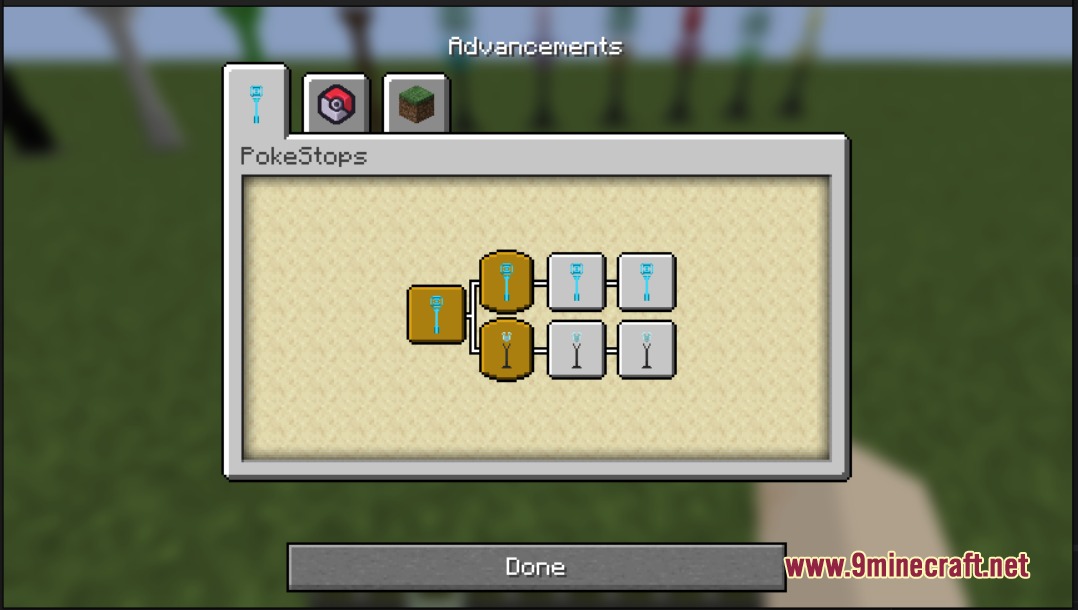
Use a specific type of station 500 times to unlock its corresponding trophy as an advancement reward. You can then place the trophy in item frames or use it in your builds as decoration.
Do Pokestops heal status conditions or just restore HP?
Healing Stops restore your entire Pokemon team, which includes healing HP and curing status conditions. This makes them valuable for recovery during long exploration trips.
Can I disable Pokestops from spawning in my world?
Yes, you can configure the mod through the configuration files to disable station spawning or adjust their behavior. Check your mod's config folder for the relevant settings.
What items can I get from the stations?
Stations give out random items appropriate to the mod and biome; the exact pool varies by station type. Different station types may reward different item categories, so try various stops to see what's available.
Do Pokestops work in multiplayer servers?
Yes, Pokestops function in multiplayer, though each player has their own cooldown timer per station. This means multiple players can use the same station without interfering with each other's cooldowns.
Why aren't Pokestops spawning in my world?
Make sure the mod is properly installed and enabled, and check that you're exploring biomes where stations can generate. If you're in a pre-existing world, new stations may only spawn in newly generated chunks.
Can I track my progress toward trophies?
Open your advancements menu to see your progress toward each station type's 500-use trophy. The advancements menu shows exactly how many times you've used each station type.
Gallery
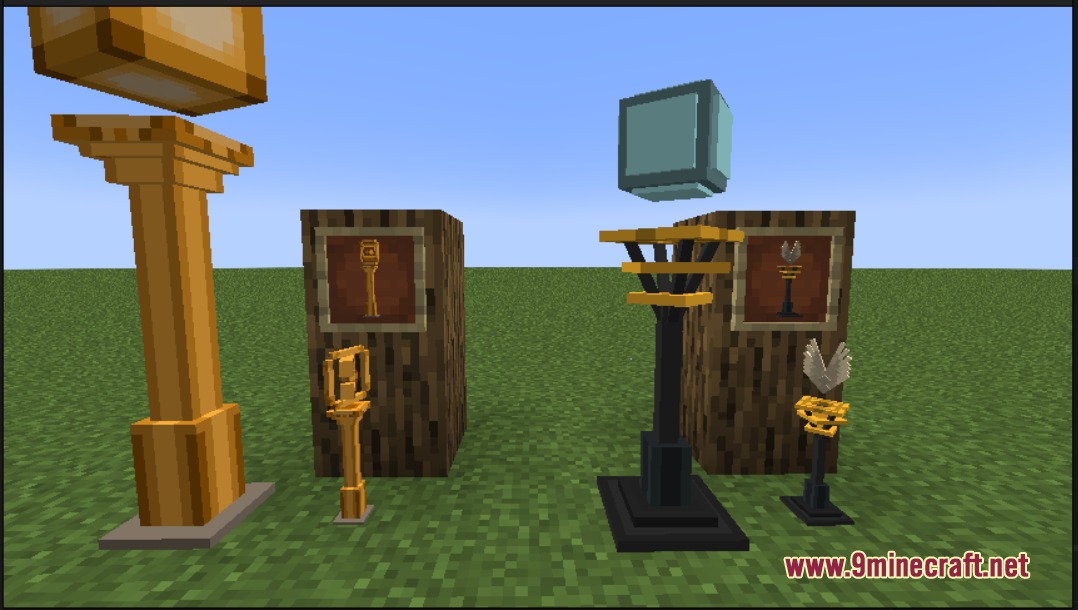
6 images from the Cobblemon Pokestops Mod page.

You May Also Like
Wikis that share the most with this one
Wikis on the same theme: tool
More mod wikis on the site
Cobblemon Poke Stops ModCobblemon: PlayerXP ModCobblemon Perfect PartnersCobblemon No Fullness ModCobblemon Modular Poke BallsCobblemon: Mega ShowdownCobblemon Kanto Pokemon’s FireRed and LeafGreen Recreated MapCobblemon Genesis Forms ModCobblemon Fai’s Mythical Monstrosities Mod Cobblemon Explore Legendary Dungeons ModCobblemon EMI Compat ModCobblemon Eldoria’s Fakemon Mod
The most downloaded mods that have a wiki here
A few wikis from each of the other kinds