

Placing and Powering the Block
Craft and place an 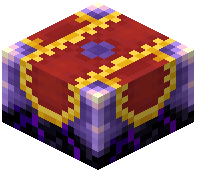 Enchanting Infuser (the basic tier) anywhere you like — unlike the vanilla enchanting table, it does not need bookshelves around it to reach its full range of enchantments. Right-click the block to open its interface. You will see slots for the item you want to enchant, a slot for lapis lazuli, and a display of the experience levels you currently have.
Applying an Enchantment
1. Put the item you want to enchant into the input slot.
2. Insert lapis lazuli into the lapis slot. The infuser consumes lapis as part of each enchantment.
3. Browse the list of enchantments the block offers for that item. Each entry shows the enchantment and the experience cost.
4. Click the enchantment you want. The infuser deducts the lapis and the experience from you and applies the enchantment directly to the item.
Why This Differs From Vanilla
With a vanilla enchanting table you pick a random option and hope for the enchantment you want. The Enchanting Infuser instead lets you choose the specific enchantment from a list, which makes it far more reliable for gearing up. You still pay experience and lapis, so gather both before you start. If a listed enchantment is greyed out, you either lack the required experience or the item already has a conflicting enchantment.