Structure Types
Required:
Building A Structure In Depth.
Optional:
Expressions & Generation Logic.
Other than Natural type structures, Recurrent Complex has several additional structure types:
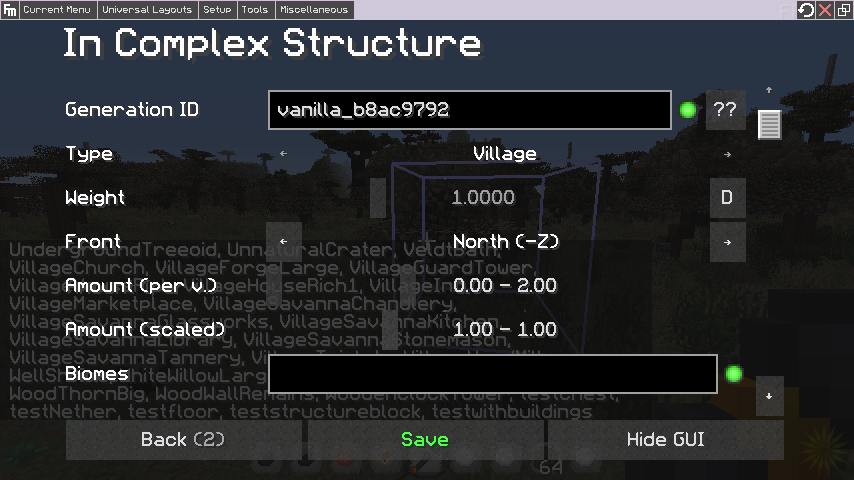
This generation type is used to replace houses in vanilla villages. This generation type can be used to add to villages, or used to entirely replace the vanilla houses.
 \
\
- Weight: Weights of 1.0 or higher will cause houses to have a 100% chance to be replaced (0.5 will replace roughly half the houses). Note that for proper variety with full replacement, you'll want at least five different house structures.
- Front: The Front toggle determines which direction the entrance to the building is facing when you export the structure, and is used for positioning the structure so that if faces the roads generated within villages.
- Amount Per V: This determines the max count of this structure's occurrence per village, and can be a range. When used with the-
- Amount scaled: Value, it can be used to roughly determine the structure's count based on the total number of houses the village has. You'll have to experiment with this as I'm not sure what the formulae are.
- Biome: Typical biome expression box. Can be used to have biome themed houses for different build styles, such as sandstone and mud huts for deserts, stone and thatch huts for plains, etc. Note that this is more for build styles than block palette. If you'd like to just change the block type used in the structure based on biome the way vanilla villages do, it's easier to use Transformers.
-
Shift: This acts similar to the baseline value in placers, except on all three axis. Can be used to properly center your structure. It's best to keep structures in villages close to 16x16 so that they don't overwrite nearby structures. If you'd like to create larger villages with more complex layouts, look into towns.
Example of a default Recurrent Complex enhanced village:
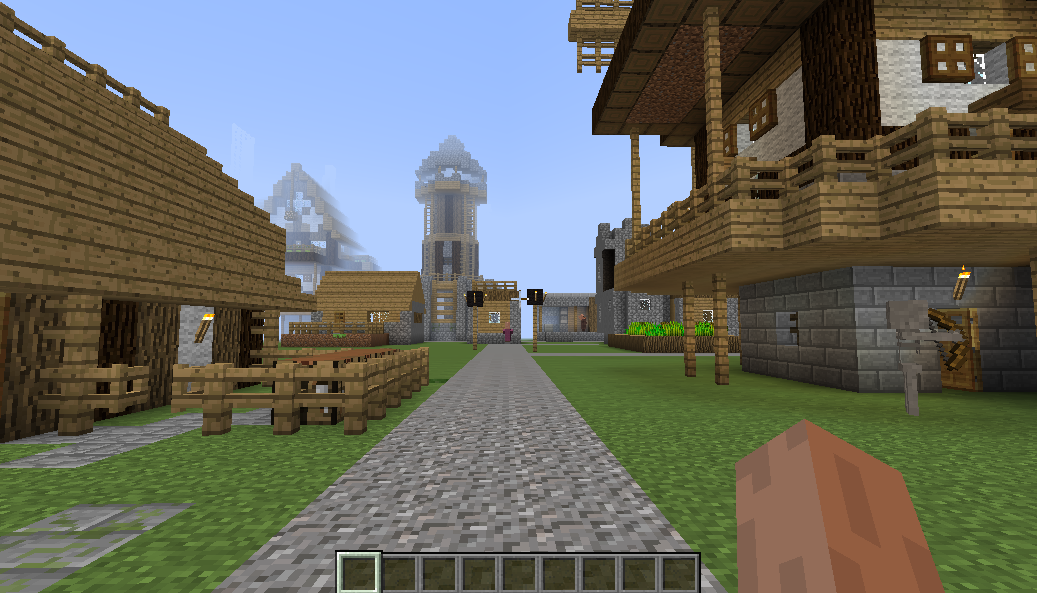
Since this is Recurrent Complex's most complex feature (heh), it's covered in detail on its own page.
This generation type is used to make Recurrent Complex structures generate from clusters of saplings based on their shape. As far as I can tell, the shape function is broken, and it only works on vanilla saplings.
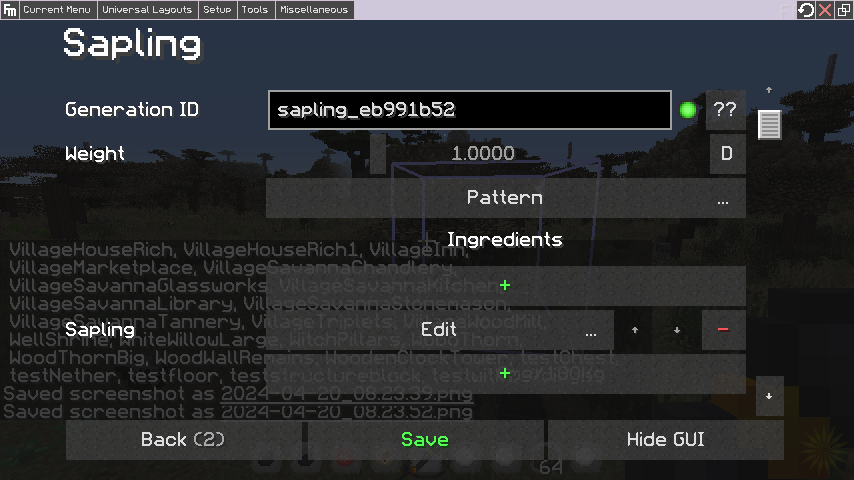
Weight here determines the chance of your structure generating each time a sapling grows. In the pattern windows, you can determine where the sapling has to be, relative to your structure's bounds, to ensure that your tree generates centered on the sapling's location. Or you can use the "shift" box to achieve a similar effect.
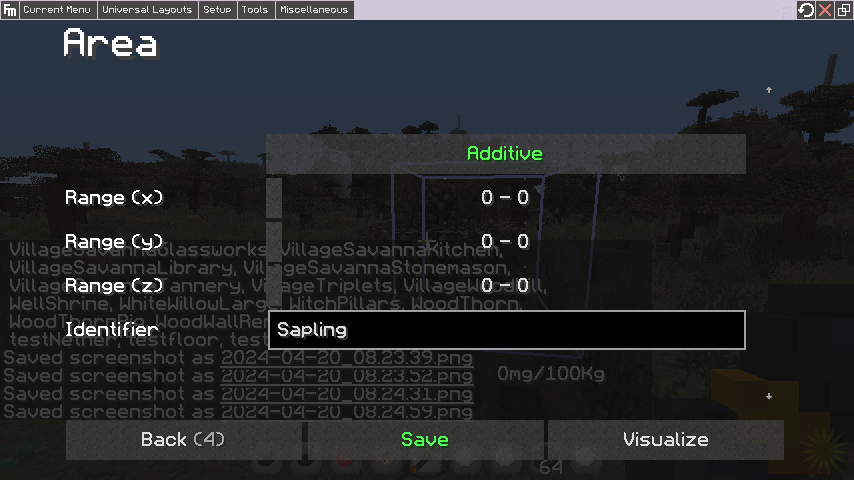
The numbers in this window are additive to the default location, which is the bottom corner of your structure. You can use the preview button to see a visualization of where the structure would generate relative to the sapling's position.
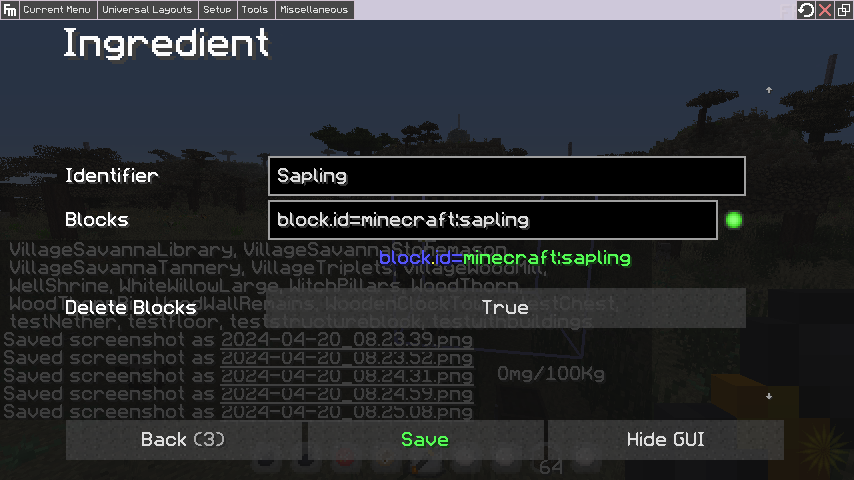
The ingredients window is used to determine the block id of the sapling from which your tree generates from.
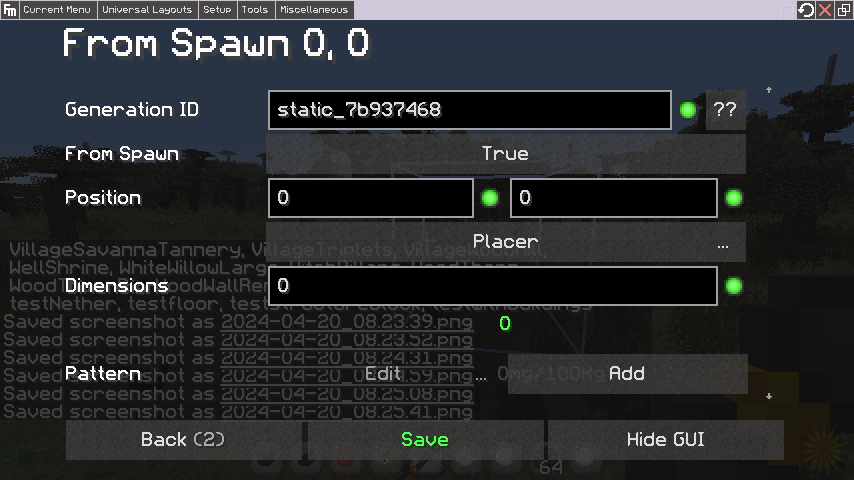
The static generation type is used to create static structures, such as spawn structures. "Static" in this context means "constant/ unchanging." This allows you to set a fixed coordinate point at which your structure will generate across all worlds.
 \
\
- From Spawn: Sets whether the coordinate is evaluated as a relative distance from the randomized world spawn coordinate, or an absolute value. E.g the world spawn has a randomization of several hundred blocks, so if you wanted a structure to always be directly 500 blocks north of spawn, you'd use "relative" with your coordinate set. Setting it to false would make the structure generate at a fixed coordinate in world.
- Position: Relative or absolute coordinate position. The structure will generate such that the center of the structure will be on the designated position. Since RC has a bias towards the positive axis, structures which have even dimensions will need to have an negative offset of one block towards the relevant axis if you want the center of the structure to match up with the generation coordinate exactly.
- Placer: Regular placer expression window.
- Dimensions: Expressions for the dimensions to which the structure applies to. Can be used to have a structure spawn at a coordinate across several dimensions, or do things like giving every dimension the same spawn structure.
- Pattern: Used for repeating intervals of static generation. I'm not entirely sure how the offset factor works, but it may be based on the spread designated in the spacing boxes.
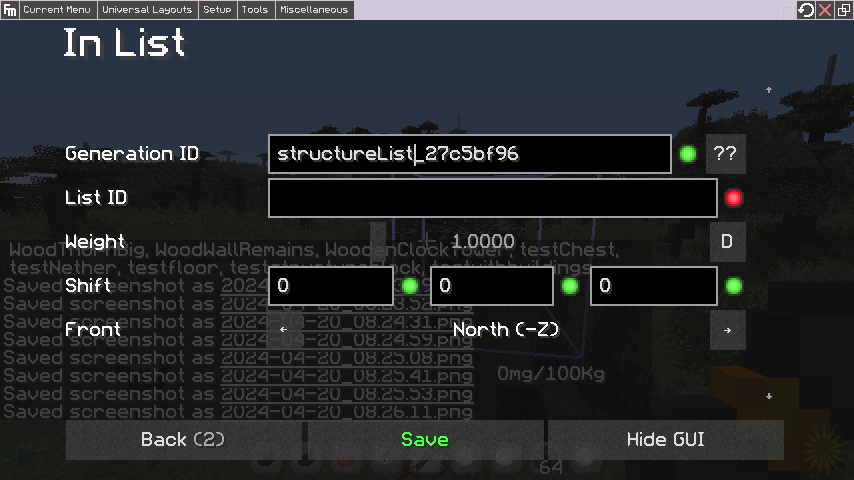
Used for things like maze components and dynamic structures. Structures assigned to a structure list do not generate on their own, and are instead assigned to named pools from which script blocks can pull from.
 \
\
- List ID: The unique name for this structure list. Used in script blocks for them to pull from a list. If the list doesn't exist, a new one is created with the name. Structures can be added to a list at any time by using the same list name. There is no limit to list lengths or number of lists.
- Weight: The weight of this structure based on all other structures in the specified list.
- Shift: The offset, from the script block that generates the structure, at which this structure will appear in world. Used when your script block isn't located near the position you actually want the structure to generate at.
- Front: Saves which direction the front face/ entrance of your structure is pointing when exported. This is used to determine the direction the structure faces through the script block that generates it.
This generation type is unique in that it contains several types within itself. It is used to add to/ replace any of the vanilla structure types. It contains the usual expression windows and placer.
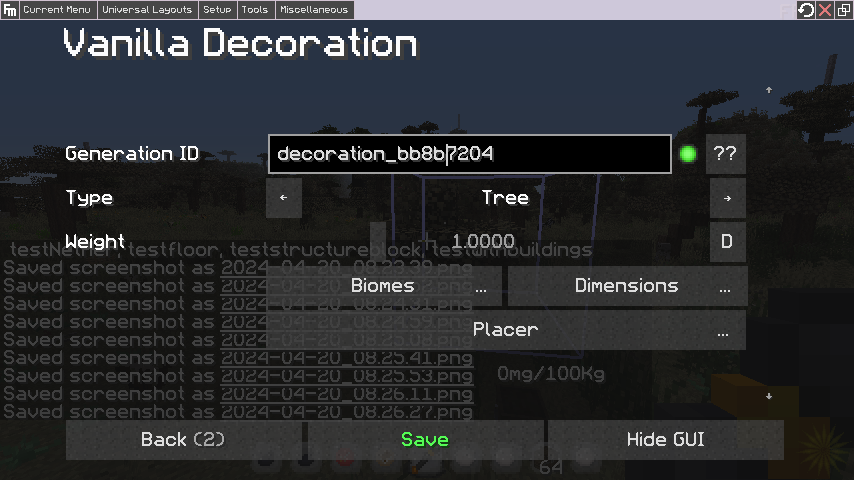
The weight determines the chance the structure will replace the designated vanilla decoration weighted against all other structures within that decoration category. Values above 1.0 will fully replace the vanilla structure whose category is selected. These could be used to create a structure pack that fully replaces all vanilla structures with fancier versions.
The types include:
- Tree: Replaces vanilla trees. Can be used to add fancy custom trees to worldgen, or fully replace vanilla trees, which allows doing things like creating custom tree sets after populating a custom biome with vanilla ones (Attention: "Sustains" checks are currently broken when used in a transformer in the Transformers tab which is applied automatically in the "Tree" transformers preset. This prevents the structure from spawning. If you want to do a sustains check, move it to the Match window of the Placer. See the trees example page).
- Village: As opposed to the In Structure generator, this replaces the entire vanilla village with a single structure. Useful for creating towns with the same spacing as vanilla villages or simplifying villages into a single structure. For complex towns, it's recommended you use the town guide.
- Big Mushroom: Replaces giant mushrooms. Can be used to add your own fancy mushrooms, replace them entirely, further enhance a custom tree set (see above link), or even add regular structures to biomes which generate giant mushrooms.
- Cactus: Replaces cacti. Similar features to mushroom replacer.
- Desert Well: Replaces desert wells. Similar features to mushroom replacer. Can be used to finally replace those god awful vanilla wells with something better.
- Fossil: Replaces fossil structures which generate underground. Similar features to mushroom replacer.
- Mineshaft: Replaces the entire mineshaft structure with a single structure (WIP, needs testing, this may replace segments).
- Nether Fortress: Replaces the entire nether fortress structure with a single structure (WIP, needs testing, this may replace segments).
- Ocean Monument: Replaces the entire ocean monument structure. E.g can be used to replicate Yung's Ocean Monuments.
- Scattered Feature: Replaces scattered structures, such as witch huts, desert temples, and jungle temples. To replace a specific ones, use biome matcher expressions.
- Stronghold: Replaces the entire vanilla stronghold (WIP, needs testing, this may replace segments). Could be used for something like adding a mechanic where ender eyes are used to locate a boss structure or one that unlocks dimensional capabilities which add other methods for accessing the End. Another example includes adding strongholds to other dimensions and replacing them with a custom structure, then having players locate each of these custom structures with ender eyes to obtain a set of items or something.