Dynamic Structures
Required:
Items & Blocks.
Building A Structure In Depth.
Expressions & Generation Logic.
Structure Script Block.
Structure Lists.
Optional:
WorldEdit.
Generating a single structure through a script block was covered in the Structure Script Block page. Dynamic structures takes this a step further by using structure lists instead of a single structure in simple mode. The idea is to take a structure and segment it, with each section given its own structure pool. You can either do this in a fixed shape, such as a castle having different interiors; Or a dynamic shape, such as a space station having different layouts (sort of like the random layouts of mazes, but on a simpler and smaller scale. You also aren't limited to the fixed size of mazes). Note that with dynamic structures, you'll rarely ever want the structure blocks set to random facing so that things line up properly. You also don't want the parent to be rotatable or mirrorable or things won't line up properly. You can see examples of all the structures mentioned here at the bottom of this page.
Since everything has to line up perfectly, you'll need to plan out the design, layout, and shape of your structure and its sections before you start building. You'll need to build your segments in a way that the different variants all line up properly with the sections they're connecting to, and you'll need to remember to make sure you segments don't exceed their bounds and carve into nearby portions. This also means checking to see all your sections fit when generated and you're not accidentally chaining segments that loop around and carve into your structure. Take lots of measurements and do a lot of testing.
The easiest way to make sure you segments line up is by using segment slices to build off of:
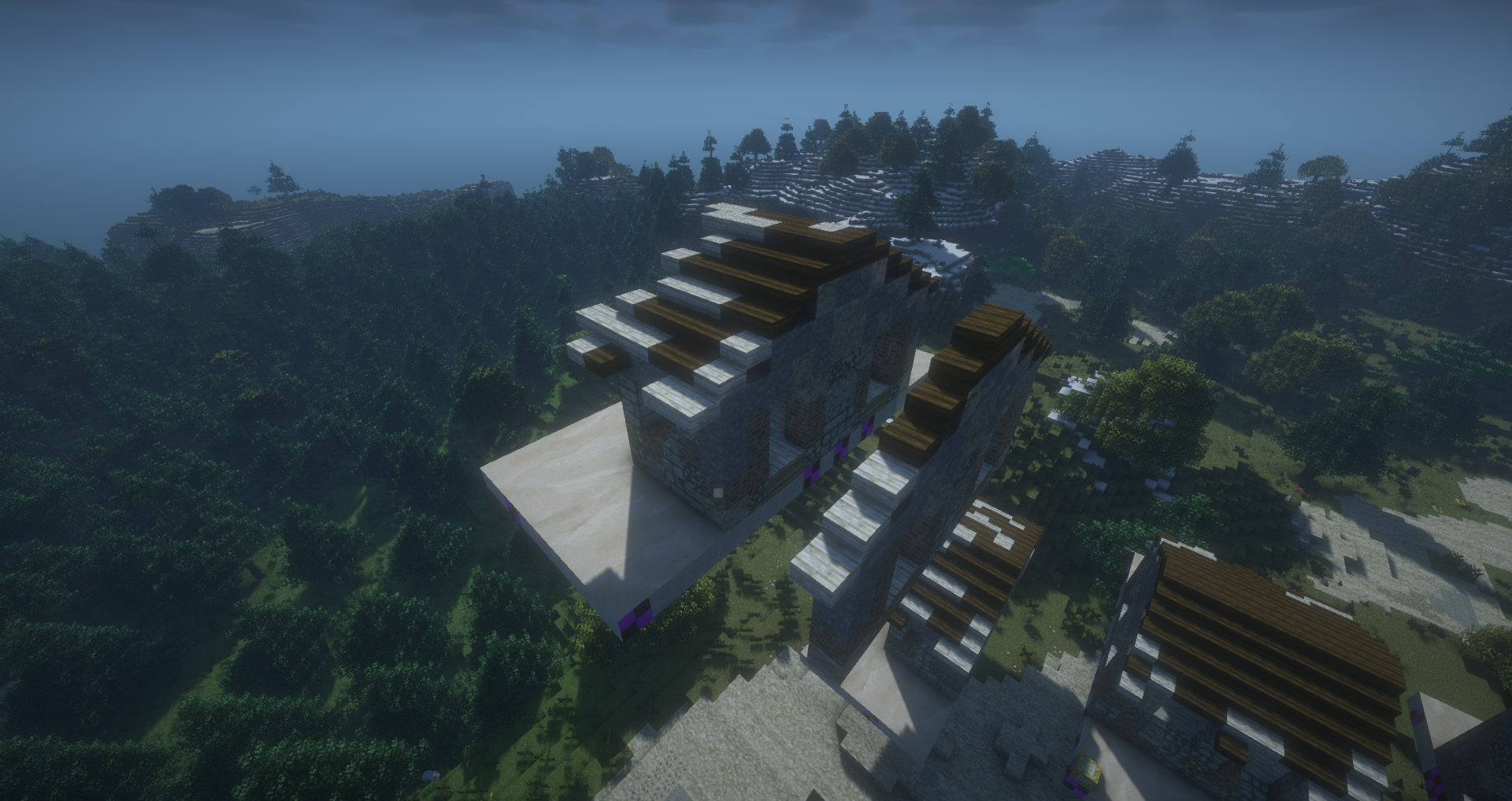
Here you can see that the portion of the structure which connects to the next one has been sliced out in a 1 block width (this can be done vertically or horizontally). Any contact between the two sections that isn't against two walls should build off of these slices. This ensures that both sections have this slice and line up perfectly when generated. You might also find it easier to build your structure in its entirety and then use world edit to cut out the portions you plan on making dynamic. Make sure you're still building with sectioning in mind. Keeping parts of your build adjacent to the edge of a section simpler in design will help with matching up the sections. In this example I've made a castle that I then cut out portions of and then made slices to base further variants on:
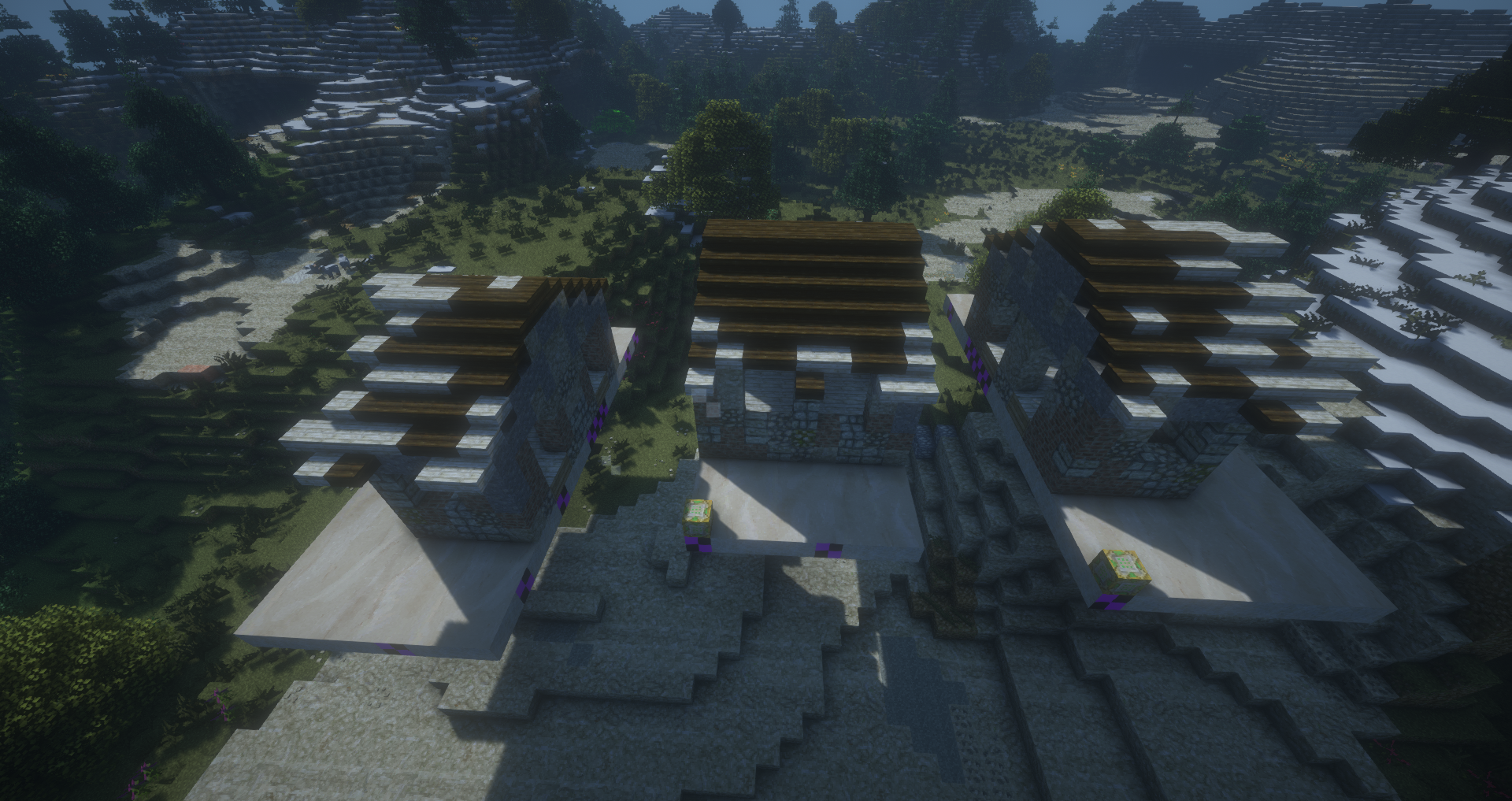
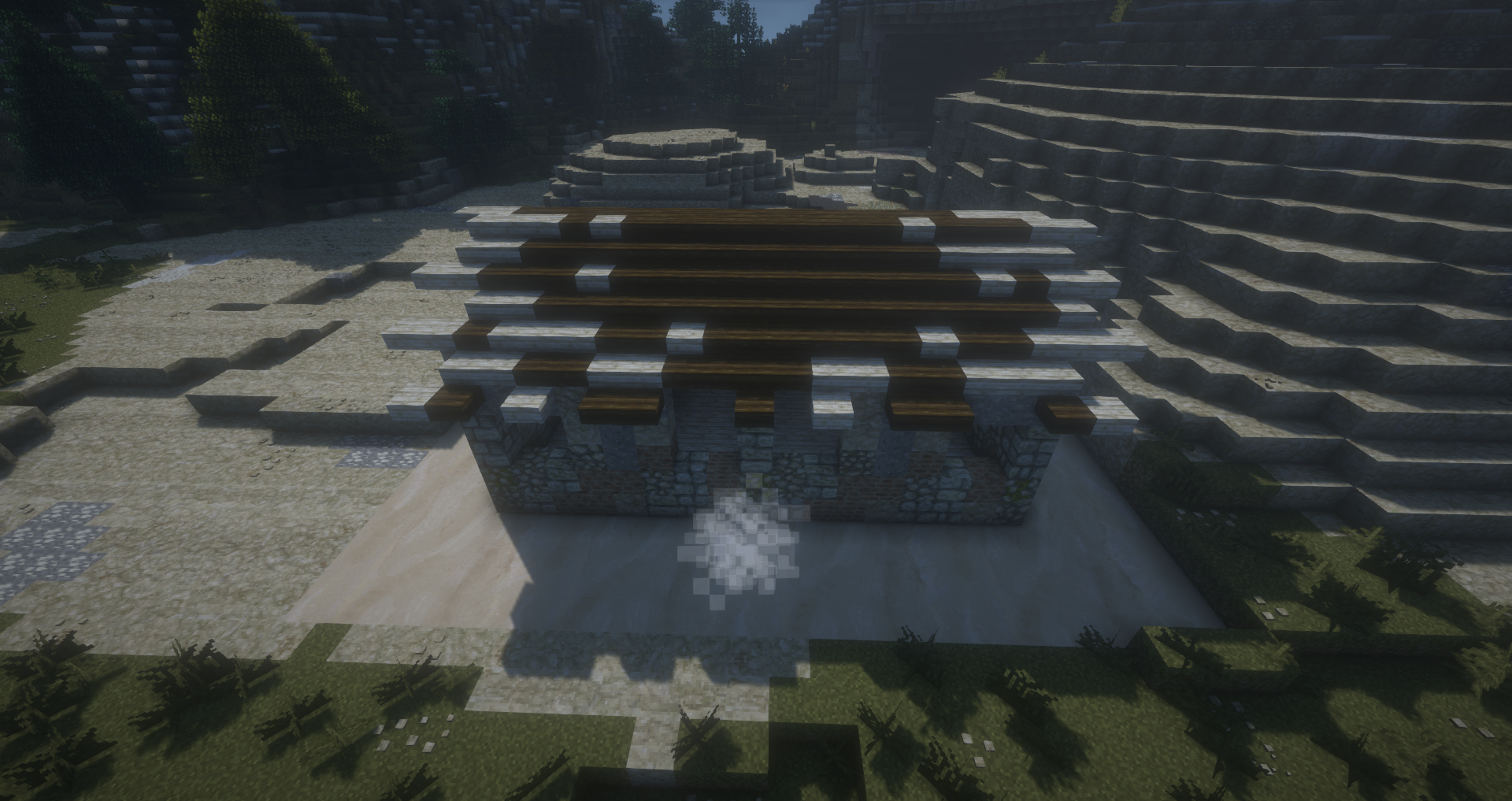
Having a mod which allows measuring block distances (e.g bibliocraft's tape measure) can help in designing your segments.
So far the examples shown have used a fixed layout, where the locations of segments are constant. These are best used for compact builds where you're sectioning off portions of a single building or structure where the location of segments can't change, such as the castle. The second type of dynamic structure is one where the structure branches out more and can have a varying layout. One example of this is a space station:
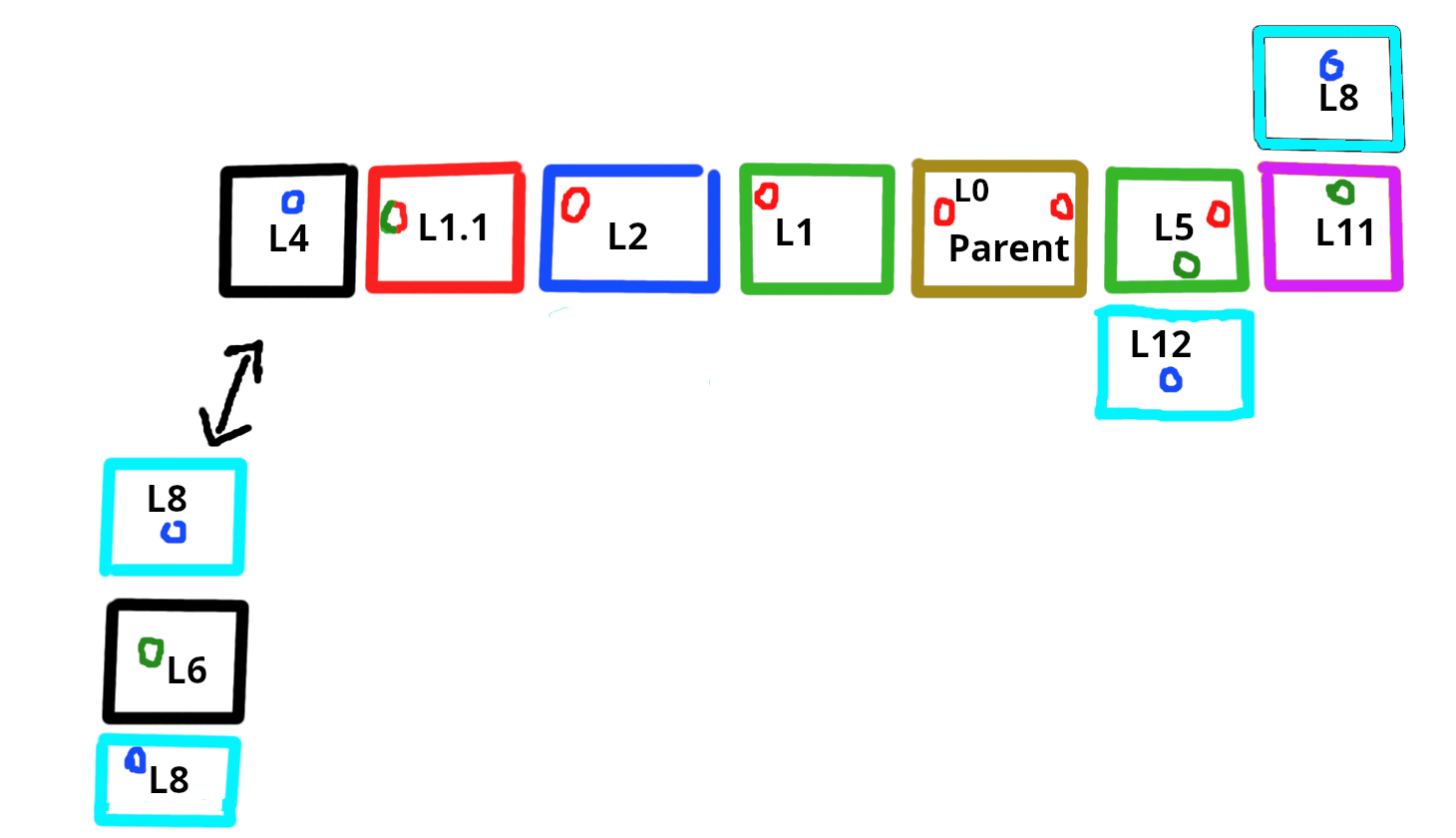
Each box here represents an individual structure segment, the L# numbers represent unique structures, and the colour of each box represents separate structure pools to which the structures belong to. L0 marks the parent (the structure that generates naturally and triggers the generation of the rest). Unlike with the previous example where each section needs its own pool, here you can have them in multiple locations because there is far more open space, and the segments where the "station modules" would connect can be made into very simple corridors that match across all the structures. This allows for adding things like bends or junctions that can dynamically change the orientation of further sections. Each segment can have their own structure script blocks that will immediately trigger the generation of the next segment, and the direction this happens in is randomized based on the structures available in the pool being generated.
In this blueprint we have an example segment off to the side that if substituted would generate the left end bit of the station outwards in a T. Since we don't want the generation to go on forever, sections immediately adjacent to where we'd want the structure to stop generating should have pools that generate "end" segments, which would be structures without a structure block inside them. Here, squares marked with a red circle indicates structures with structure script blocks that pull from generation pools of segments that also have structure script blocks within them, triggering further generation. Green circles marks structures with structure script blocks that only pull from pools that generate end segments. And blue circles are end segment structures without structure blocks inside them.
An important thing to keep in mind is that the placement of structure pools via structure script blocks must be ordered so that you don't get an infinite loop. For example, if you have structure 1 with a script block that triggers structure pool A, and within structure pool A you have structure 2 which triggers structure pool B, you have the potential for an infinite loop if structure 1 is part of pool B as it would then trigger A again. To avoid this, you should map out the placement order of structure pools and ensure that a structure within a pool only ever generates other pools that come after it in the sequence.
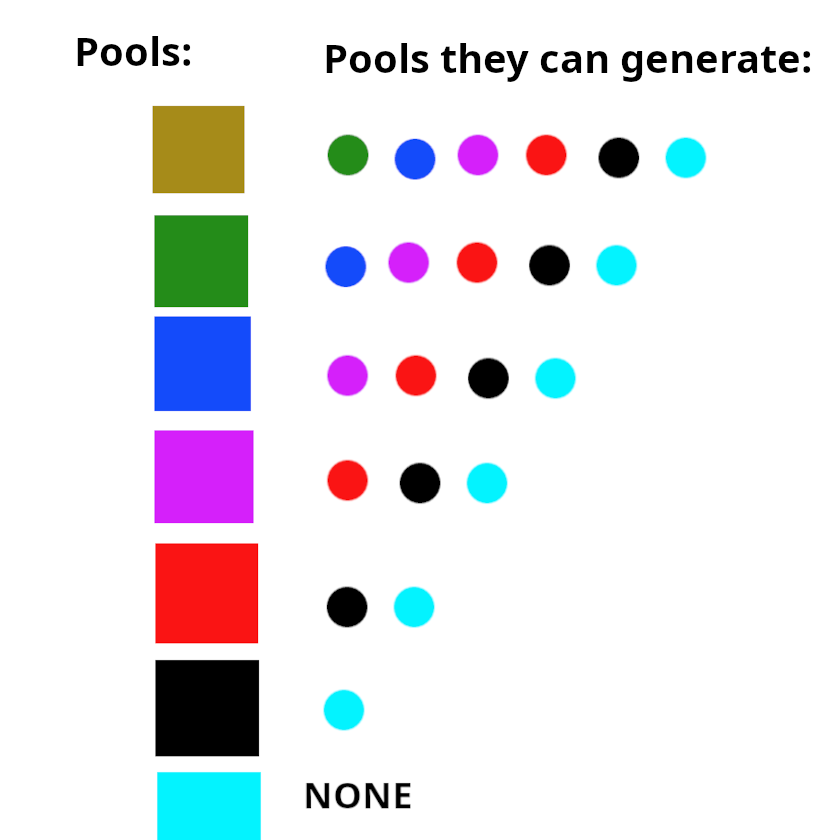
In the above diagram, each colour represents a separate structure pool. A structure in a pool can trigger the generation of any pool that comes after it. In the above example the sequence of structure pools corresponds to the above station blueprint. No colour coded segment of the station, which represents a structure from a pool in the sequence diagram, breaks the order of the structure pools. Basically, you get a linear decrease in the number of structure pools you can have potentially generating from a structure as you move down the list. Now if you want a structure segment to appear in multiple locations within your overall structure to increase the variation of the layout and have it less predictable, all you have to do is make a copy of that structure and add it to multiple pools (export it again but add it to another structure list). You'll just have to make one change before doing so, in modifying the structure pools within the structure script block that it's able to generate according to the pool order you determine. In the station blueprint example, you can actually see that the structure L1 is colour coded for two different structure pools and appears twice in the random generation (marked as 1.1 since they're technically not the same structure being two separate copies, but would look identical in world. For the purpose of the diagram, it shows two nearly identical structures). The parent structure triggers the green pool, which generates L1, and then the script block within L1 triggers the blue pool. The structure which is randomly selected for this position from the blue pool, L2, then triggers generation of the red pool. A copy of the L1 structure exists in the red pool but with a modified script block. It happens to be chosen, and it triggers the generation of the black pool instead, which then generates L4 that's an end segment without a script block, halting further generation in this direction.
Tip: Varying the structure pools that structures within a given pool can trigger the generation for will randomize the length of your structure and increase the possible variations of its layout. E.g the station example's black pool contains structures which are end segments (structures without a script block within them) as well as structures that trigger further pools, like in the T substitute example.
The third type of dynamic structure are those that conform to the terrain. Because structure blocks strictly determine the Y level of the structure they're generating, they are unable to use Placers. In uneven terrain, such as the side of hills, this will result in floating structures if dynamic structures are allowed to generate there. You can, however, cause your dynamic structure to conform to the terrain if you use commands in the script instead. This will obviously mean that your segments can't connect to each other due to unpredictable heights, and so is more for structures which generate as clusters of features, such as a collection of houses, pieces of a ruin, a moon base with separate habitats, pieces of a crashed plane, etc.
To utilize this method, you'll need a single structure block in your parents structure using the Multiple script type. Then within this window, add a Command script type for each structure you want to generate.
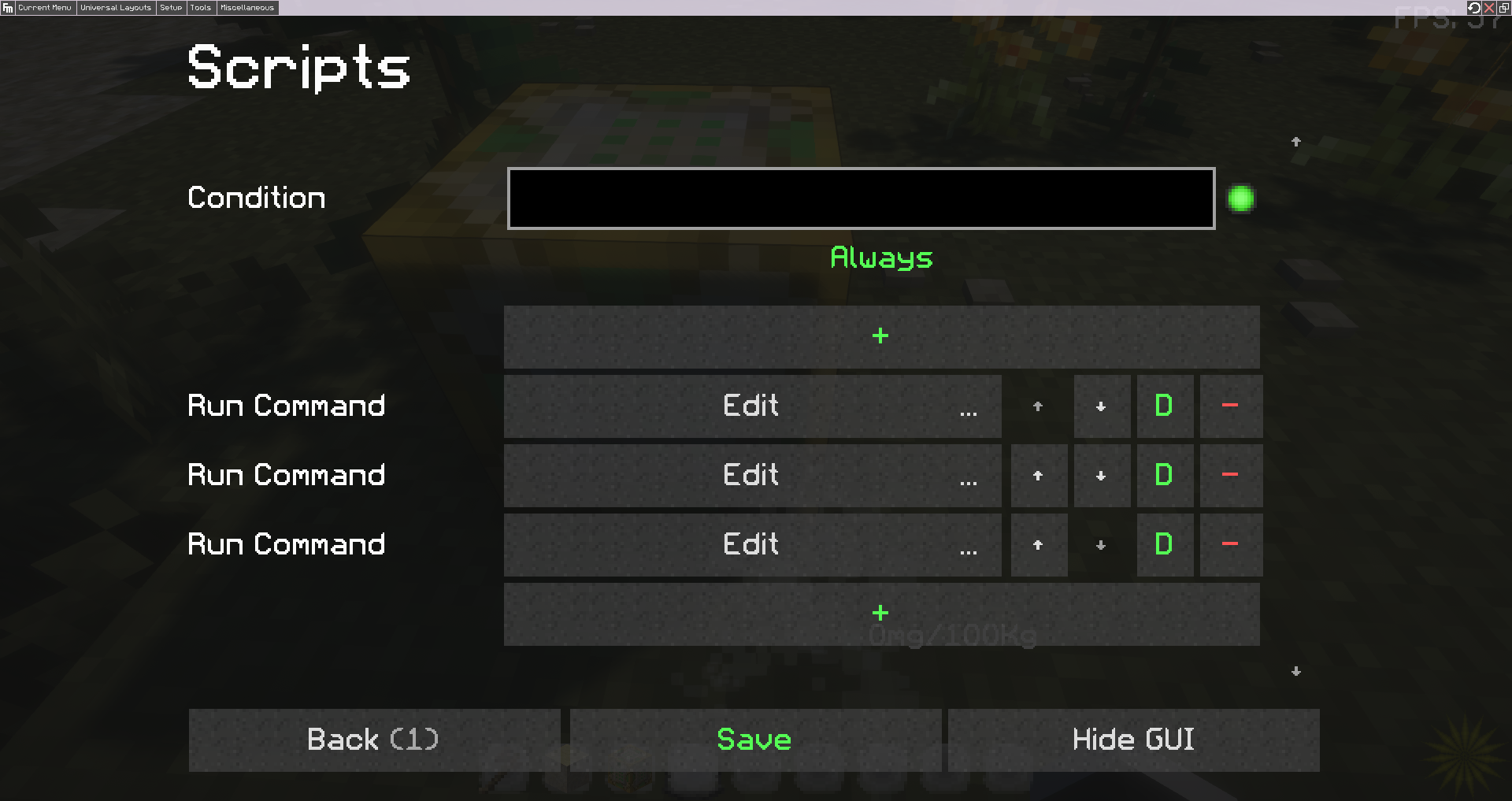
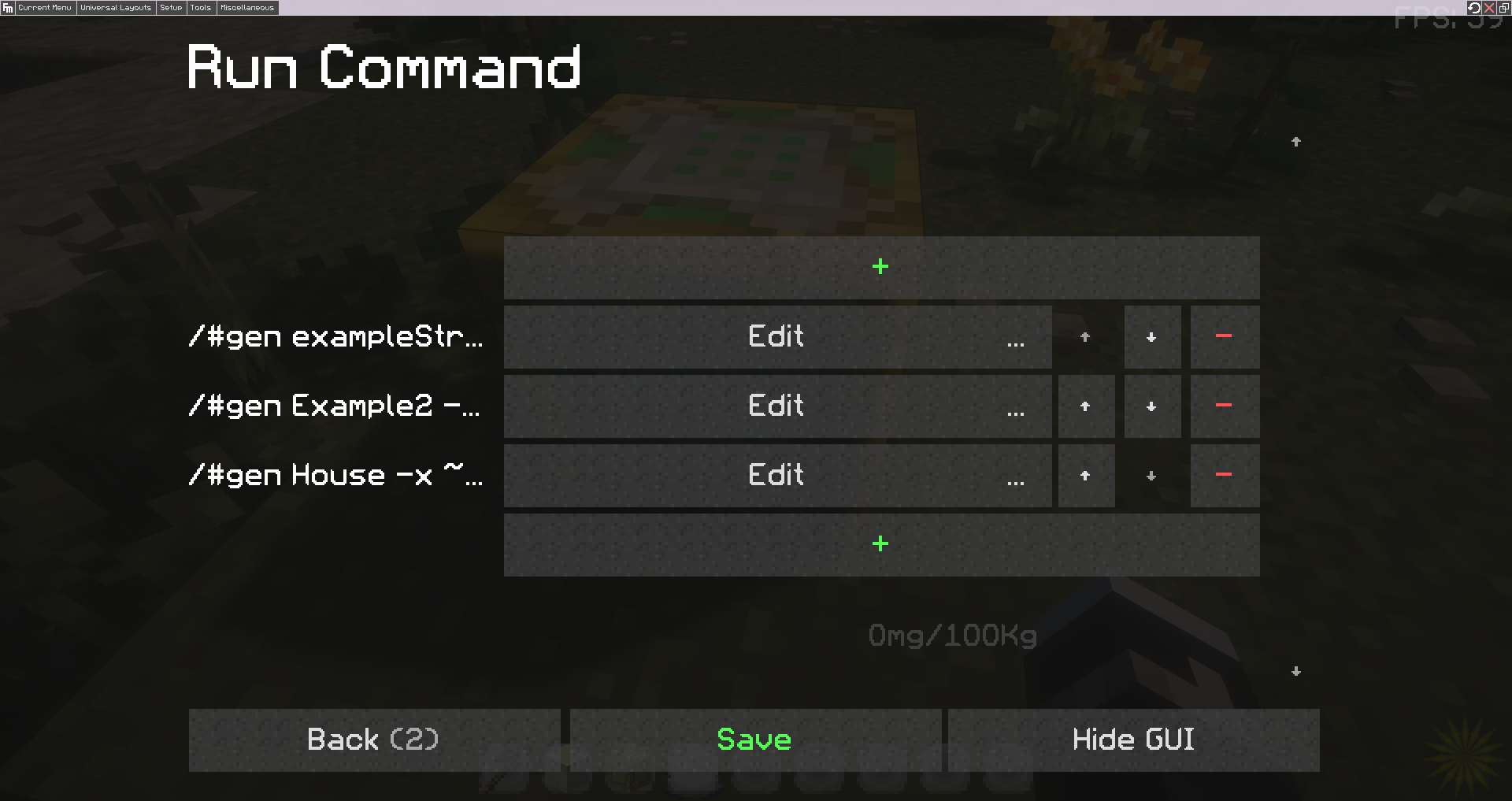
Then within each of these Command windows, add a vanilla command entry to execute for each building variant you want at a specific spot. Since we don't have access to structure pools here, this will function as your pool. Within each of the command boxes you'll need to add the RC generation command /#gen structureName -x ~X -z ~Z. X and Z will use the relative position function to place the structures around your parent, so you plug in the offset you want to generate from (i.e -x ~50 -z ~ would generate 50 blocks away from the script block in +X direction). If you want to adjust generation weights, simply change the weight of the individual command (remember how weights work. Default weight of 1.0 for each command gives them all an equal chance to trigger. 2.0 doubles it, etc).
The actual structures that you're pointing to with these are exported as regular structures that generate using the natural generation type, which allows them to use the Placer, and have false in the world expression box:
This prevents the structure from generating naturally, so it only appears in this dynamic structure cluster (gen command forces generation and ignores these checks). Your parent will now generate and trigger each Command script listed in the Multiple script, and which command is chosen for each entry will be randomized from the list of vanilla commands based on their weights.
This method could even be combined with one of the above ones to make each segment generate its own child structures, making each piece dynamic too. And of course, since none of these sections are connected to each other, you can enable them to be rotatable.
For examples of creating some of the dynamic structures listed in this page, go here.