Structure Script Block
Required:
Items & Blocks.
Building A Structure In Depth.
Structure Types.
Optional:
Expressions & Generation Logic.
The script block has many uses, from generating mazes, to structures, to vanilla command sequences.
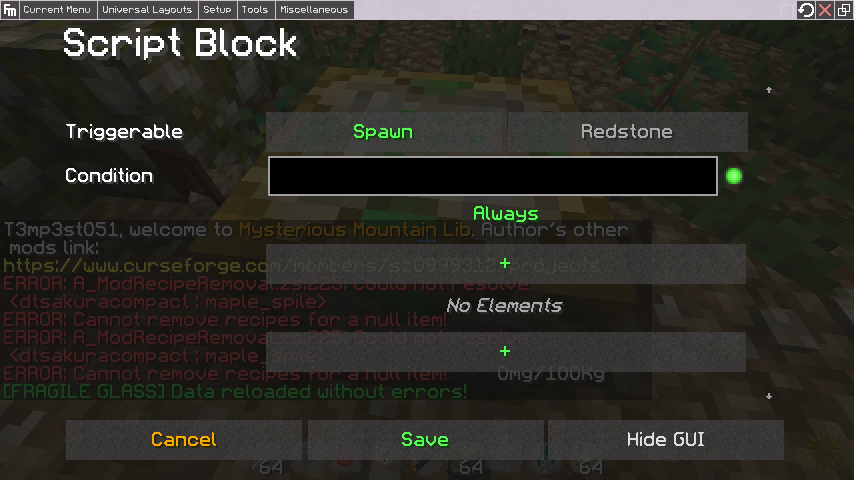
Script blocks have two trigger options: Spawn, which triggers when the script block is generated in another structure, and redstone, which is self explanatory. The execution of script blocks can also be conditional based on expressions set in the root window. The available script types are:
- Maze Generator: Triggers the generation of an assigned maze. Covered in detail here.
-
Structure Generator: Generates another structure. Has two modes. Simple: Generates structures directly by name ID. You can comma separate multiple to have a basic weighted chance (e.g entering structure A once and structure B twice would give structure A 1/3 chance to be picked, and structure B 2/3 chance). Advanced: Structures are selected via structure pools determined by the list name. Better for complex randomization. You can also set facing for the structure, which will match the direction set when exporting if using Advanced mode. If in Simple mode, the front of the structure will be whichever face pointed north when it was exported.
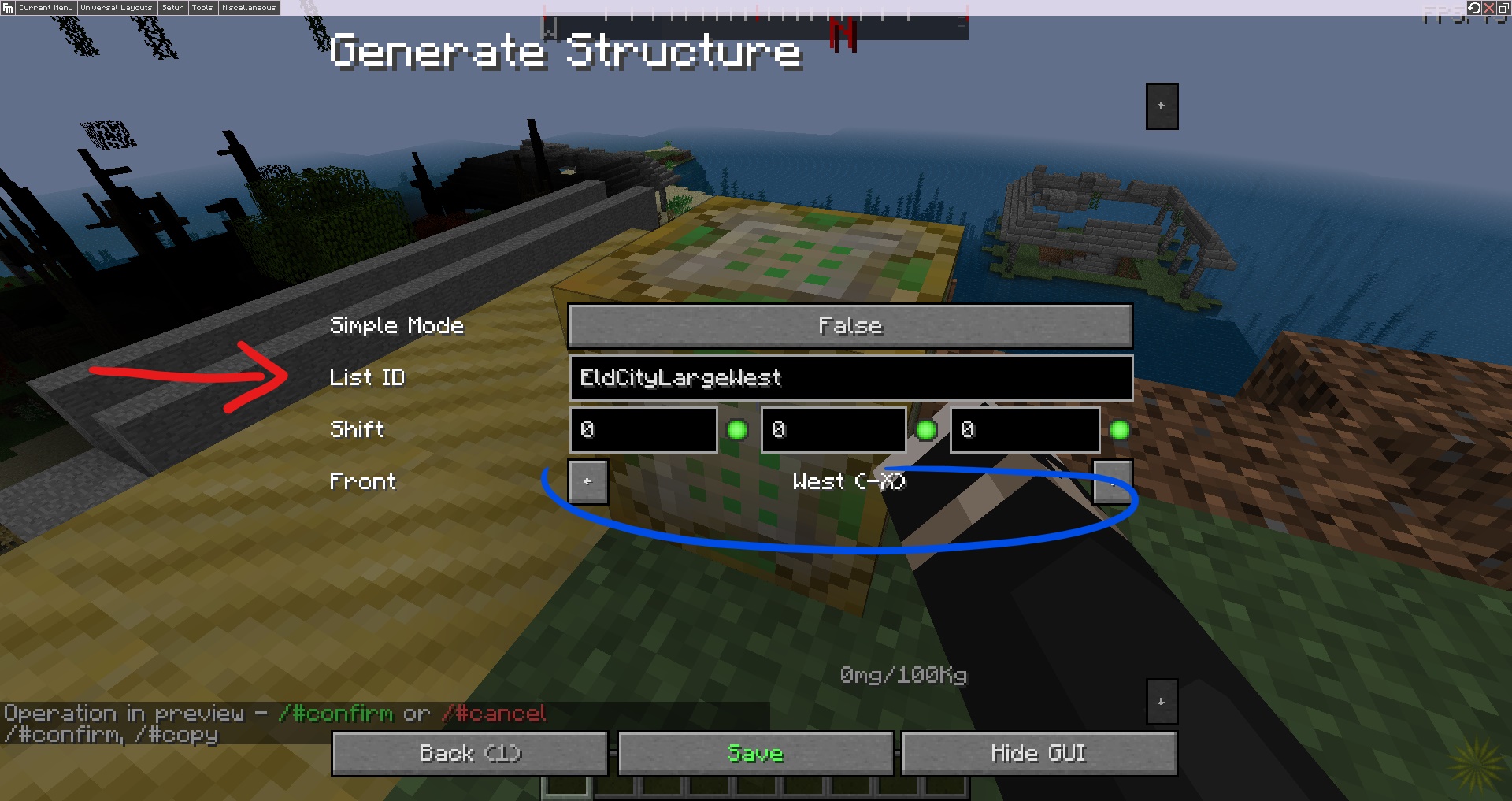 \
\ - Holder: Will execute a fill or deletion of blocks in the specified area.
- Multiple: Will run several script types back to back when triggered. Can be used to generate multiple structures with a single script block for example.
- Commands: Runs vanilla commands. Can be weighted for a chance based execution with multiple commands. If you want to run a list of commands, use Multiple script type with several individual Command scripts.
One of the uses of script blocks is to use Structure Generator mode to create irregularly shaped structures which aren't restricted to rectangular prisms. This is done by separating a structure into sections and connecting them through script blocks in Simple mode set to only generate the section piece it's supposed to connect to.
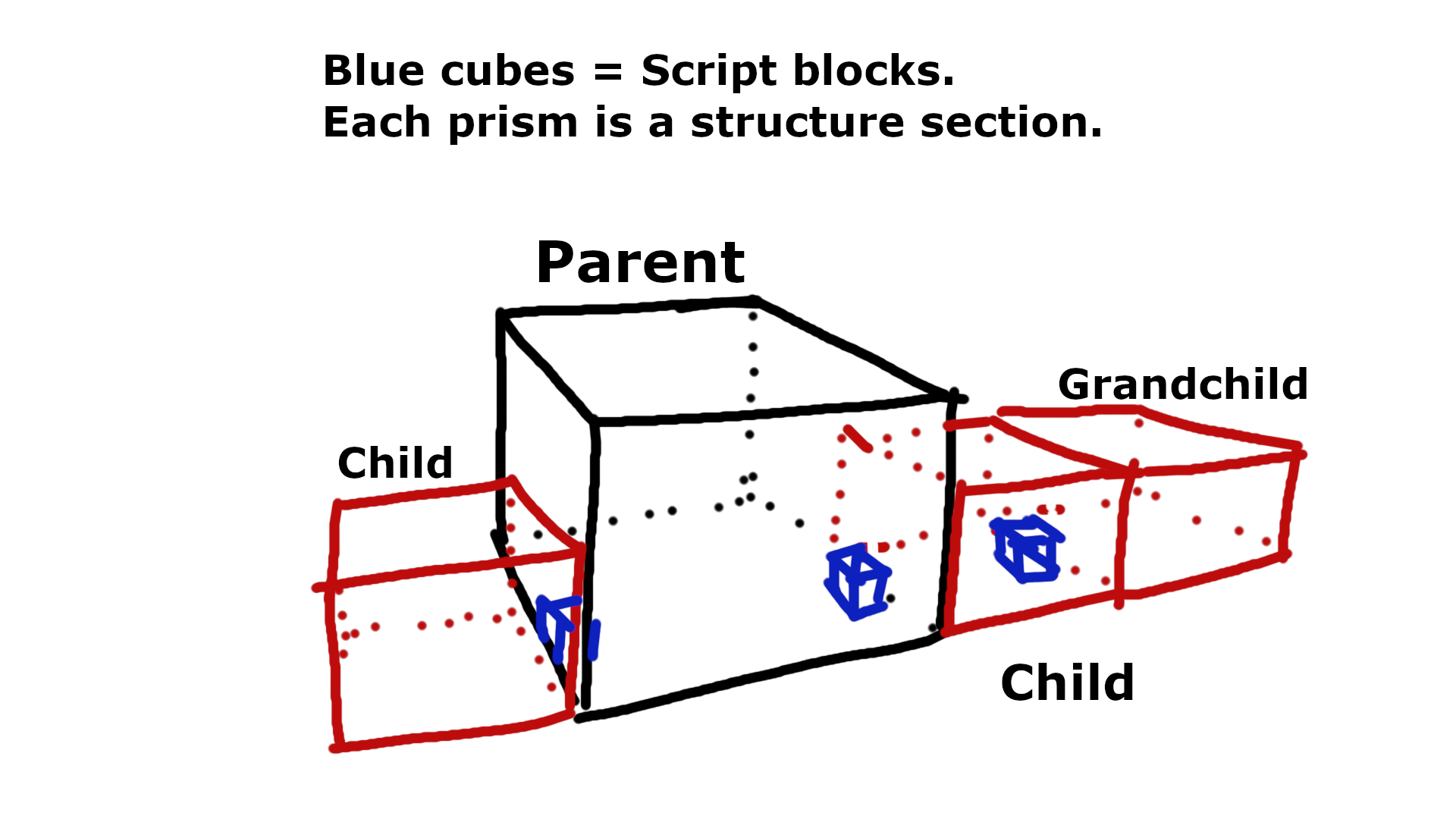
Note that structures generated from script blocks will default towards positive axis values, so you'll want to put your script block in the bottom corner of where you want the structure to spawn (you could also just use the shift values to position it where you want). Tip: Putting a script block within the bounds of the structure it's going to generate will conveniently delete it for you once it's done (this is the default positioning).
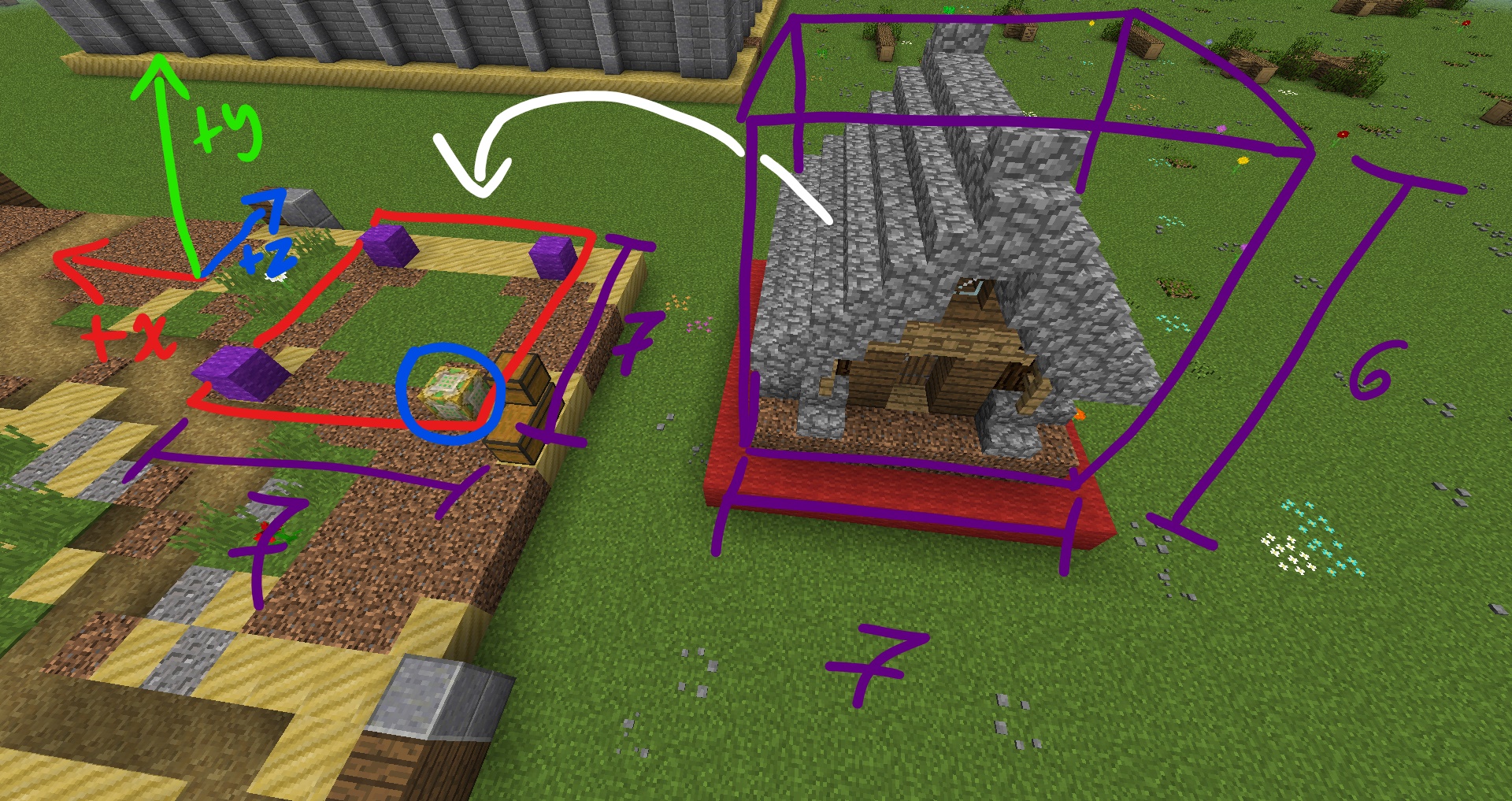
There is no limit to how many script blocks you can theoretically use to split your structure, as structures generated through script blocks are capable of having their own, allowing "chains." Don't go overboard with this though, as having more than a few dozen chains can potentially get laggy (you can also use a single script block with "Multiple" to generate each section instead, using shift offset).
The only drawback to using this method to generate sections of your structure is that they can't use the Placer so the position of the child structures would be determined by the script block(s). This can lead to weird floating sections on uneven terrain, so make sure you create enough terrain beneath the sections to make up for this, and possibly restrict the parent structure to only generate in flatter biomes (don't forget to take into account nearby sections so you don't accidentally overwrite other portions of the structure! you'll need to make cutoff portions. Below, the yellow cube represents the parent, and the blue the child. If your structures have basements, you'll want to create a cutoff in both).
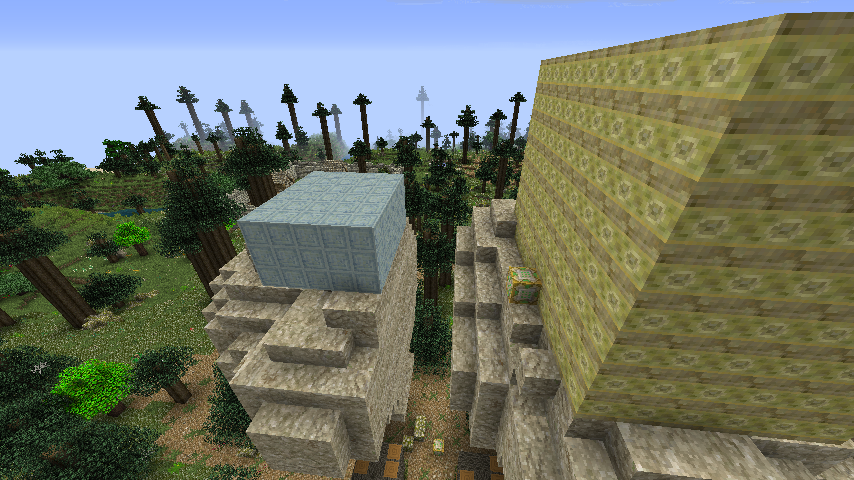
And remember to set the faces of the face directions, as you won't want the majority, if any, of these sections rotating.
There is an alternative method to sectioning which can conform to the terrain which relies on Command script type sequences instead. You'd have a Multiple script type which each runs an individual Command script type, each of which runs the Recurrent Complex /#gen structureName X Z command. These structures would be given a natural generator type with a configured placer, and a world variable using the "false" constant to prevent them from ever generating naturally. When the parent structure generates, it triggers the command for each one, which generates the structures at their relative positions, and the placer takes over. This will obviously prevent you from directly connecting the sections, and is more for structure types which are clusters (e.g a forest grove where each tree is a section, or a ruin where each rubble pile and broken tower is a section, or a space station that has multiple habitats each being their own section). This structure type is covered in detail in the Dynamic Structures page.