Building A Structure
Creating a Recurrent Complex structure involves the "Block Selector" item, the editor GUI, and the "structures" folder in your Minecraft instance.
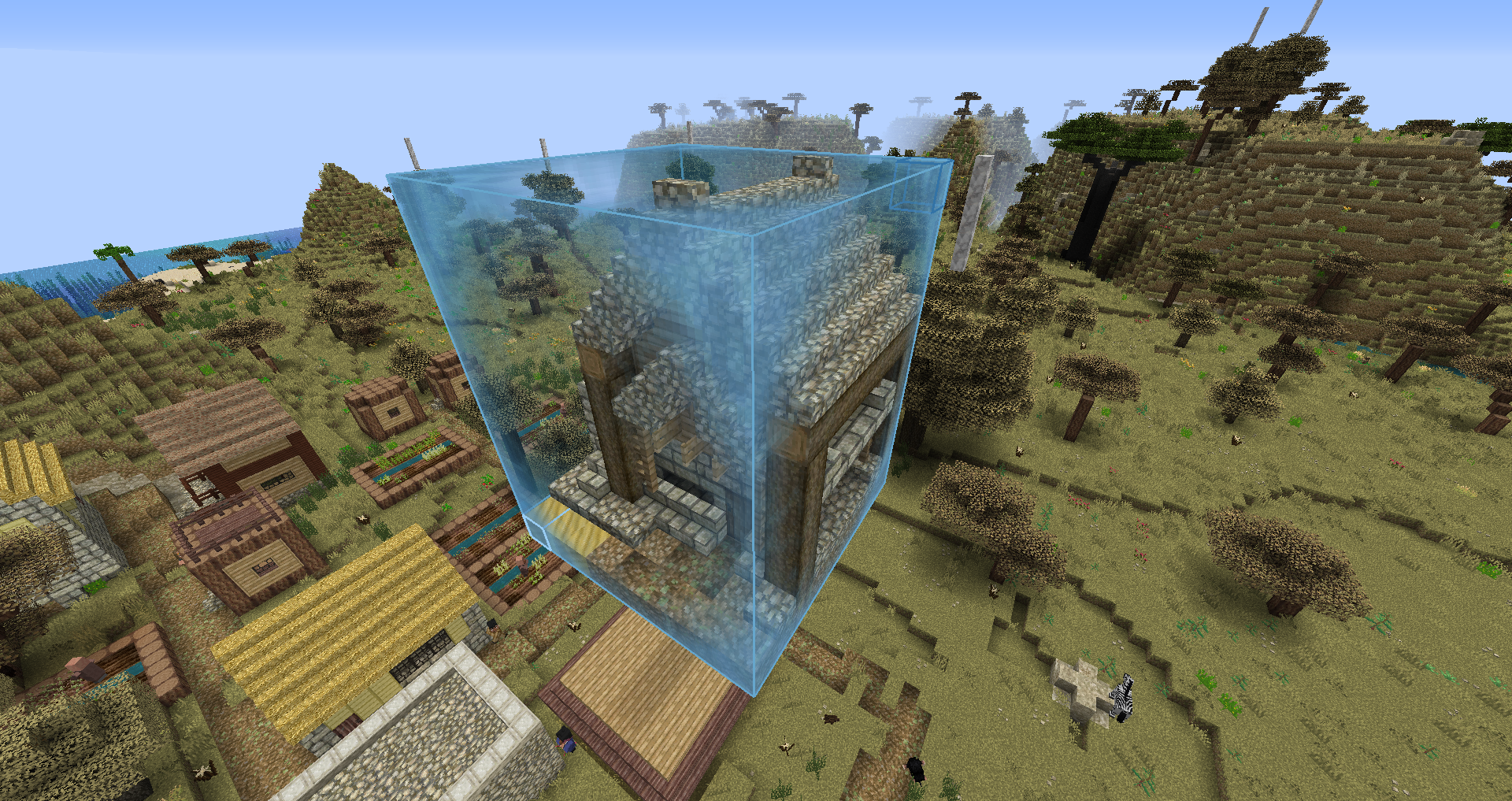
After a structure is built, you must select its bounds, which can be pictured as an imaginary box, with the Block Selector item. You'll need to select two opposite corners by right clicking one and then, while holding down the secondary selection keybind (default LCTRL), select the other. All blocks within the blue outline will be included in your structure (Note: Any entities within the blue bounds will export with your structure). The Floating Block Selector allows selecting air blocks.
Then use the command /#export to bring up the structure GUI. You can give the structure a name here, which must be unique. If you use an existing name, it will overwrite the structure whose name you're using.
Because of the potentially large number of structure files, it is best to use descriptive names for your structures so you can easily find them again. E.g "SwampRuinedCastle" and "SwampRuinedTower" both categorize themselves as structures that generate in swamps, are ruined variants, and end with the structure type. When two structures have the same word as part of their name, it creates a category which can be cycled through using tab completion.
For now, choose "inactive" as the save location and select "save." The GUI will be covered later. This will create an rcst file for the structure in the structures folder, which is the file type RC uses to store each individual structure. Should you ever want to share a structure, you can find them in the structure folder.
Finally, to cancel the selection box you made, use the command /#selection clear.
Once a structure file is created, its rules can be edited at any time using the /#edit structureName command, which supports tab completion. All commands from this mod use the prefix /#, and the export and edit commands are your two main tools. Whenever a reference is made to exporting or editing a structure, it is referring to these commands.
If you want to edit the structure itself and not its generation rules, then you'll need to use the /#import structureName command, followed by the /#confirm command (should you wish to cancel the import, you may "cancel" instead of confirm). Once you are done making your edits, repeat the process for exporting a structure, but use the structure's name during export: /#export structureName. This will overwrite the previous export.
Note: The commands listed in this page are the most used commands of RC. Until you've memorized them, you can use tab completion on /# to bring up a list of RC commands.