
Prominence Of Minecraft Resource Pack FAQ
10 questions players actually ask, answered.
How do I know if the resource pack is working?
Load into a world and check your inventory screen — it should have a warm yellow-gray tint instead of the default gray. Look at your hotbar and health display at the bottom of the screen; the icons should be more detailed. If blocks like 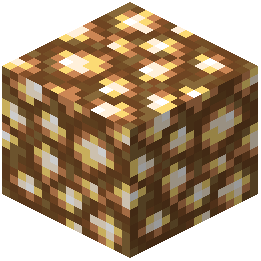 glowstone appear brown instead of yellow-green, the pack is active.
glowstone appear brown instead of yellow-green, the pack is active.Do the texture changes work in the Nether?
Yes. 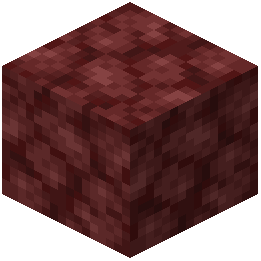 Netherrack has been reworked for a cleaner appearance, and glowstone blocks now use softer brown shades instead of the bright yellow-green. The entire Nether dimension receives updated textures alongside the rest of your world.
Netherrack has been reworked for a cleaner appearance, and glowstone blocks now use softer brown shades instead of the bright yellow-green. The entire Nether dimension receives updated textures alongside the rest of your world.Will mobs look different with this pack?
Yes. Cows, spiders, and zombie pigmen have been restored to classic designs. Zombies and Steve now wear casual pink shirts with khaki pants, and zombies have brown hair added to match Steve's hairstyle.
Can I use this with other resource packs?
Resource packs stack in order of priority, so if you load another pack after this one, its textures will override Prominence textures. Load Prominence last in your resource pack list if you want its changes to take priority.
Does this pack change crafting or furnace recipes?
No. This pack only changes how crafting tables, furnaces, and inventory screens look visually — they now have a warm yellow-gray tint inspired by classic Pocket Edition menus. All recipes and functionality remain unchanged.
What if some blocks still look vanilla?
This pack touches almost every block, item, and interface element, but some less common blocks may retain their default appearance. Check that the pack is enabled in your resource pack settings and that no conflicting pack is loaded above it.
Does the pack affect performance?
Resource packs have minimal performance impact since they only replace textures. If you experience lag, it's likely unrelated to this pack — check your render distance and other graphics settings instead.
Will my armor and tools look different?
Yes. The pack updates item textures and the hotbar design, so your held tools and armor will display with the new visual style. Armor stands will also show gear with matching updated textures.
Does this work on servers?
Yes. Resource packs are client-side only, so you can use this pack on any server without needing the server to have it installed — only you will see the updated textures.
Can I disable specific texture changes?
Standard resource packs don't allow selective feature toggling. If you want to keep vanilla textures for certain elements, you would need to manually edit the pack files or use a different resource pack.