
K1Rbe X Vanila Enhanced Resource Pack Wiki

K1Rbe X Vanila Enhanced Resource Pack Wiki & Guide
wiki.9minecraft.net/k1rbe-x-vanila-enhanced-resource-pack/
The community wiki and guide for K1Rbe X Vanila Enhanced Resource Pack — guides, recipes, items and mechanics.
What this pack changes
Every texture group the pack replaces, counted from the pack itself.
| Area | Textures replaced |
|---|---|
| Particles | 53 |
| Models | 15 |
| Blocks | 11 |
| Items | 6 |
| Biome colours | 2 |
| Mobs & entities | 2 |
| Sky & weather | 2 |
Pack format 34 (Minecraft 1.21.2)91 texture files in total
Extra features
Custom sounds
Custom block/item models
Guides
Step-by-step, in-game.
How to Activate and Order K1RBE X Vanila Enhanced for Crystal PvPHow to Configure Particle Settings for Clear Crystal PvP SightlinesHow to Optimize Sound Settings for the 15 Custom Combat Audio CuesHow to Use Cleaned Textures and Gear Models for Faster Target Tracking
Items
 Ender Pearl
Blocks
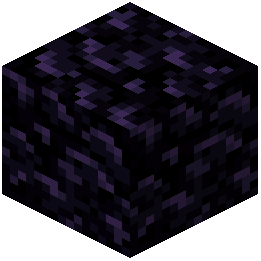 Obsidian
Frequently asked questions
Where do I put K1RBE X Vanila Enhanced in my resource pack load order?
Place the pack at the very top of your active resource packs list in the game options. Keeping it above other packs ensures that its reworked crystal PvP gear models, interface graphics, and combat particles are not overwritten.
Why are my combat particles still blocking my screen during crystal fights?
Make sure your video settings have particles set to Decreased or All so the pack's custom low-clutter particle textures actually render. Also verify that no other PvP overlay pack is loaded above this one in your resource pack menu.
How do I hear the 15 custom sound effects clearly during duels?
Go to your Music and Sounds options and turn up the Players and Blocks volume sliders while lowering Ambient and Weather sounds. This isolates the custom combat impact cues so you get distinct audio feedback during fast fights.
Will this resource pack lower my FPS during intense PvP?
No, the pack is designed to help keep your frame rates steady during fast movement and heavy combat. It uses light textures and reduced visual clutter across blocks, items, and particles to prevent frame drops.
See all 10 K1Rbe X Vanila Enhanced questions ›
Related mods
Other wikis you may find useful.