

 DownloadWmd Weapons Of Mass Destruction
Get the files on 9Minecraft
Guides
Step-by-step, in-game.
Create and Detonate a Nuke BlockPlacing the Nuke Block Place a Nuke Block on the ground where you want the explosion to occur. This is the simplest…Customize Explosion VisualsAccessing Client Settings Open the in-game mod menu to access the client configuration options. This menu lets you…Drop a Falling Bomb from the SkyUsing the Falling Bomb Feature The mod supports dropping bombs that fall from above, creating a more dramatic…Use the Nuke Spawner to Control Blast SizeSetting Up the Spawner Hold the Nuke Spawner item in your main hand. This tool lets you create explosions of…
Items
 Nuke Spawner
Blocks
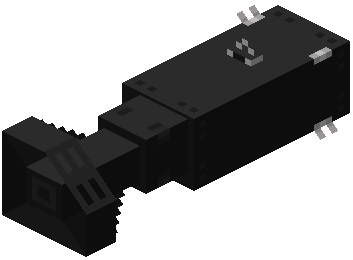 Falling Nuke (1 kt)
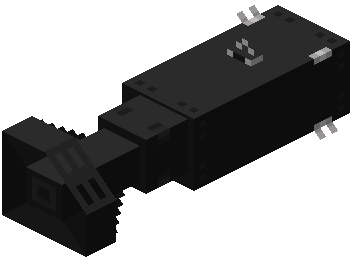 Falling Nuke (2 kt)
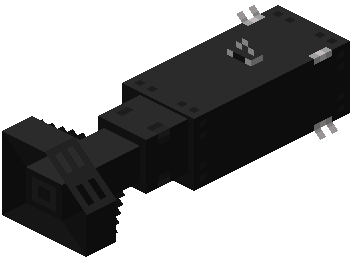 Falling Nuke (250t)
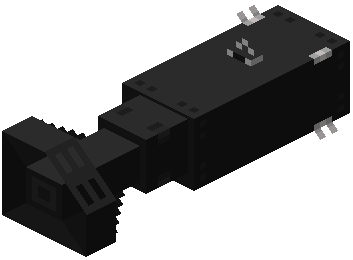 Falling Nuke (5 kt)
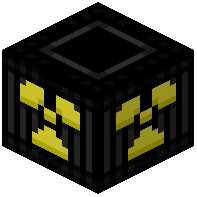 Nuke Block (1 kt)
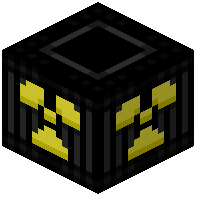 Nuke Block (2 kt)
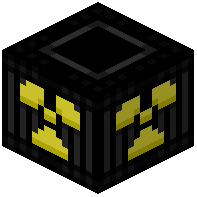 Nuke Block (250t)
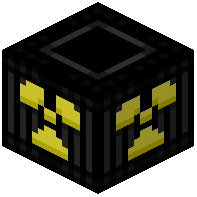 Nuke Block (5 kt)
Configuration
Every setting in the mod config file, with what it changes.
| Option | What it does |
|---|---|
bloom | Bloom |
bloom_strengthBloom Brightness | Overall brightness of the bloom. |
bloom_enabledBloom Enabled | Enable the bloom around explosions (Turning this off may improve performance). |
bloom_mip_levelsBloom Spread (Mip Levels) | How far the bloom spreads. |
bloom_step_scaleBloom Step Scale | How wide and soft the glow is. |
debug | Debug |
debug_overlayDebug Overlay | Whether to enable the in-game overlay showing active nuke count, particle count, and FPS when nukes are active. |
experimental | Experimental |
flash | Flash |
flash_durationFlash Duration | How long the flash takes to fade out for a 1kt nuke (20 ticks = 1 second). |
flash_enabledFlash Enabled | Enable the fullscreen flash on detonation of nukes. |
flash_opacityFlash Peak Opacity | How bright the initial flash is (Percentage as a decimal). |
gpu_sortGPU Particle Sort | Whether to use GPU particle sort (Will use cpu sort if disabled which is slower in most cases). |
max_particlesMax Particles | Maximum number of nuke particles at once. Every 1,000,000 uses about 100 MB of GPU memory (Requires restart) |
max_nukesMax Simultaneous Nukes | Maximum number of visual nuke explosions active at the same time (requires restart) |
multi_texture | Multi Texture |
nuke_particle | Nuke Particle |
render_distance_scaleParticle Fade Distance | Multiplier on the render distance for particle fading. |
particle_sizeParticle Size | Visual size of every particle. Higher values cause performance loss. |
texture_modeParticle Texture | Texture used for nuke particles. Square = none, Nuke Particle = nuke texture, Multi Texture = random nuke textures. |
particles | Particles |
performance | Performance |
screen_effects | Screen Effects |
screen_shakeScreen Shake | Enable camera shake when a nearby nuke explodes. |
Frequently asked questions
How do I detonate a nuke block?
Place a Nuke Block on the ground, then send a redstone signal to it (using redstone dust, a lever, or a button). The block will power up and trigger a countdown before detonating.
What's the difference between placing a nuke block and using the spawner?
A Nuke Block requires redstone power and gives a standard 1 kt blast. The Nuke Spawner lets you hold different ore blocks or ingots in your offhand to control the blast size (from 0.01 kt to 200 kt) and detonate instantly where you're looking.
How do I drop a bomb from the sky?
Use the command `/spawnnuke falling x z yield` to drop a bomb at those coordinates with your chosen yield, or use the Nuke Spawner's falling bomb feature if available in your mod version. The bomb will animate falling before exploding on impact.
What happens to the landscape after a nuclear blast?
The explosion creates a giant crater with raised edges and transforms the surrounding area into a nuclear wasteland biome. Grass becomes coarse dirt, wood turns to basalt, and the terrain is left charred and barren.
Can I see the mushroom cloud from far away?
Yes, if you have the Distant Horizons mod installed, you can see the bright glowing mushroom clouds from very far distances, making large blasts visible across the entire map.
Do falling bombs work with flying ships or machines?
Yes, falling bombs are compatible with Valkyrien Skies ships and will drop naturally from moving flying machines, allowing you to create aerial bombardments.
How do I change the explosion graphics?
Open the in-game mod menu and access the client config to adjust visual settings like particle brightness, glow intensity, and mushroom cloud appearance.
What's the biggest blast I can create?
A Netherite Block in the Nuke Spawner creates a 200 kt explosion, which is the largest yield available in the mod.
Can I use commands to spawn nukes at exact coordinates?
Yes, use `/spawnnuke direct x y z yield` to instantly create a blast at specific coordinates, or `/spawnnuke falling x z yield` to drop a bomb from above.
Will this mod cause lag or performance issues?
Large explosions with many particle effects and terrain changes can impact performance depending on your hardware; consider using smaller yields or adjusting visual settings in the mod config if you experience lag.
You May Also Like
Wikis that share the most with this one
Wikis on the same theme: weapon
More mod wikis on the site
The most downloaded mods that have a wiki here
A few wikis from each of the other kinds
Gallery
9 images from the Wmd Weapons Of Mass Destruction Mod page.


