

 DownloadWaystones
Get the files on 9Minecraft
Contents (7)
What Portstones Do
A 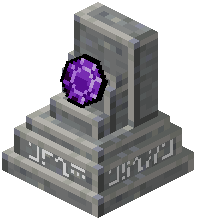 Portstone is a personal teleport anchor. Unlike a
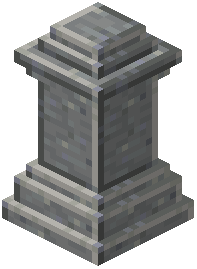 Waystone, it is not shared with other players — only the owner can use it. Craft one by combining a
 Warp Stone with the appropriate material tier (Copper, Iron-equivalent, Gold, Diamond, etc.). Place it wherever you want a private return point, such as inside your base or a hidden mining outpost.
Binding a Portstone
Right-click the Portstone to bind it to yourself. Once bound, it appears in your travel menu alongside Waystones but is only visible to you. Other players interacting with it will see a message that it belongs to someone else.
Sharestones Explained
A Sharestone works like a Portstone but can be shared with specific players. After placing it, use the GUI to add players by name. Only listed players can teleport to it. This is ideal for a small group base or a faction HQ where you do not want strangers dropping in.
Combining With Waystones
You can have both a public Waystone and a private Portstone at the same location. The Waystone lets visitors arrive; the Portstone gives you a personal fast-return that does not clutter the public list. Many players place a Portstone  one block away from their main Waystone for exactly this reason.
Tier Differences
Higher-tier Portstones (Diamond,  Emerald, etc.) may have larger share limits or reduced XP costs. Check the tooltip on each variant for its specific properties.


