

 DownloadWaystones
Get the files on 9Minecraft
Contents (7)
Opening the Travel Menu
Right-click any 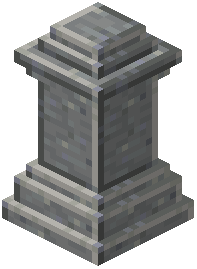 Waystone you have already discovered. A GUI opens listing every Waystone in your personal discovered network. Click a destination to teleport. The cost is experience levels — the further away the target, the more XP you spend. Cross-dimension travel costs more than same-dimension travel.
Managing XP Costs
If you do not have enough XP, the teleport fails and you keep your levels. Carry a few bottles o' enchanting or grind mobs before long trips. Some configurations allow free teleportation or disable XP costs entirely — check with your server admin if the cost feels wrong.
Global vs Personal Discovery
By default, discovering a Waystone adds it to your personal list only. Server configs can enable "global discovery," where one player finding a Waystone unlocks it for everyone. If you are on a server and cannot see a friend's Waystone, they may need to enable global discovery or you need to visit it yourself.
Cooldowns and Interruptions
There is usually a short cooldown between teleports to prevent spam. Taking damage during the warm-up can cancel the teleport. Stand still in a safe spot before confirming.
Returning Home
Use a  Return Scroll if you are far from any Waystone. It teleports you to your bound Waystone without needing to walk back to one first.


