

 DownloadWaystones
Get the files on 9Minecraft
Contents (7)
Discovering Waystones
Walk up to any 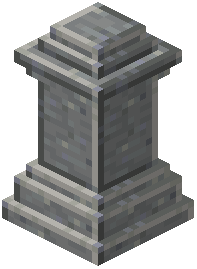 Waystone and right-click it. It is added to your personal discovered list immediately. You do not need to craft anything or spend XP to discover — only to teleport. Explore the world and touch every Waystone you find to build a fast-travel network.
Naming for Clarity
Always rename Waystones you place. Use short, descriptive names: "Home," "Nether Hub," "Village," "Stronghold." The travel menu sorts alphabetically, so a consistent prefix (e.g., "Base -," "Mine -") keeps related stones grouped.
Using Epitaphs and Memorials
An  Epitaph or
 Fleeting Memorial is a decorative block that can mark a Waystone location or serve as a grave marker. Place one near a Waystone to make it visually distinct in the world. Some variants also store a small amount of information about the location.
Cleaning Up Your List
If a Waystone is destroyed, it disappears from your list automatically. If you move a Waystone, the old entry becomes invalid — break and replace it to update the position. There is no manual "remove" button in the GUI; you must destroy the physical block.
Ruined and Crumbling Variants
 Ruined Sharestones and
 Crumbling Attuned Shards are damaged versions found in world generation. They cannot be used until repaired with the appropriate materials. Repair them to unlock a free Waystone without
 crafting from scratch.


