
Redstone Signal Towers Wiki

Redstone Signal Towers Wiki & Guide
wiki.9minecraft.net/redstone-signal-towers-mod/
The community wiki and guide for Redstone Signal Towers — guides, recipes, items and mechanics.
Guides
Step-by-step, in-game.
How to Expand Signal Coverage Across a Large Base with Linked AntennasHow to Fix 'Nobody Can See My Messages' and Other Phone ProblemsHow to Send Your First Text Message with a Cell PhoneHow to Set Up and Name a Custom Network with the Screwdriver
Recipes
Every recipe the mod adds, grouped by how it is made.
Items
 Mobile Phone
 Screwdriver
Blocks
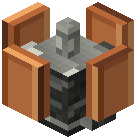 Copper Antenna
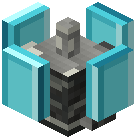 Diamond Antenna
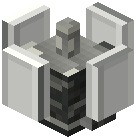 Iron Antenna
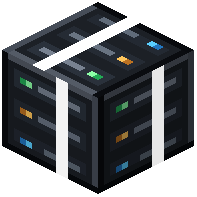 Server
Frequently asked questions
Why can't I type in normal chat anymore?
This mod turns off the regular chat system on purpose. To talk to other players, you need to craft a cell phone, connect it to a network broadcast by an antenna, and send messages from the phone's Messages tab.
How do I send my first text message?
Craft a cell phone and an antenna, place the antenna, and use a Screwdriver on it to name a network and pick a speed mode. Then open your phone, go to the Networks tab, connect to that network, and switch to the Messages tab to start typing.
How do I open the antenna settings?
Right-click the placed antenna while holding the Screwdriver to open its setup screen. From there you can name your custom network and choose a speed tier such as 5G+, 4G, or LTE.
What's the difference between the Copper, Iron, and Diamond antennas?
They are the three antenna tiers you can build to broadcast a wireless signal. To see how far each one reaches in practice, watch the signal indicator on your phone's main screen as you walk away from it.
What do the 5G+, 4G, and LTE options actually change?
They are speed tiers you choose for a network when you set it up with the Screwdriver. Each network you create uses the mode you selected, and nearby networks show up in your phone's Networks tab.
My signal keeps dropping when I walk around my base, how do I fix it?
Signal strength drops the farther you get from a tower, so one antenna won't cover a large area. Place more antennas and link them together to extend coverage, using the phone's signal indicator to find weak spots.
My friend says they can't see my messages, what's wrong?
Make sure both of you are connected to the same network in the phone's Networks tab and are both inside its coverage area. If either player has wandered out of range of every linked antenna, their messages won't get through.
How do I check my signal strength or see which networks are nearby?
Your phone's main screen has a signal strength indicator. The Networks tab lets you browse the available networks nearby, shows how strong each connection is, and displays your current connection status.
What is the Server block for?
The Server block helps manage communication lines in your network. It is meant for players running larger setups with several antennas.
Does this mod need to be installed on both the server and my client?
Yes. It adds new items and blocks and replaces the chat system, so the server and every player joining it need the mod installed. Because it disables normal chat, other mods that change or rely on chat may not behave as expected alongside it.
Related mods
Other wikis you may find useful.