
How to Send Your First Text Message with a Cell Phone
This mod turns off normal chat. Pressing the chat key won't reach anyone. To talk to other players you need a cell phone and a working antenna network nearby.
Get the Gear Ready
1. Craft a cell phone. It is made from standard materials. Check your recipe book, or a recipe viewer if you use one, for the exact layout.
2. Craft an antenna. You can build a Copper, Iron, or 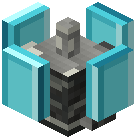 Diamond antenna. Any of them will broadcast a signal.
3. Craft a  Screwdriver. You need it to open the antenna's setup screen.
4. Place the antenna somewhere central, close to where you and your friends spend time.
5. Right-click the antenna with the Screwdriver. Give the network a name and pick a speed mode (5G+, 4G, or LTE), then confirm.
Connect and Start Typing
1. Open your cell phone. The main screen shows a signal strength indicator, so you can see right away whether you're in range.
2. Go to the Networks tab. It lists the networks you can reach and how strong each connection is.
3. Select the network you just named and connect to it.
4. Switch to the Messages tab and type your message.
Make sure your friends also have phones and are connected within range. If your signal looks weak, walk back toward the antenna before sending.