
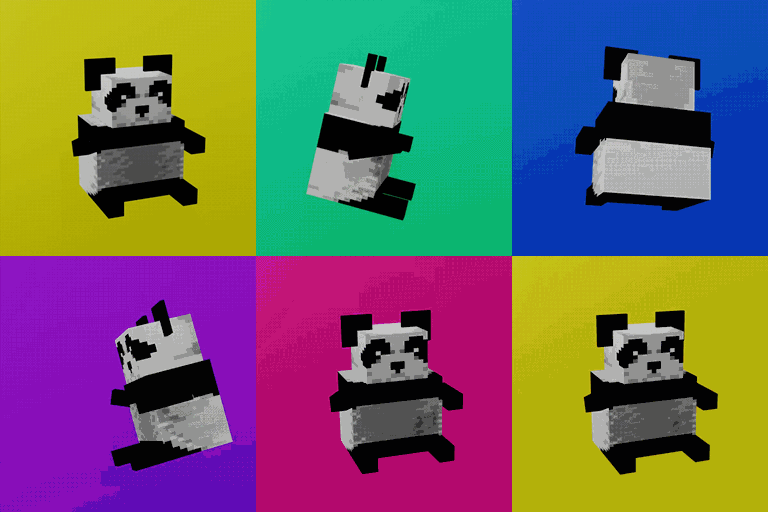
 DownloadPlushie Mod
Get the files on 9Minecraft
Pick Your Target Plushie
Every plushie in the mod is made with a shaped  crafting recipe. Choose the mob you want from the full list, for example
 Cow Plushie,
 Creeper Plushie,
 Enderman Plushie,
 Warden Plushie, or
 Dragon Plushie. Each one is a separate recipe, so the ingredients change per mob.
Crafting Steps
1. Open a crafting table.
2. Arrange the required ingredients in the exact shaped pattern for your chosen plushie.
3. Drag the finished plushie block into your inventory.
Because all 91 recipes are shaped, the position of each ingredient in the grid matters. If the plushie does not appear in the output slot, your pattern is wrong — rearrange the items rather than adding more.
Placing and Using Plushies
Place a plushie like any block. Once placed, it sits as a decorative mob figure. You can break it and pick it back up to move it. Use them to build themed rooms: a  Bee Plushie near flowers, a Warden Plushie in a deep dark base, or a full set of rabbit variants such as 'Salt' Rabbit Plushie, 'Toast' Rabbit Plushie,
 Black Rabbit Plushie,
 Brown Rabbit Plushie,
 White Rabbit Plushie,
 White Splotched Rabbit Plushie, and
 Yellow Rabbit Plushie lined along a shelf. Mix hostile and passive mobs freely — the recipes are independent, so you can craft them in any order.


