

 DownloadMine Coasters
Get the files on 9Minecraft
Guides
Step-by-step, in-game.
Build a Water Ride with Splashes and DropsDesigning the Water Track Layout Create an elevated track path using the same anchor point method as a dry coaster.…Build Your First Roller Coaster TrackSetting Up Anchor Points Start by placing anchor points on the ground where you want your track to begin and end.…Design and Paint a Custom Roller Coaster CarOpening the Cart Workstation Locate and open the Cart Workstation block. This is your voxel editor for building…Set Up a Chain Lift to Launch Your CoasterPlacing the Chain Lift Section Identify where you want your coaster to climb—typically at the start or before a major…
Recipes
Every recipe the mod adds, grouped by how it is made.
Items
83 items · showing 24. Browse all →
 Acacia Support Beam
 Acacia Veneer
 Bamboo Support Beam
 Bamboo Veneer
 Birch Support Beam
 Birch Veneer
 Black Paint
 Black Support Beam
 Black Track Piece
 Blue Paint
 Blue Support Beam
 Blue Track Piece
 Brown Paint
 Brown Support Beam
 Brown Track Piece
 Car Coupler
 Cherry Support Beam
 Cherry Veneer
 Coaster Car
 Coaster Steel Ingot
 Crimson Support Beam
 Crimson Veneer
 Cyan Paint
 Cyan Support Beam
Blocks
133 blocks · showing 24. Browse all →
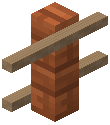 Acacia Rope Fence
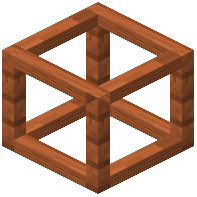 Acacia Wooden Support
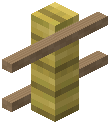 Bamboo Rope Fence
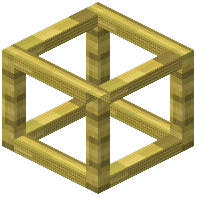 Bamboo Wooden Support
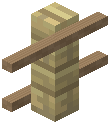 Birch Rope Fence
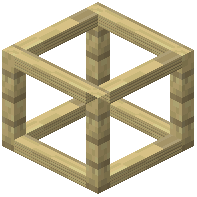 Birch Wooden Support
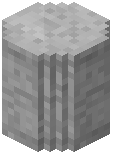 Black Concrete Footer
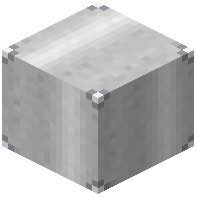 Black Steel Block
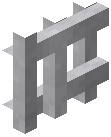 Black Steel Fence
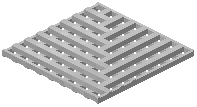 Black Steel Platform
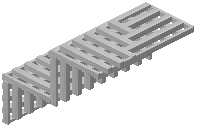 Black Steel Platform Stairs
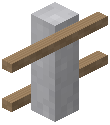 Black Steel Rope Fence
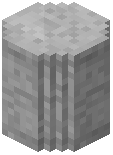 Blue Concrete Footer
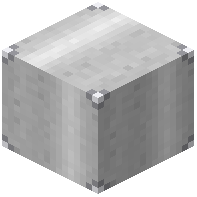 Blue Steel Block
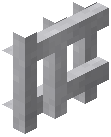 Blue Steel Fence
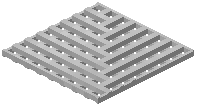 Blue Steel Platform
 Blue Steel Platform Stairs
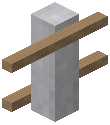 Blue Steel Rope Fence
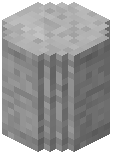 Brown Concrete Footer
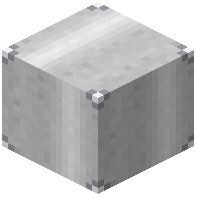 Brown Steel Block
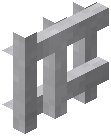 Brown Steel Fence
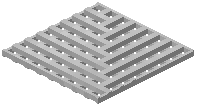 Brown Steel Platform
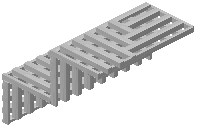 Brown Steel Platform Stairs
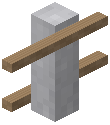 Brown Steel Rope Fence
Mobs
Creatures this mod adds.
Coaster CarWrecked Coaster Car
Configuration
Every setting in the mod config file, with what it changes.
| Option | What it does |
|---|---|
airDragAir Drag | Quadratic air resistance — dominates at high speed. Default 0.002. |
audioEnabledAudio Enabled | Master switch for MineCoasters sounds. Default on. |
brakeDecelBrake Deceleration | Base brake deceleration in m/s² (≈1.5 g) at brake strength 0.5. Default 15. |
collisionEnabledCollision Enabled | Master switch for ALL collision (rails, beams, blocks, entities). Off = build through walls and cars pass through. Default on. |
cartRestitutionContact Bounciness | How bouncy a train-vs-train contact is when momentum-conserving contact is on. 0 = trains end up travelling together, 1 = they bounce apart. Default 0.1. |
cartCrashPedestrianDamageCrash Damage — Pedestrians | Damage a moving car deals to bystanders, scaled by momentum. Default 0.5. |
cartCrashRiderDamageCrash Damage — Riders | Damage to a car's own riders in a crash, scaled by momentum. Default 0.15. |
crashTrainDamagePerImpulseCrash Damage — Train vs Train | Damage to riders when two trains collide, scaled by impact impulse. Default 0.55. |
derailImpactSpeedDerail Impact Speed | Speed (m/s) above which hitting a solid block derails a car. Default 15. |
crashDerailImpulseDerail Impulse Threshold | Impact impulse above which a train-vs-train crash derails both trains. Default 15. |
gravityGravity | Downhill acceleration in m/s². Default 9.8. |
lsmLaunchAccelLaunch Acceleration | LSM launch acceleration in m/s² (≈1.8 g). Default 18. |
massAffectsActuatorsMass Resists Launches | On: launches and brakes deliver a fixed force, so a heavy train accelerates and stops more slowly — realistic, but it retimes every existing medium/wide-gauge launch and brake run. Lift hills are unaffected. Default off. |
maxWrecksMax Wrecks | Most wrecked cars allowed at once. Past the cap, further derailing cars quietly drop their item instead. Default 48. |
elasticCartContactMomentum-Conserving Contact | On: a train shunts the one it hits instead of both stopping dead. Not a drop-in — a nudged train parked in a station will roll a little. Water rides always use the old behaviour. Default off. |
reconcileSmoothingPosition Correction Smoothing | On a laggy server, eases out the last of a position correction instead of snapping. Purely visual — never affects physics or train spacing. 0 = snap. Default 0.5. |
rideCameraSmoothingRide Camera Smoothing | 0 = camera locked to the car (snappiest); higher eases the camera through banks and loops. Default 0.3. |
musicVolumeRide Music Volume | Volume of ride music streamed from a Sound Machine. Default 0.9. |
photoMaxRenderDistanceRide Photo Range | How far a player can be from a triggered camera and still render its photo. Default 96. |
photoResolutionRide Photo Resolution | Square size in pixels of a ride camera's photos. Higher is sharper but heavier to store and send. Default 128. |
rideSfxVolumeRide SFX Volume | Volume of ride sound effects (rumble, brakes, launch). Default 0.8. |
rollingFrictionRolling Friction | Rolling resistance of trains. 0 = frictionless; higher stops cars sooner. Default 0.03. |
waterDragWater Drag | Extra drag while a cart is in water, on top of air drag. Default 0.02. |
windVolumeWind Volume | Volume of the speed-scaled wind loop while riding. Default 0.7. |
Frequently asked questions
How do I start building a roller coaster?
Check your inventory for the illustrated manual when you spawn—it explains all the tools. Place anchor points on the ground where you want your track to go, then use the wrench tool to connect them and form the track path.
What's the difference between the Element Placer and building tracks manually?
The Element Placer instantly drops in pre-made elements like loops, corkscrews, and stations so you don't have to build them from scratch. Manual building with anchor points and the wrench gives you complete freedom to design custom shapes.
How do I make my carts go faster?
Use chain lifts or magnetic launches powered by redstone dust to push carts up hills or accelerate them along the track. Gravity and momentum do the rest—higher drops and longer slopes naturally speed up your carts.
Can I flip a track upside down so carts hang underneath?
Yes, the mod lets you flip any track section so carts can safely hang from the underside, which is great for inverted loops and hanging sections.
How do I build a log flume or water ride?
Create a water ride track using the same anchor and wrench tools, then place water on the track to create the flume effect. Check the water ride guide for details on setting up big drops and splashes.
What do I use the Cart Workstation for?
The Cart Workstation is where you design and paint your own custom roller coaster cars block-by-block using the in-game voxel editor, so every ride can look unique.
How do I know if my coaster is running smoothly?
Use the tablet tool to track ride stats like top speed, airtime, and G-forces while testing. The mod also automatically smooths out bumpy tracks and banks your turns to help optimize the ride.
Can I take photos of riders on my coaster?
Yes, place redstone-triggered cameras along your track to snap photos of riders during the trip, which you can view later.
Does this mod work on multiplayer servers?
Yes, the physics run smoothly on multiplayer servers so all players can ride together without lag or desync issues.
What are the special track machines and when should I use them?
Switch Track moves trains between different paths, Drop Track sends carts straight down, Tilt Track tips the track after holding it flat, and Turntable spins trains to face a new direction—use them to add variety and excitement to your coaster layout.
You May Also Like
Wikis that share the most with this one
More mod wikis on the site
The most downloaded mods that have a wiki here
A few wikis from each of the other kinds
Gallery
9 images from the Mine Coasters Mod page.


