DownloadDoggy Talents Next
Get the files on 9Minecraft
Right-clicking a dog with a stick opens its information menu, the central place for managing the dog. It displays the dog's stats and offers toggles and selectors for its talents, textures, and behavior.
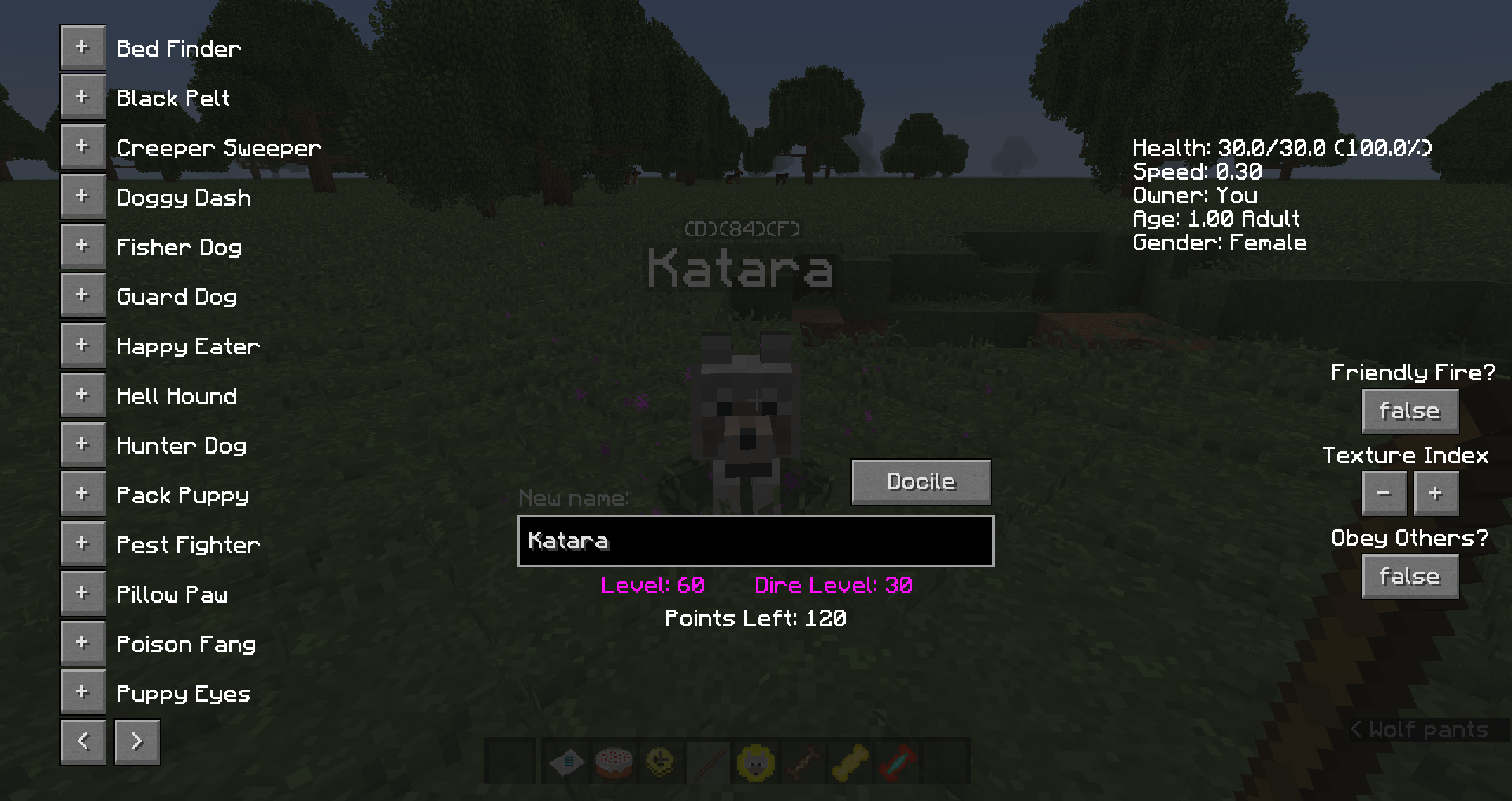
The top-right panel shows basic information: current and maximum Health, current movement Speed, the Owner (shown as "you" to the owner, or the original owner's name to other players), the dog's Age, and its Gender. The talents panel lets you assign and upgrade talents using the points listed as "Points Left."
Two toggles control interaction. Friendly Fire decides whether you can hurt the dog; it is off by default to prevent accidental damage. Obey Others decides whether players who do not own the dog can command it; it is also off by default. A texture selector cycles through 13 textures (including the default vanilla look); going past them intentionally shows a missing texture, which is what allows resource packs to supply additional custom dog skins.