
Finding the file
After you die at least once (or on first launch), the mod generates a plain text file at config/deathquotes.txt inside your Minecraft instance folder. Open it with any text editor — Notepad, Notepad++, VS Code, whatever you have. Each line is one quote. The mod picks a random line from this file whenever a player dies, so the more lines you add, the more variety you get.
Editing safely
Keep one quote per line. Do not leave blank lines in the middle of the file if you want a clean rotation, though trailing newlines are usually harmless. Save the file as plain UTF-8 text. If you break the format badly, you can delete the file entirely and the mod will regenerate the default set on next launch — so back up your custom version first if you care about it.
Testing your changes
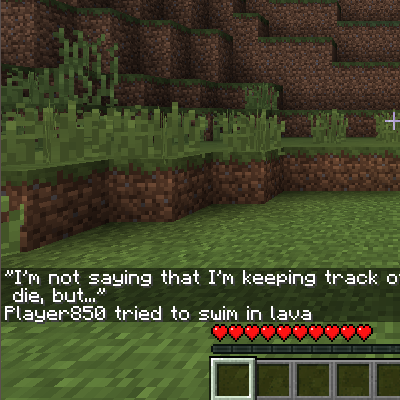
Restart the game (or reload the world) so the mod re-reads the file. Then die on purpose — jump in lava, fall off a cliff, let a creeper hug you. The chat should show your new quote above the death message. If nothing changed, double-check you edited the file in the correct instance's config folder, not a different profile.


