

Check Your Range
Verify that items are spawning within your Plopper's collection radius. By default, this is only 2 blocks in all directions. If items appear beyond this zone, craft and apply Range Upgrades to expand coverage. Use the cross-section visualization in the mod documentation to understand your exact range.
Verify Inventory Space
If 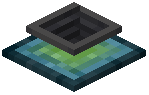 the Plopper's inventory is full, it stops collecting new items. Right-click to open the GUI and remove items, or connect pipes to extract them automatically. The Plopper cannot accept items pushed into it, so piping is one-way only.
Check Configuration
Ensure displayParticles and playSound are not causing performance issues that might prevent collection. If particles or sounds are disabled, collection still works normally—these only affect feedback. Review your config file to confirm no other settings are interfering with the Plopper's operation.