
Set Up Your First Plopper for Automatic Item Collection
Crafting and Placement
Craft a Plopper using the shapeless recipe, then place it where items will spawn—above a farm, under a grinder, or near a mob spawner. The block will immediately start collecting items in a cube around it (default 2-block radius in all directions).
Accessing Your Items
Right-click 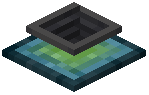 the Plopper to open its inventory and manually retrieve items. For hands-free collection, attach pipes to the bottom of the block. The Plopper only outputs items; you cannot insert them manually or via pipes.
If you want pipes on other sides, toggle the bypassOutputSide config option to true. This lets you extract from any face of the block instead of just the bottom.
Fine-Tuning
If the default sound and particle effects are distracting, disable them in the config with playSound: false and displayParticles: false. These settings are purely cosmetic and won't affect collection speed.