

What a photomask actually is
A photomask is the stencil that tells the 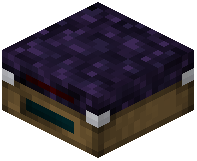 Lithography Table what circuit pattern to burn into a silicon wafer. Blank Photomasks are the raw input; a
  Photomask Set is the collection of patterned masks you have already written. Without a matching mask, the Lithography Table cannot produce a
  Valid Die.
Writing a mask
1. Craft or obtain a  Blank Photomask.
2. Load the Blank Photomask into the Lithography Table along with the wafer you want to pattern.
3. The table etches the pattern and returns a patterned mask you can reuse for that specific gate.
4. Store patterned masks in a Photomask Set so you can swap between gate types without re-etching.
Practical tips
- Keep one patterned mask per gate type you build often. Re-etching every time wastes wafers.
- If the Lithography Table starts returning Invalid Dies, the mask is the first thing to check — a mismatched or degraded mask is the usual culprit.
- Photomasks are not consumed on every run the way wafers are, so a good mask pays for itself quickly once you are mass-producing gates.