Contents (12)
Core Mechanics
The mod operates through several key mechanics that differentiate it from standard storage blocks:
Instancing
Every player has their own 'instance' of a container's inventory. When Player A opens a chest, they see their loot. When Player B opens the same chest, they see a completely different set of items based on the original loot table of that structure. This prevents 'loot ninjaing' and ensures late-comers to a server still have progression opportunities.
Visual States
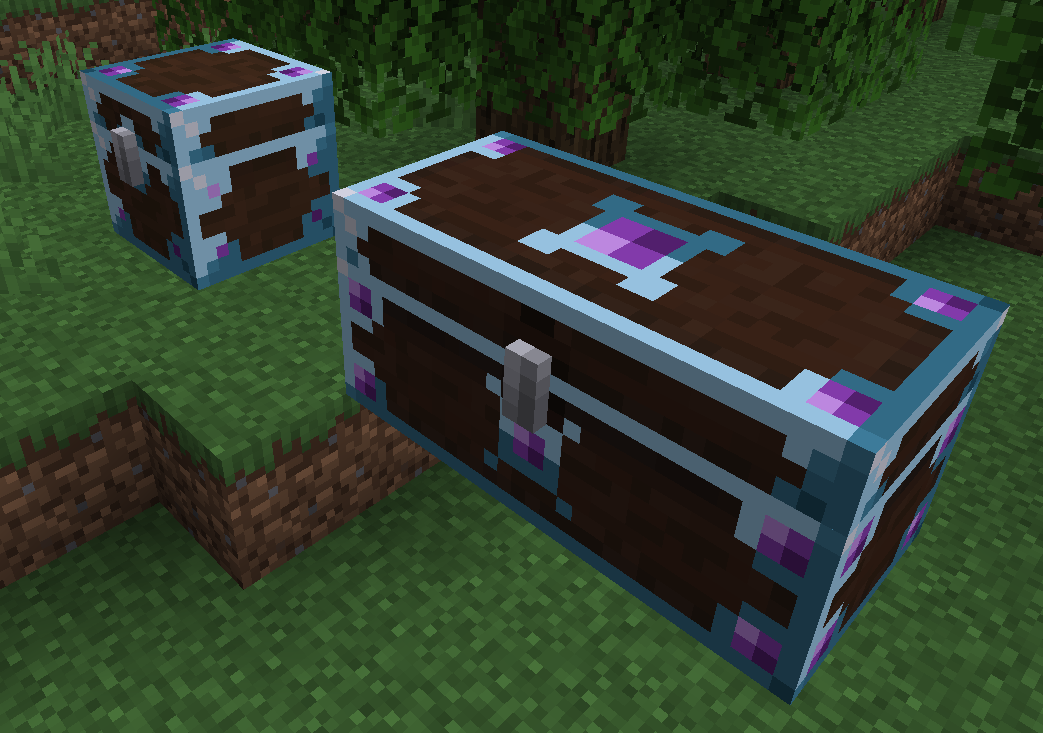
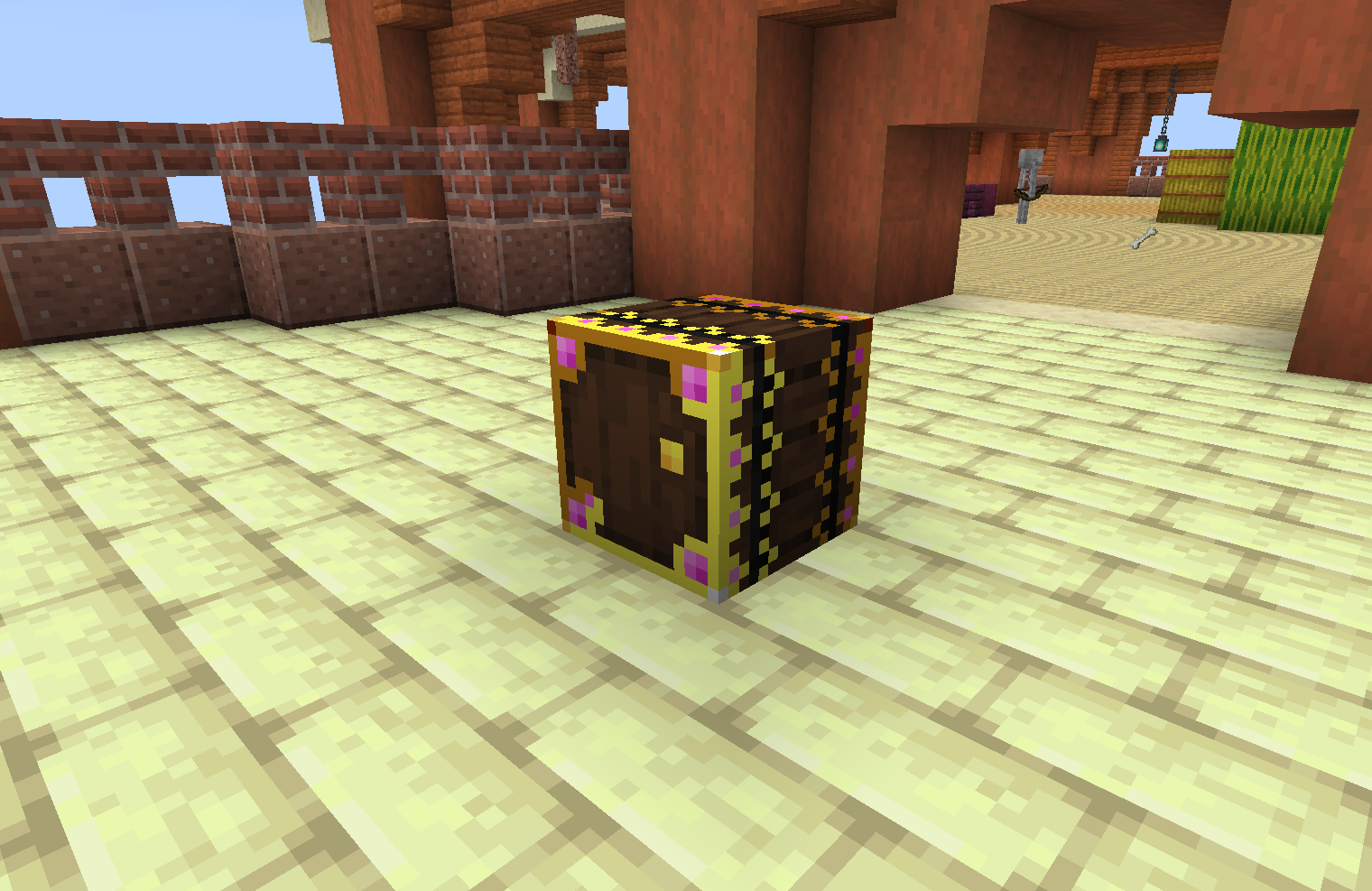
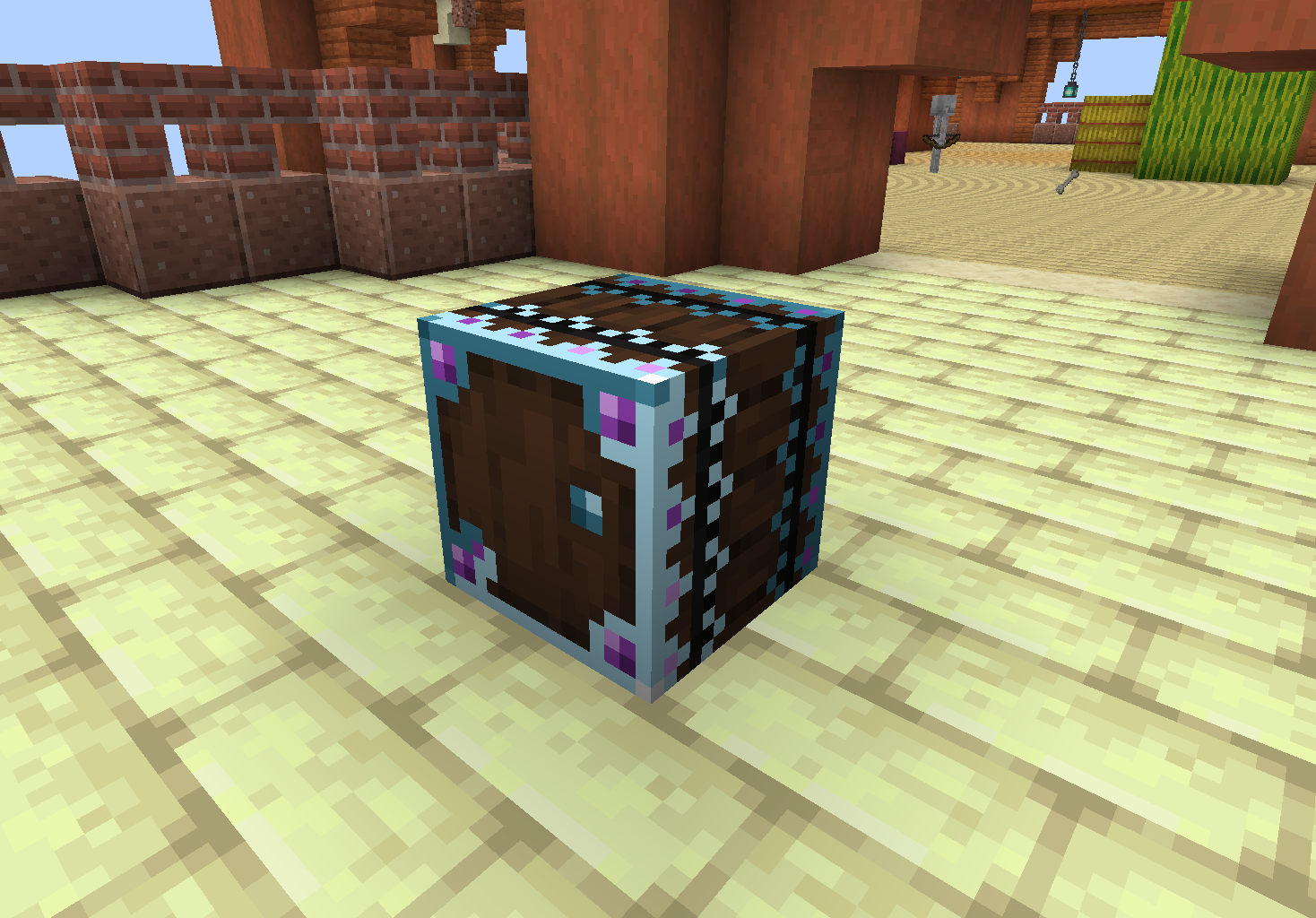
MyLoot containers feature dynamic textures that change based on the player's interaction history: * Unopened: The container features a vibrant, glowing cyan/blue trim, indicating it contains fresh loot for the player. * Opened: Once a player has accessed the container, the glow fades, and the texture becomes darker or desaturated. This change is client-side; a chest may appear 'opened' to one player while still appearing 'unopened' and glowing to another who hasn't touched it yet.
Breaking and Protection
To prevent players from accidentally destroying shared loot sources, MyLoot containers cannot be broken by standard clicking. * Sneak-Break: A player must hold the Sneak key (default Shift) while mining the container to break it. * Warning System: Attempting to break a container without sneaking will trigger a warning message informing the player that breaking the block may affect others.
Automation and Hoppers
MyLoot containers possess a 'hidden' inventory layer. * Input/Output: Hoppers and pipes can interact with the container. However, modifying the inventory via automation does not affect the instanced loot generated for players. * Original Loot Persistence: The original rolled loot table persists regardless of hopper activity, ensuring the first-time opening experience remains intact for every player.
Blocks
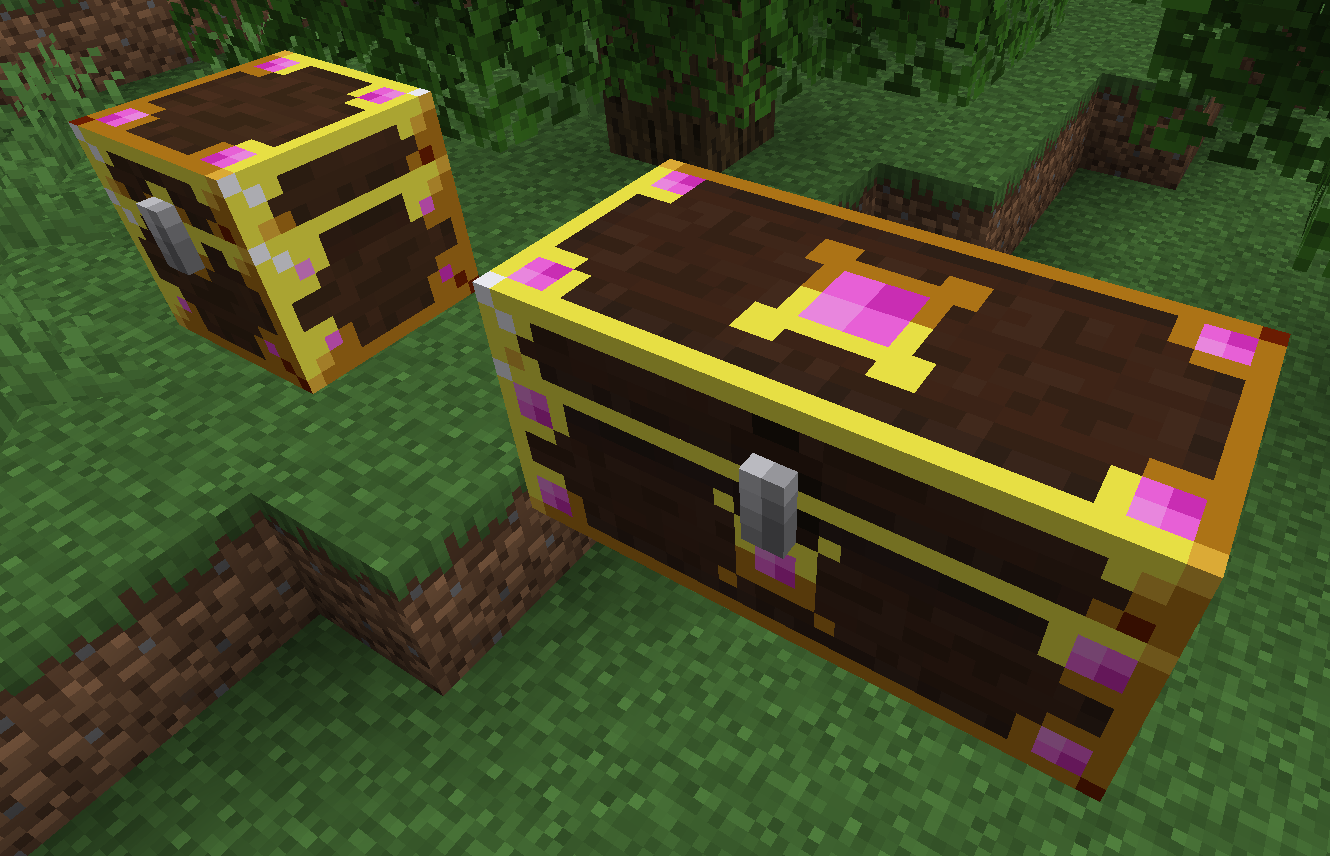
MyLoot replaces several vanilla container types with its own variants. These blocks can also be crafted by the player for personal use.
| Block Name | Description | Features |
|---|---|---|
| MyLoot Chest | The primary instanced container. Replaces vanilla chests in structures. | Can be placed side-by-side to create a Double MyLoot Chest. |
| MyLoot Barrel | Replaces vanilla barrels in villages and shipwrecks. | Functions identically to the chest but does not require space above it to open. |
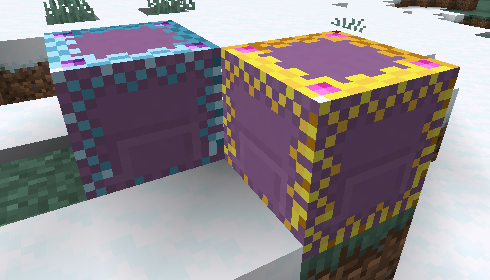
| MyLoot Shulker Box | Replaces shulker boxes in End Cities. | Drops a special item that retains instanced data when moved. |

Items
In addition to blocks, the mod includes entity-based containers and portable variants.
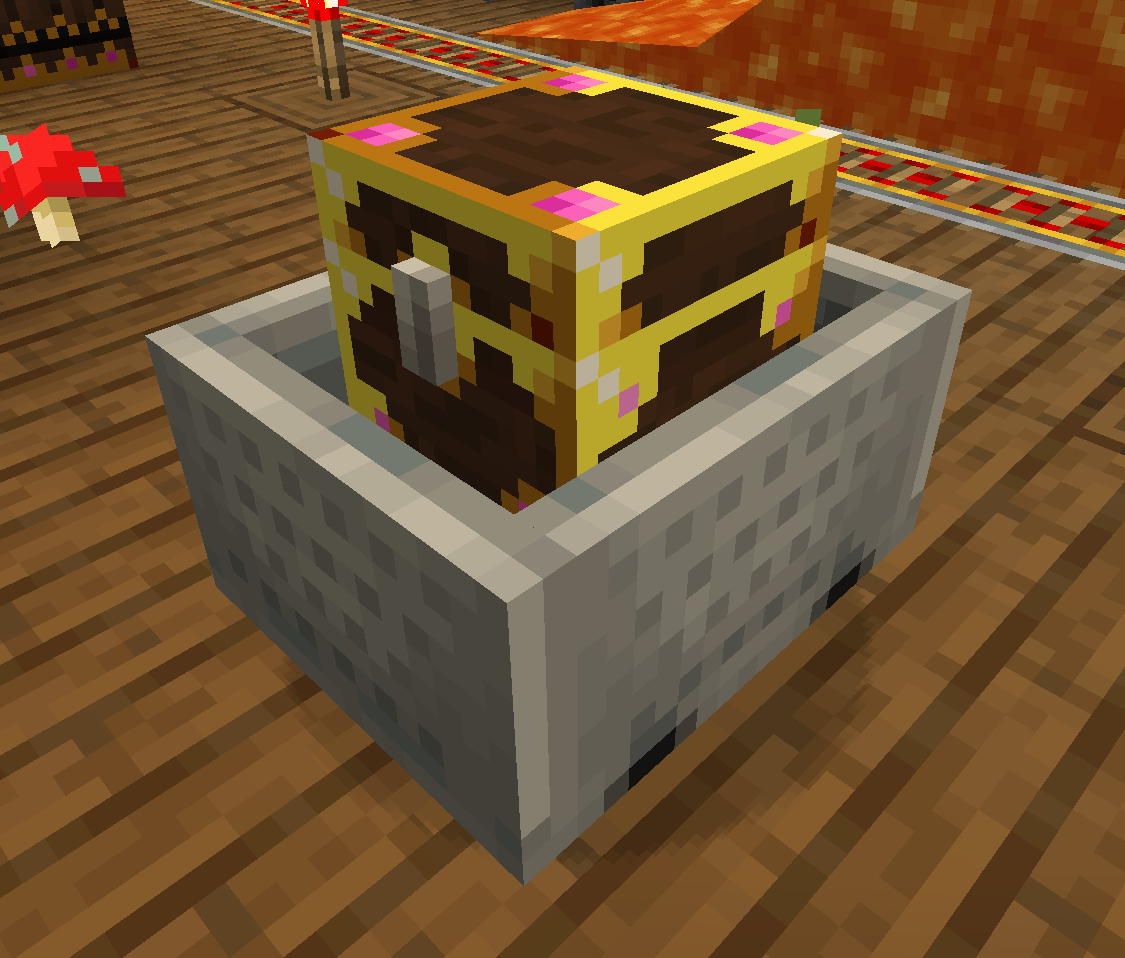
MyLoot Chest Minecart
Found in Mineshafts, these replace the standard Chest Minecart. They provide instanced loot to every player who interacts with the cart. Like the blocks, they can be broken to be moved, but their loot remains instanced.
MyLoot Shulker Box (Item)
When a MyLoot Shulker Box is broken, it drops this specific item. Unlike vanilla shulker boxes which have one shared inventory, the MyLoot Shulker Box item persists the instanced inventories of all players who have used it. This allows it to function as a portable, multi-user instanced storage device.

Crafting Recipes
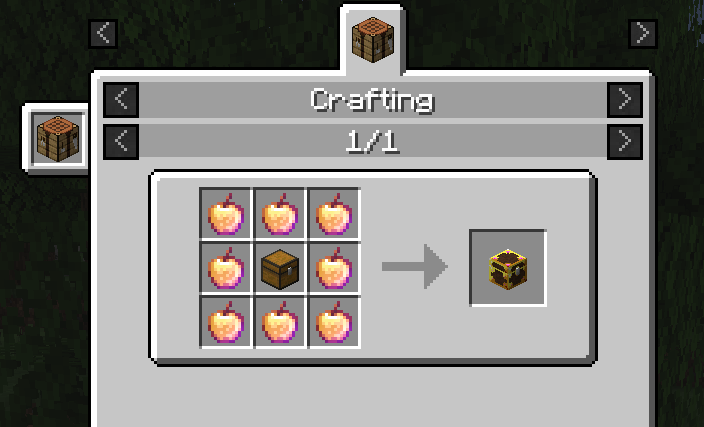
While most MyLoot containers are found via exploration, players can craft them using the following recipes:
MyLoot Chest
| Ingredients | Pattern |
|---|---|
| 1x Chest, 8x Enchanted Golden Apple | Place the Chest in the center and surround it with Enchanted Golden Apples. |
MyLoot Chest Minecart
| Ingredients | Pattern |
|---|---|
| 1x MyLoot Chest, 1x Minecart | Combine the two items in any crafting grid (shapeless). |
Note: The high cost of the MyLoot Chest (Enchanted Golden Apples) reflects its powerful ability to provide infinite unique loot instances for different players.