
Cpvp Elfaria Anime Sky Resource Pack Wiki

Cpvp Elfaria Anime Sky Resource Pack Wiki & Guide
Java EditionResource Pack
wiki.9minecraft.net/cpvp-elfaria-anime-sky-resource-pack/
The community wiki and guide for Cpvp Elfaria Anime Sky Resource Pack — guides, recipes, items and mechanics.
What this pack changes
Every texture group the pack replaces, counted from the pack itself.
| Area | Textures replaced |
|---|---|
| GUI & menus | 22 |
| Blocks | 10 |
| Items | 5 |
| Mobs & entities | 3 |
| Misc | 2 |
Pack format 64 (Minecraft 1.21.6)42 texture files in total
Extra features
Custom sounds
Custom block/item models
Reworked GUI
Guides
Step-by-step, in-game.
How to Equip and Configure the Anime Sky and Custom UIHow to Experience Custom Combat Audio CuesHow to Manage Inventories Using Custom Container ScreensHow to Optimize Your Combat Gear for Better Screen Visibility
Items
 Ender Pearl
 Golden Apple
 Golden Carrot
 Netherite Sword
 Totem of Undying
Blocks
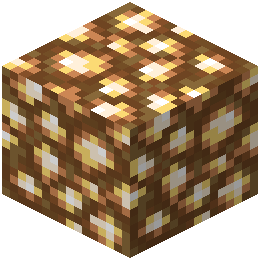 Glowstone
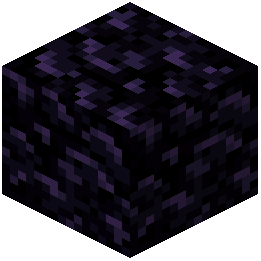 Obsidian
Frequently asked questions
How do I turn on the anime sky visuals?
Equip and configure the resource pack through your video settings to apply the custom anime-themed sky visuals for both day and night cycles.
Why do my swords and end crystals look smaller on screen?
The resource pack optimizes combat items by giving them smaller profiles to reduce visual clutter and improve screen visibility during fights.
How do I change the main menu background to match the anime theme?
The main menu background updates automatically to the light blue anime styling once you successfully load the resource pack into your game.
Where can I see the custom enchantment glint and particle effects?
Equip your gear to see the custom enchantment glint alongside distinct particle effects added specifically for combat actions.
How do I use the new inventory and container screens?
Open your inventory or any container to experience the animated screens, updated hotbar widgets, and clean light blue container slots designed for easier management.
Can I hear custom sounds during fights and menu navigation?
Yes, the resource pack includes custom sound effects that play during combat actions and whenever you interact with menu screens.
Why is my user interface blue?
The standard interface menus are replaced with sleek, animated screens featuring a consistent light blue aesthetic throughout.
Does this pack affect totem and battle gear visuals?
Yes, totems and other battle gear are fully reskinned with optimized, smaller profiles to keep your field of view clear.
What should I do if the custom skybox is not showing up?
Check your resource pack settings to ensure the pack is active and properly prioritized, and verify that custom sky options are enabled in your video settings.
Is this resource pack meant for competitive play?
Yes, the pack is specifically tailored for competitive play by combining clear screen visibility, optimized combat items, and custom audio cues.
Related mods
Other wikis you may find useful.