
Yuushya 16X Model Wiki

Yuushya 16X Model Wiki & Guide
Java EditionModel
wiki.9minecraft.net/yuushya-16x-model/
The community wiki and guide for Yuushya 16X Model — guides, recipes, items and mechanics.
What this pack changes
Every texture group the pack replaces, counted from the pack itself.
| Area | Textures replaced |
|---|---|
| Blocks | 1,798 |
| Items | 484 |
| Mobs & entities | 396 |
| GUI & menus | 347 |
| Particles | 57 |
| Status effects | 30 |
| Paintings | 29 |
| Models | 15 |
| Misc | 11 |
| Manual | 6 |
| Font | 3 |
| Biome colours | 2 |
| Sky & weather | 2 |
| Maps | 2 |
Pack format 34 (Minecraft 1.21.2)3,182 texture files in total
Extra features
Custom entity models (OptiFine/CEM)
Custom font
Custom sounds
Custom block/item models
Reworked GUI
Guides
Step-by-step, in-game.
How to Build with Overhauled Acacia Doors and FencesHow to Display 3D Food Containers and Animated ItemsHow to Load Priority and Troubleshoot Missing 3D ModelsHow to Place Wall-Mounted Lanterns and Custom Utility Blocks
Items
311 items · showing 24. Browse all →
 Acacia Boat
 Acacia Boat with Chest
 Acacia Hanging Sign
 Acacia Sign
 Amethyst Shard
 Apple
 Armor Stand
 Arrow
 Baked Potato
 Bamboo
 Bamboo Hanging Sign
 Bamboo Raft
 Bamboo Raft with Chest
 Bamboo Sign
 Banner Pattern (Mojang)
 Banner Pattern (Globe)
 Banner Pattern (Creeper)
 Banner Pattern (Flower)
 Banner Pattern (Skull)
 Barrier
 Beetroot
 Beetroot Seeds
 Beetroot Soup
 Bell
Blocks
468 blocks · showing 24. Browse all →
 Acacia Door
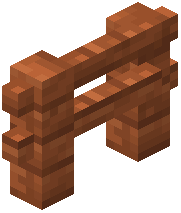 Acacia Fence
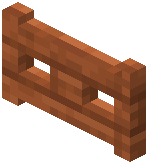 Acacia Fence Gate
 Acacia Leaves
 Acacia Log
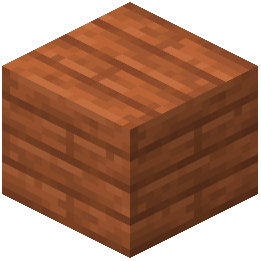 Acacia Planks
 Acacia Sapling
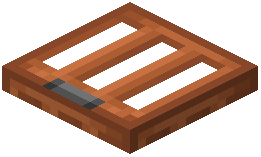 Acacia Trapdoor
 Activator Rail
 Allium
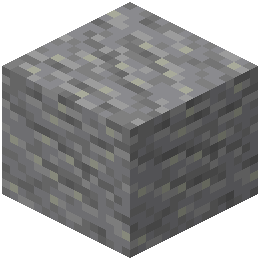 Andesite
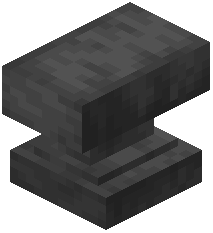 Anvil
 Attached Melon Stem
 Attached Pumpkin Stem
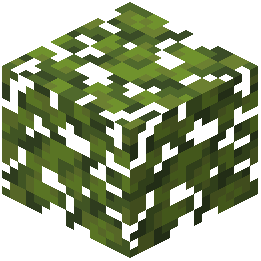 Azalea Leaves
 Azure Bluet
 Bamboo Door
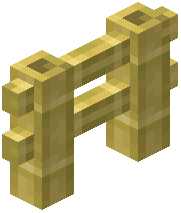 Bamboo Fence
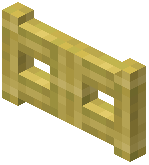 Bamboo Fence Gate
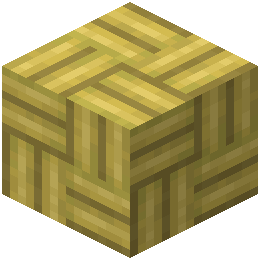 Bamboo Mosaic
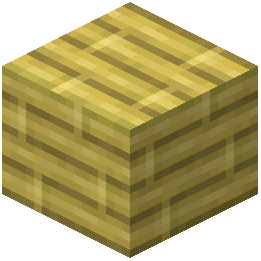 Bamboo Planks
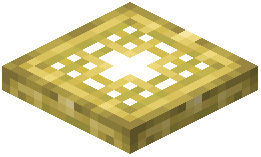 Bamboo Trapdoor
 Beacon
 Bedrock
Frequently asked questions
Is Yuushya 16x Model a mod or a resource pack?
It is a resource pack rather than a mod, meaning it goes into your `resourcepacks` folder instead of the `mods` folder. Because it only replaces vanilla block models and textures, you can use it on any server without needing it installed on the server side.
Why aren't the 3D models showing up in my world?
Make sure you have activated the pack in the Resource Packs menu and moved it to the very top of your active list. If another texture pack is placed above it, that pack will overwrite the 516 custom 3D models and revert them to standard vanilla shapes.
How do I get the wall-mounted lantern brackets?
You do not need to craft any special brackets; simply use regular vanilla lanterns or soul lanterns. Place them directly against a wall or hanging block to automatically trigger the custom wall-mounted frame model.
Do I need to craft new blocks to use the 3D furniture and fences?
No, all custom shapes automatically replace existing items and blocks. You can craft and place standard vanilla blocks like jukeboxes, amethyst clusters, and acacia fences to see their redesigned 3D models immediately.
Which wood type has the working door hinges and beam fences?
The custom door hinges and connected wooden beam designs are mapped specifically to acacia wood. Craft and place standard acacia doors, acacia fences, and acacia fence gates to build with these overhauled pieces.
Why are the animated item textures not moving?
Check your video settings to ensure that terrain and item animations are turned on, as performance mods often let you disable them. You must also run the pack on a version of the game that supports animated textures.
How do I view the 3D honey and chocolate buckets?
Simply hold the chocolate buckets or honey buckets in your hand, or place them down in the world. Their flat icons are automatically replaced with three-dimensional container models and animated surfaces.
Will this pack lag my game with high-resolution textures?
while the pack includes over 3,600 textures and 516 custom 3D models, all textures remain in the standard 16x resolution. This keeps the memory usage close to vanilla levels while still adding detailed shapes to your world.
What changes when I place a jukebox or amethyst cluster?
Placing a standard jukebox gives you a detailed block featuring a realistic speaker and record player design. Amethyst clusters are also reworked from flat cross-shaped textures into three-dimensional crystals with sharp facets.
Can I use this with other 16x texture packs?
Yes, its standard 16x resolution blends naturally with other default-resolution packs. Just keep Yuushya 16x Model loaded above your other packs in the Resource Packs menu so its custom 3D block shapes and item models take priority.