
Miniworld Model Wiki

Miniworld Model Wiki & Guide
Java EditionModel
wiki.9minecraft.net/miniworld-model/
The community wiki and guide for Miniworld Model — guides, recipes, items and mechanics.
What this pack changes
Every texture group the pack replaces, counted from the pack itself.
| Area | Textures replaced |
|---|---|
| Blocks | 1,367 |
| Items | 408 |
| Mobs & entities | 100 |
| Particles | 48 |
| Status effects | 32 |
| Paintings | 28 |
| GUI & menus | 24 |
| Biome colours | 14 |
| Models | 8 |
| Misc | 7 |
| Sky & weather | 5 |
| Maps | 2 |
Pack format 6 (Minecraft 1.16.2)2,043 texture files in total
Extra features
Custom entity models (OptiFine/CEM)
Custom font
Custom sounds
Custom block/item models
Reworked GUI
Guides
Step-by-step, in-game.
How to Activate and Verify MiniWorld Model in Your WorldHow to Showcase Custom Bamboo Growth Stages and BeehivesHow to Test 3D Redstone States on Comparators and ButtonsHow to Trigger Dynamic Workstation and Storage Models
Items
268 items · showing 24. Browse all →
 Acacia Boat
 Acacia Door
 Acacia Sign
 Apple
 Armor Stand
 Arrow
 Baked Potato
 Bamboo
 Bamboo Sign
 Banner Pattern (Flower)
 Banner Pattern (Mojang)
 Banner Pattern (Globe)
 Banner Pattern (Piglin)
 Banner Pattern (Creeper)
 Banner Pattern (Skull)
 Barrier
 Beetroot
 Beetroot Seeds
 Beetroot Soup
 Bell
 Birch Boat
 Birch Door
 Birch Sign
 Black Dye
Blocks
357 blocks · showing 24. Browse all →
 Acacia Leaves
 Acacia Log
 Acacia Planks
 Acacia Sapling
 Acacia Trapdoor
 Activator Rail
 Allium
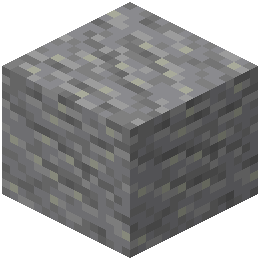 Andesite
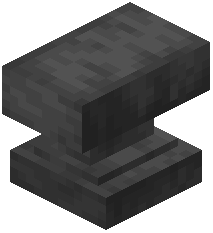 Anvil
 Attached Melon Stem
 Attached Pumpkin Stem
 Azure Bluet
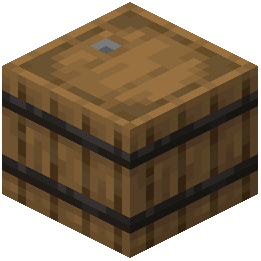 Barrel
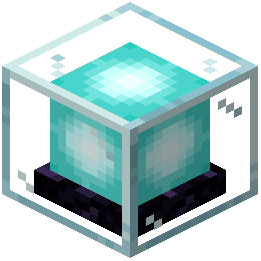 Beacon
 Bedrock
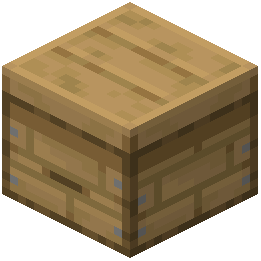 Beehive
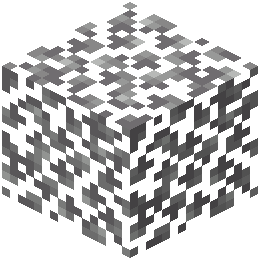 Birch Leaves
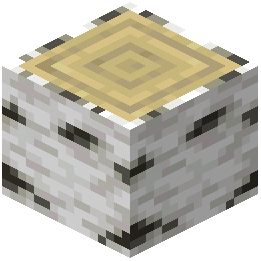 Birch Log
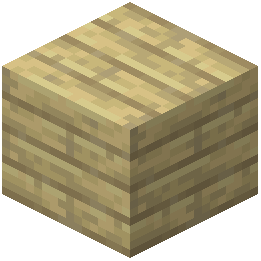 Birch Planks
 Birch Sapling
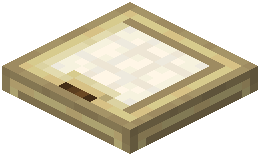 Birch Trapdoor
 Black Concrete
 Black Concrete Powder
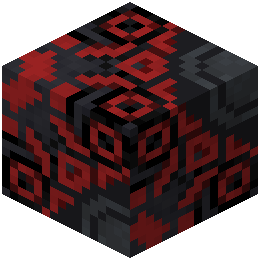 Black Glazed Terracotta
Frequently asked questions
Why aren't the 3D models showing up in my world?
MiniWorld Model works as a resource pack, so you need to make sure it is placed in your resourcepacks folder and moved to the active column in the in-game resource pack menu. Also ensure it is placed above any other texture packs that might override default block models.
How do I get the barrel lid to stay open?
The barrel model only switches to its open-lid state while a player is actively looking inside its inventory. Once you close the barrel interface, the 3D model automatically returns to its closed state.
Why isn't my blast furnace showing the animated fire texture?
The glowing animated texture only triggers when the blast furnace is in its active working state. You must place smeltable ore and fuel inside it to turn on the fire animation, and make sure animations are enabled in your video settings.
Which workstations and decorative blocks get new 3D models?
The pack includes 152 custom 3D models covering common functional and decorative blocks. Notably, it reworks blast furnaces, barrels, anvils, cartography tables, bookshelves, and beehives.
How do I see the different custom bamboo models?
Plant bamboo shoots and let them grow naturally or apply bone meal. As the bamboo grows, it will cycle through custom multi-stage growth models and display updated leaf foliage styles.
Does this pack change how redstone components look when powered?
Yes, redstone comparators and buttons have custom 3D models that physically change based on their redstone state. Pressing a button or sending a signal through a comparator will trigger their pressed and active model variants.
How can I tell when a beehive is full of honey with this pack?
Beehives feature a distinct working state model when they reach maximum honey capacity. Place a beehive near flowers, and once the bees fill it, the block will automatically switch to its full honey appearance.
Do I need any extra mods for the animated block textures to work?
No extra mods are required, as long as you are playing on a base game version that natively supports animated textures. Just make sure you haven't disabled terrain or block animations in your graphics settings.
Does MiniWorld Model add any new crafting recipes or custom blocks?
No, this pack only replaces the visuals of existing vanilla blocks with retro textures and 3D models. You still craft and interact with blocks like furnaces, barrels, and anvils using standard game mechanics.
Can I use MiniWorld Model on a multiplayer server if the server doesn't have it?
Yes, because it only changes client-side block models and textures through the resource pack system. You will see all 152 custom models and animations on any server without other players needing to have it installed.