
Gravity Slingshot Velocity Wiki

Gravity Slingshot Velocity Wiki & Guide
wiki.9minecraft.net/gravity-slingshot-velocity-mod/
The community wiki and guide for Gravity Slingshot Velocity — guides, recipes, items and mechanics.
Guides
Step-by-step, in-game.
How to Build and Ride a Basic Zipline RouteHow to Increase Zipline Travel SpeedSetting Up Long-Distance Mountain and Cave TransitTroubleshooting Zipline Direction and Station Placement
Recipes
Every recipe the mod adds, grouped by how it is made.
Blocks
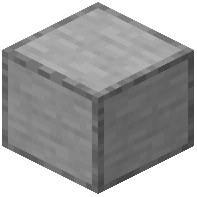 Zip-line Station
Frequently asked questions
How do I set up a basic zipline?
Place your first zip-line station block at one end of your route, then carry a second station block to a different elevation and place it down. Once both stations are placed at different heights, the route connects automatically.
How do I get on the zipline and ride it?
Simply walk up to the station block located at the higher elevation. You will automatically ride the line down toward the lower station.
Can I ride the zipline uphill or in both directions?
No, ziplines only work for downhill travel. The mod always sets the higher station as the starting point and the lower station as the destination. To travel back the other way, you must build a separate downhill route starting from a higher point on the other side.
Why is my zipline going the wrong way?
The mod determines travel direction strictly by elevation, not by which station you placed first. If your line flows the wrong way, your destination station was accidentally placed higher than your starting station.
How do I know if my second station is higher or lower than the first one?
After you place your first station block, an on-screen height indicator appears while you move around. Watch this counter before placing the second block to confirm whether you are above or below your first station.
Why won't my two stations connect?
Both stations must be placed at different heights to form a valid downhill route. Check the on-screen height counter when placing your second station to make sure it is not at the exact same elevation as the first.
How can I make the zipline move faster?
Travel speed is calculated from the elevation drop between your two stations. To go faster, build your starting station higher up or move your destination station lower down to create a steeper drop.
Is there a maximum distance limit between two zipline stations?
No, there is no artificial distance cap on how far apart you can place your stations. As long as one station is higher than the other, you can connect routes across long distances, deep cave shafts, or entire mountains.
Do I need to craft cables or ropes to connect the stations?
No extra cables or wiring items are needed to link the stations. Once you place two station blocks at different heights, the zipline path is created automatically and marked by a trail of yellow particles.
How do I get rid of the height counter on my screen?
The on-screen height indicator shows up because you have placed a single station block that is waiting to be paired. Place a second station block at a different height to finish the route, or remove the first station block.
Related mods
Other wikis you may find useful.