
How to Build and Ride a Basic Zipline Route
Setting up a working zipline in the Gravity Slingshot Velocity Mod requires two station blocks placed at different elevations. Because the mod relies on gravity, your transit line will only travel downhill from the higher point to the lower point.
Placing the Stations
1. Choose your first location, such as a cliff edge, rooftop, or the bottom of a valley, and place down your first 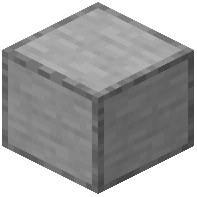 zip-line station block.
2. Notice the on-screen height indicator that appears as soon as the first station is placed.
3. Travel to the second location where you want the other end of the line to connect.
4. Watch the on-screen height counter as you move to make sure your second spot is either higher or lower than the first station.
5. Place the second station block at this new height to automatically link the two points and complete the route.
Riding the Line
You do not need to place the stations in a specific top-to-bottom order. The mod automatically checks the elevation of both blocks, assigning the higher station as the starting point and the lower station as the destination.
Once both stations are linked, a trail of yellow particles will mark the zipline path through the air. Make sure your Video Settings allow particles to be visible if you want to see the route line clearly. To use the zipline, simply walk up to the higher station block to ride the path down to the lower station.