

Placing the  Linear Motor
Linear motors are the foundation of any launch system. To place one:
1. Hold a linear motor in your hand and look at an anchor point on your track
2. Right-click the anchor to set your starting position
3. Aim down the track in the direction you want the motor to extend
4. Right-click again to set the end point and confirm placement
The motor will now span the section you defined, shown with red and white hazard stripe markings.
Attaching a Controller
A 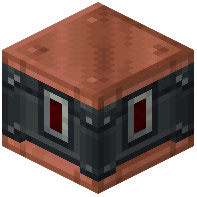 Linear Motor Controller sequences your motor's behavior:
1. Place a Linear Motor Controller block adjacent to or near your motor
2. Configure it with redstone logic to send a signal when you want carts to launch
3. When the controller receives a redstone pulse, it will activate the motor and push carts forward
Testing
Place a coaster cart on the track before your motor section and send a redstone signal to the controller. The cart should accelerate smoothly through the magnetic track. Adjust motor length and controller timing as needed for your ride design.