
Magnetic Velocity Rail Wiki › Guides › Detect Coaster Speed and Trigger Actions
Detect Coaster Speed and Trigger Actions
Using the 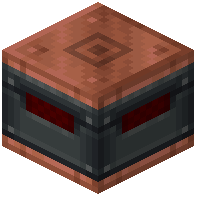 Coaster Observer
The Coaster Observer reads the exact speed of passing carts and converts it into a redstone signal:
1. Place a Coaster Observer block adjacent to your track
2. When a cart passes over the observer's detection area, it measures speed in Blocks per Second
3. The observer outputs an analog redstone signal proportional to the cart's speed
4. This signal lasts for 10 seconds after detection
Connecting to Displays and Logic
Use the redstone output to:
- Feed speed data to Display Links to show real-time cart velocity on screens
- Connect to comparators to trigger different actions based on speed thresholds
- Use Engineer's Goggles or Jade to visually inspect cart speed while building
Practical Applications
Speed detection enables:
- Automatic braking systems that activate if carts exceed safe speeds
- Multi-pass launch sequences that adjust power based on current velocity
- Safety gates that only open when trains reach minimum speed requirements