

 DownloadSteve's Factory Manager Reborn
Get the files on 9Minecraft
The 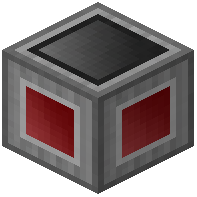 Factory Manager GUI is a flowchart editor. Players place "Procedures" (nodes) and connect them with lines to determine the execution order.
Navigation and Controls
- Dragging: Click and drag on the empty workspace to move the view. You can also use the arrow keys (hold Shift for faster movement).
- Context Menus: Right-click on any procedure or empty space to access options like Deleting, Copy/Pasting, and Toggling Fullscreen.
- Connecting Nodes: Click the output node (small circle) of one procedure and then click the input node of another to create a flow.
- Coordinates: The editor offset coordinates are displayed in the GUI; clicking them allows you to manually enter a location to jump to.
Advanced Editing Techniques
- Shift-Delete: Holding Shift while deleting a procedure will prompt to delete all connected downstream procedures.
- Fullscreen Mode: Essential for complex builds, this expands the editor to fill the entire Minecraft window.
- Search Box: Within procedure menus (like Inventory selection), a red text field at the top allows you to filter blocks by name.


