

 DownloadQuark Mod
Get the files on 9Minecraft
Choosing a Chest Type
Every wood variant has a matching chest:  Acacia Chest,
 Ashen Chest,
 Azalea Chest,
 Bamboo Chest, and
 Birch Chest. Each also has a Trapped Chest version (
 Acacia Trapped Chest,
 Ashen Trapped Chest,
 Azalea Trapped Chest,
 Bamboo Trapped Chest,
 Birch Trapped Chest) that emits a redstone signal when opened. Use Trapped Chests for hidden doors and alarm circuits, and plain Chests for general storage.
Loot Chests
Loot Chests come in the same wood variants plus trapped versions:  Acacia Loot Chest,
 Acacia Trapped Loot Chest,
 Ashen Loot Chest,
 Ashen Trapped Loot Chest,
 Azalea Loot Chest,
 Azalea Trapped Loot Chest,
 Bamboo Loot Chest,
 Bamboo Trapped Loot Chest,
 Birch Loot Chest,
 Birch Trapped Loot Chest. These are the containers you place when you want a chest that generates loot. Place them where you want loot to appear and open them to collect the contents.
The Backpack
Craft a  Backpack for portable storage. It holds items like a chest but travels with you. Keep one Backpack for mining drops and another for building materials so you do not have to return to base constantly.
Organizing by Material
Match chest wood to the material stored inside — put Acacia Planks and 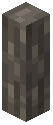 Acacia Posts in an Acacia Chest,
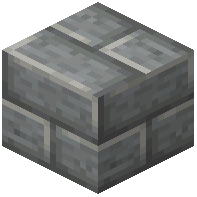 Andesite Bricks in a separate chest, and so on. This makes sorting fast and keeps your base visually consistent.


