

 DownloadMekanism
Get the files on 9Minecraft
Cables and Cubes
Energy moves through Basic Universal Cables. Place a  Basic Energy Cube as your central buffer, then run cables from the cube to every machine that needs power. Any machine touching a cable that touches the cube will draw energy automatically. Cables do not need to be configured for basic setups; they push power to adjacent consumers by default.
Charging Your Gear
A 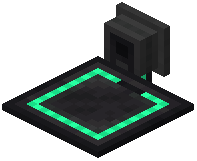 Chargepad charges items in your inventory when you stand on it, provided the pad is connected to a powered Energy Cube. Place the Chargepad directly on top of or beside the cube and step onto it.
 Armored Jetpack and
 Armored Free Runners both recharge this way.
Managing Capacity
Basic Energy Cubes fill quickly once you add several machines. Upgrade to an  Advanced Energy Cube when you have the materials, or place multiple Basic Cubes side by side and link them with cables so they share load. For long cable runs, use
 Advanced Universal Cable to reduce energy loss over distance. Always keep at least one Energy Cube dedicated to your ore processing line so a single machine cannot drain the entire network during a large batch.


