

 DownloadLittle Logistics Mod
Get the files on 9Minecraft
Lay the Track and Place the Train
Place a  Steam Locomotive on a rail line. Attach cargo behind it by placing a
 Train Car,
 Chest Train Car,
 Barrel Train Car, or
 Fluid Tank Train Car on the same rail, then link them with a
 Vehicle Chain. Use a
 Locomotive Docking Rail where the locomotive should stop, and a
 Train Car Docking Rail under any car you want to load or unload at a station.
Route and Automate
Craft a  Locomotive Route and use it on the locomotive to record waypoints along the rails. Place
 Switch Rail and
 T-Junction Rail blocks where tracks split; upgrade them to
 Automatic Switch Rail and
 Automatic T-Junction Rail so the locomotive can choose branches on its route. Add a
 Vehicle Detector beside the track to emit a signal when the train passes, and a
 Vehicle Charger if you run an
 Energy Locomotive instead of steam.
Move Goods
Load a Chest Train Car with a hopper or by hand, send the locomotive along its route, and unload at the docking rail. For fluids, fill a Fluid Tank Train Car and pump out with a 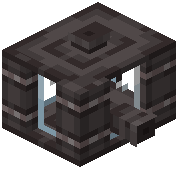 Fluid Hopper. Use the Conductor's Wrench to rotate and configure rail
 blocks and docking rails in place.


