

 DownloadLittle Logistics Mod
Get the files on 9Minecraft
Moving Items
Place a  Rapid Hopper where you need fast item throughput, and a
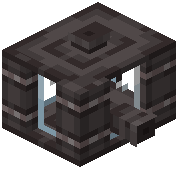 Fluid Hopper where liquids must move between containers. Both accept input from above and push output to the block they face. Route items from a
 Chest Barge or
 Chest Train Car into a
 Barge Dock or
 Train Car Docking Rail, then pull them out with a Rapid Hopper into your storage. For trains, the docking rail acts as the transfer point between the car and the hopper line.
Moving Fluids
Use a  Fluid Tank Barge or
 Fluid Tank Train Car as the mobile tank. A Fluid Hopper moves liquid in and out of it at the dock. Chain a Fluid Hopper into your stationary tanks so arriving fluid drains automatically when the vessel docks.
Keeping the Network Running
A  Chunk Loader Barge or
 Chunk Loader Train Car keeps the route area loaded so transfers continue while you are elsewhere. A
 Vehicle Detector next to the dock can trigger redstone when a vessel arrives, letting you gate hoppers or signals on arrival. Use the Conductor's Wrench to reconfigure docking behaviour if a hopper is pulling from the wrong side. For wireless signalling between distant docks, place a
 Wireless Transmitter Component at the source and a
 Wireless Receiver Component at the destination.


