

 DownloadHole Filler
Get the files on 9Minecraft
How do I craft an orb?
Each orb type has its own recipe—check the crafting menu or JEI/NEI for the specific ingredients. Once crafted, you hold the orb in your hand and throw it like a snowball into the hole you want to fill.
What's the difference between Simple and Selectable orbs?
Simple orbs automatically use dirt from your inventory to fill holes. Selectable orbs also use dirt, but you can hold Shift and right-click on any block in the world to change what block type the orb will place instead.
How does the Smart orb work?
The Smart orb analyzes the blocks already surrounding the hole and tries to fill it with the same block types, pulling them from your inventory. This is useful for seamlessly filling holes in terrain made of stone, grass, or other specific blocks.
Can I undo a fill if I made a mistake?
Yes—if you hit any of the newly placed blocks within 15 seconds of the orb landing, the entire fill operation will be canceled and the blocks will disappear.
How do Water and Lava orbs work?
Water orbs place ice blocks that melt into water, and Lava orbs place magma blocks that turn into lava. This allows you to fill holes with liquids without needing infinite water or lava sources.
What are Light orbs and how do I use them?
Light orbs place invisible light sources that illuminate an area without any visible blocks. Hold Shift and right-click to adjust the light level before throwing the orb.
How many blocks can one orb fill?
Most orbs can fill up to 500 blocks in a single throw, which is enough for most caves and terrain adjustments.
Do I need the blocks in my inventory for every orb type?
Simple orbs only need dirt. Selectable, Smart, Water, and Lava orbs require you to have the appropriate blocks in your inventory, or they won't work properly.
Can I use this mod to flatten large areas for building?
Yes—throw multiple orbs across the area you want to flatten, and they'll fill in all the holes and uneven terrain. The 15-second undo window gives you time to adjust if needed.
Does this mod cause lag or performance issues?
The mod is designed to be lightweight, but filling very large areas at once with many orbs may cause temporary lag depending on your system. Filling in smaller sections or spreading fills over time helps minimize performance impact.
What does the  Hole Filler Mod do?
It lets you fill holes in the landscape and automatically build up parts of the world by filling them with blocks . You can flatten areas for building, get rid of unwanted caves, fill everything with water or lava, and light up your builds.
What items and blocks does the Hole Filler Mod add?
It adds items like the Hole Filler ,  Hole Filler Pack , Hole Maker , and Catalysts I, II, and III, along with blocks such as the Filler Core ,
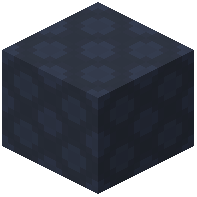 Curing Block ,
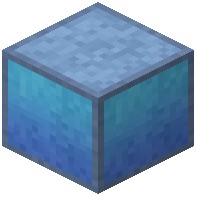 Area Protection Block , and
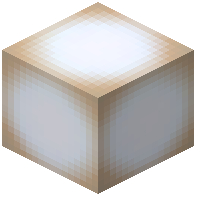 Glowing Block . There are also several Hole Filler variants, including Choice, Dark, Lava, Light, Slice, Smart, Water, and Balanced.
Hole Filler Pack , Hole Maker , and Catalysts I, II, and III, along with blocks such as the Filler Core , Curing Block , Area Protection Block , and Glowing Block . There are also several Hole Filler variants, including Choice, Dark, Lava, Light, Slice, Smart, Water, and Balanced.Which Minecraft versions does Hole Filler support?
The Modrinth project page lists Minecraft versions 1.21.5, 1.21.10, 1.21.11, 26.1.2, 26.2, and 26.3.
Which mod loaders does Hole Filler work with?
It is available for Fabric, Forge, and NeoForge.
How do you use the Hole Filler?
Throw a Hole Filler into a hole. If a hole is detected, it begins filling with Curing Blocks , which turn into dirt after 15 seconds.
Hole Filler into a hole. If a hole is detected, it begins filling with Curing Blocks , which turn into dirt after 15 seconds.How do you undo a Hole Filler fill?
Break any Curing Block within the 15-second undo window before it turns to dirt, and the hole is re-emptied with resources returned.
Curing Block within the 15-second undo window before it turns to dirt, and the hole is re-emptied with resources returned.What are the different types of Hole Filler?
There are 7 types: Simple, Selectable, Smart, Water, Lava, Light, and Darkening. Simple uses free dirt blocks , Selectable lets you change the block type with Shift + RMB, Smart tries to match existing blocks , Water places ice that turns to water, Lava places magma that turns to lava, Light places invisible light sources, and Darkening removes invisible light sources.
What is the maximum hole size Hole Filler can fill?
The max hole diameter is 12 blocks by default, and the max hole area is 5000 blocks .
What is the Hole Maker in Hole Filler?
The  Hole Maker is a charge-based throwable that creates holes on impact. You can scale its power with Catalyst to control how much terrain is removed.
What is Instant Cure in Hole Filler?
If you are happy with the result, use an empty hand and right-click a Curing Block 3 times to cure it immediately.
Curing Block 3 times to cure it immediately.